Setting Up a Tournament Just Got a Lot Simpler
The creation wizard is down to three quick steps, and the rest of the setup — teams, groups, schedule — now happens right in your operator panel, one clear stage at a time.
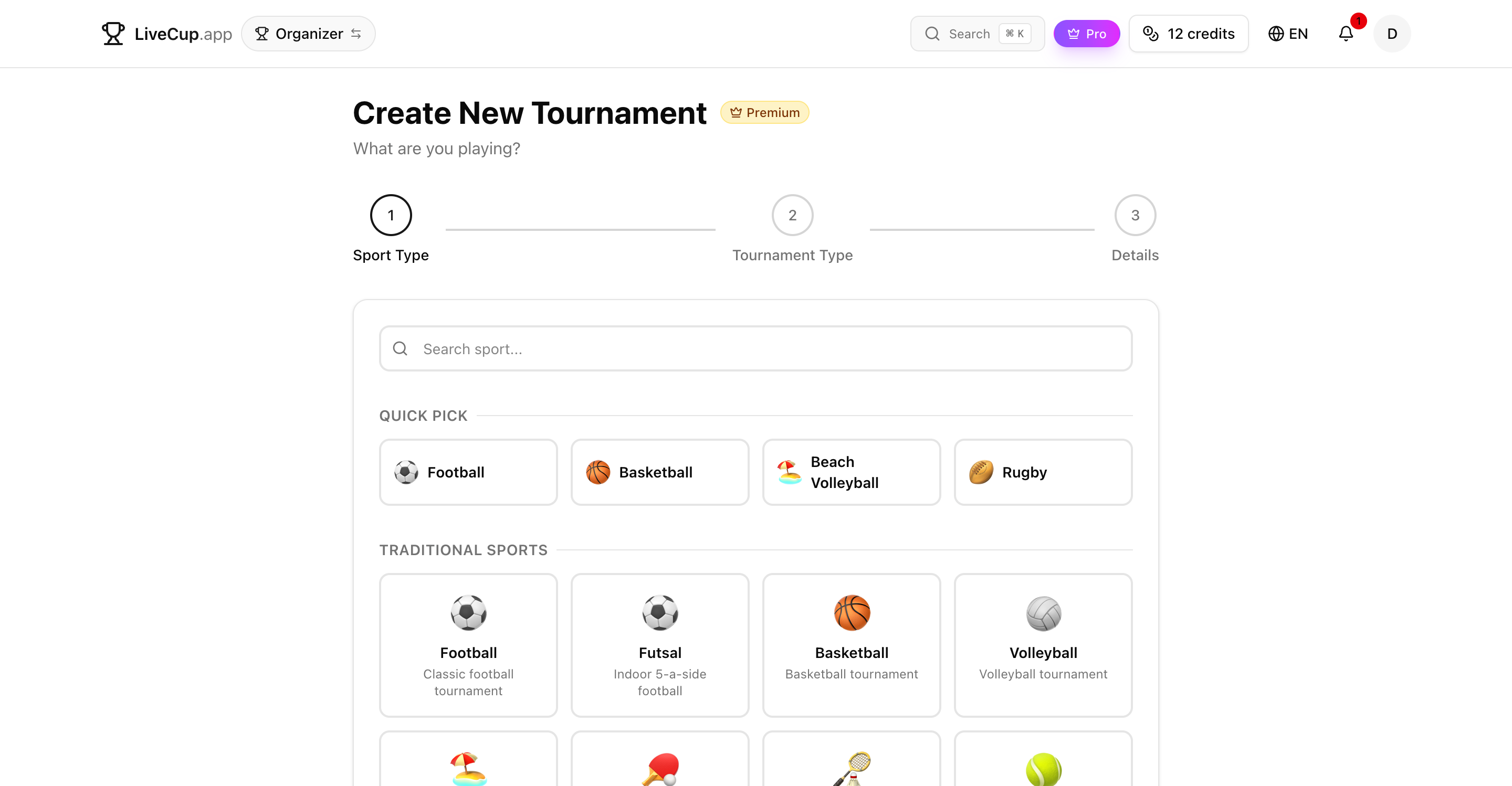
A wizard you finish in under a minute
Creating a tournament used to mean a long wizard: invite teams, draw groups and build the schedule before you ever saw your event. We cut all of that out of the wizard. Now there are exactly three steps — pick a sport, pick a format, give it a name and a date.
That's it. Hit create and your tournament exists immediately. No half-finished drafts saved in some limbo, no ten-field form standing between an idea and a live event — you go from a blank page to your own operator panel in seconds.
Everything you used to do inside the wizard is still there. It just moved to where it belongs: the panel for the tournament you just created, where you can take your time and come back to it whenever you like.
Your operator panel walks you through setup
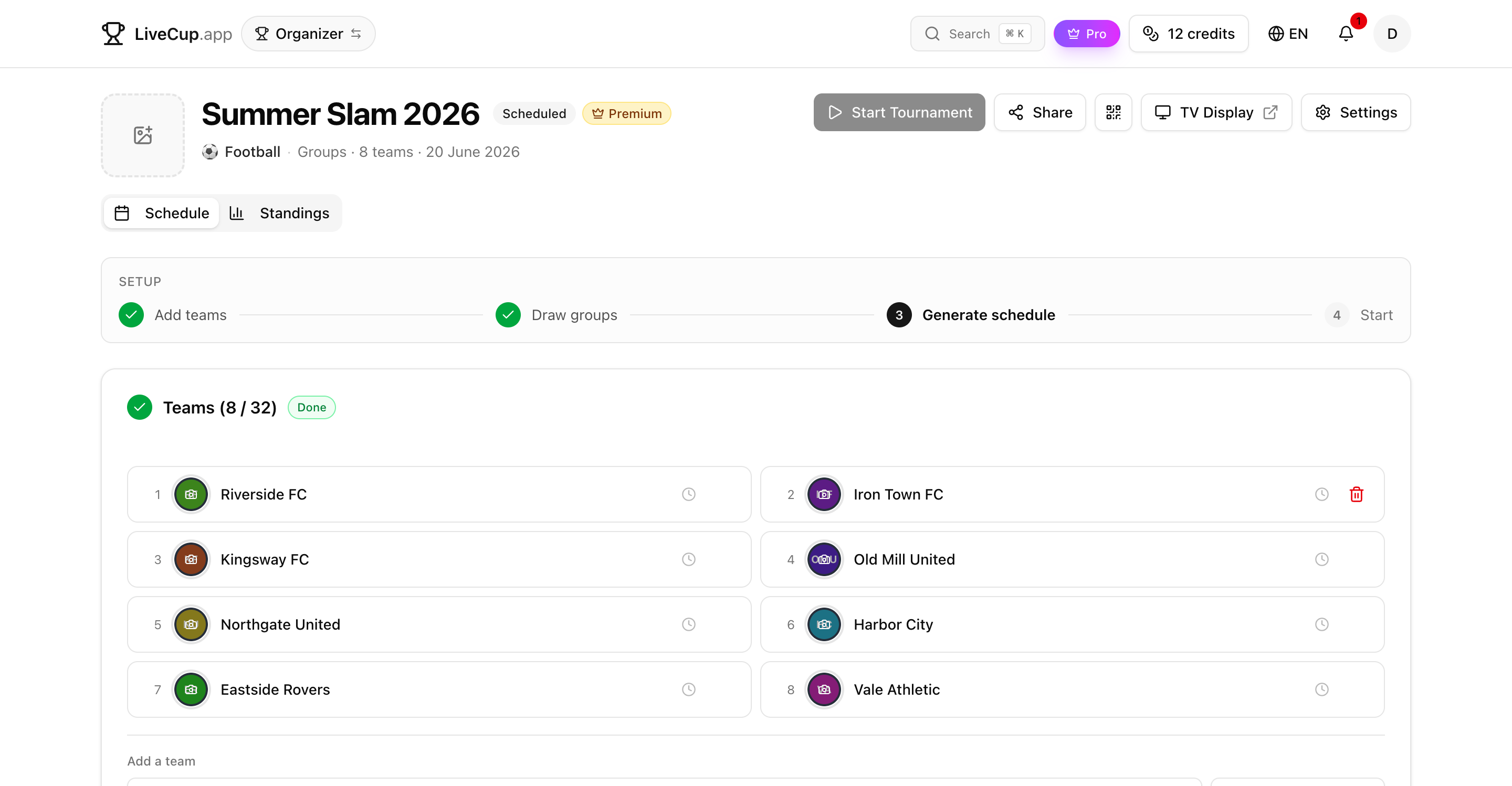
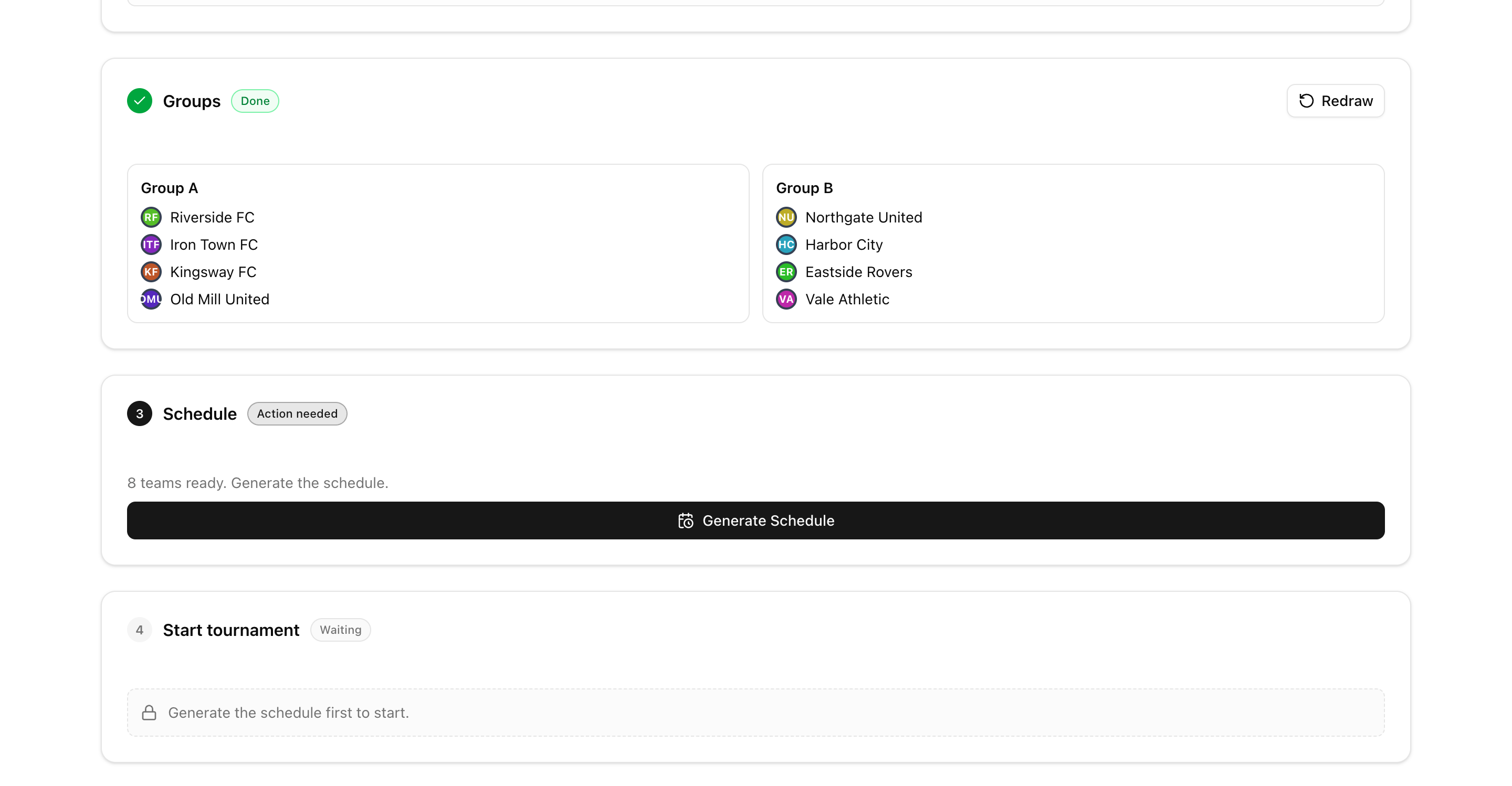
Open a fresh tournament and the panel greets you with a guided setup pipeline: Teams, then Groups, then Schedule, then Start. Each stage is a card, and a progress strip at the top shows exactly where you are.
Every card knows its own state — done, active, or waiting. The next thing to do is always highlighted, and steps that aren't ready yet tell you why in plain language instead of failing silently.
You can't generate a schedule before your groups are drawn, and you can't start before there's a schedule. The order is enforced for you, so it's almost impossible to set a tournament up in the wrong sequence.
Invite and register teams, three ways
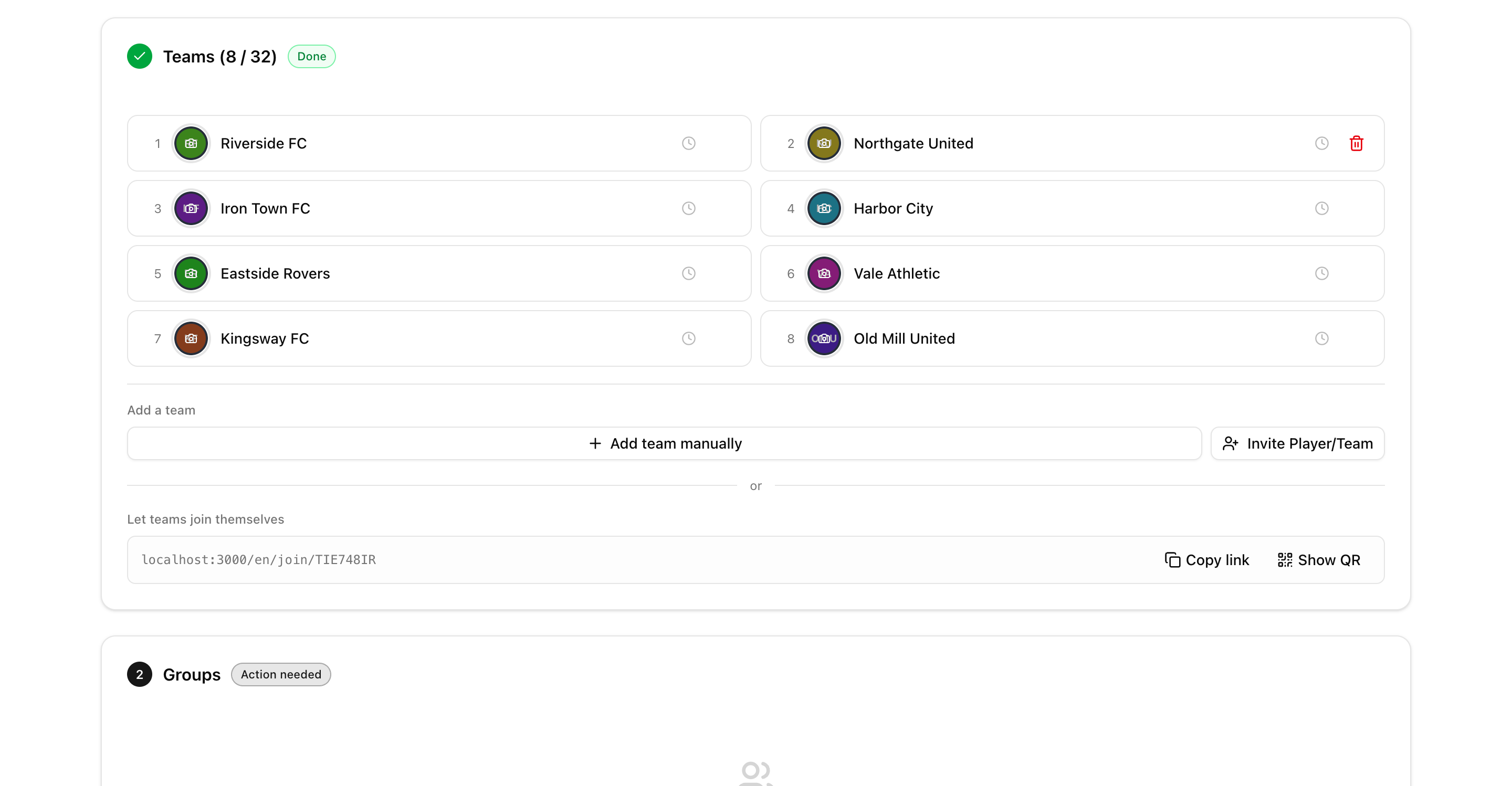
The Teams card brings every way of adding competitors into one place. Add them by hand, send email invitations, or share a QR code and a join link so players sign themselves up.
If you've set a join code, the panel reminds you to share it with participants — and when invitations go out by email, the codes are generated and attached automatically. No more wondering how someone is supposed to get in.
Invited teams that haven't accepted yet show up as greyed-out rows, so you always know who's confirmed and who's still pending. Changed your mind about an invite? Cancel it in a click.
Draw the groups right in the panel
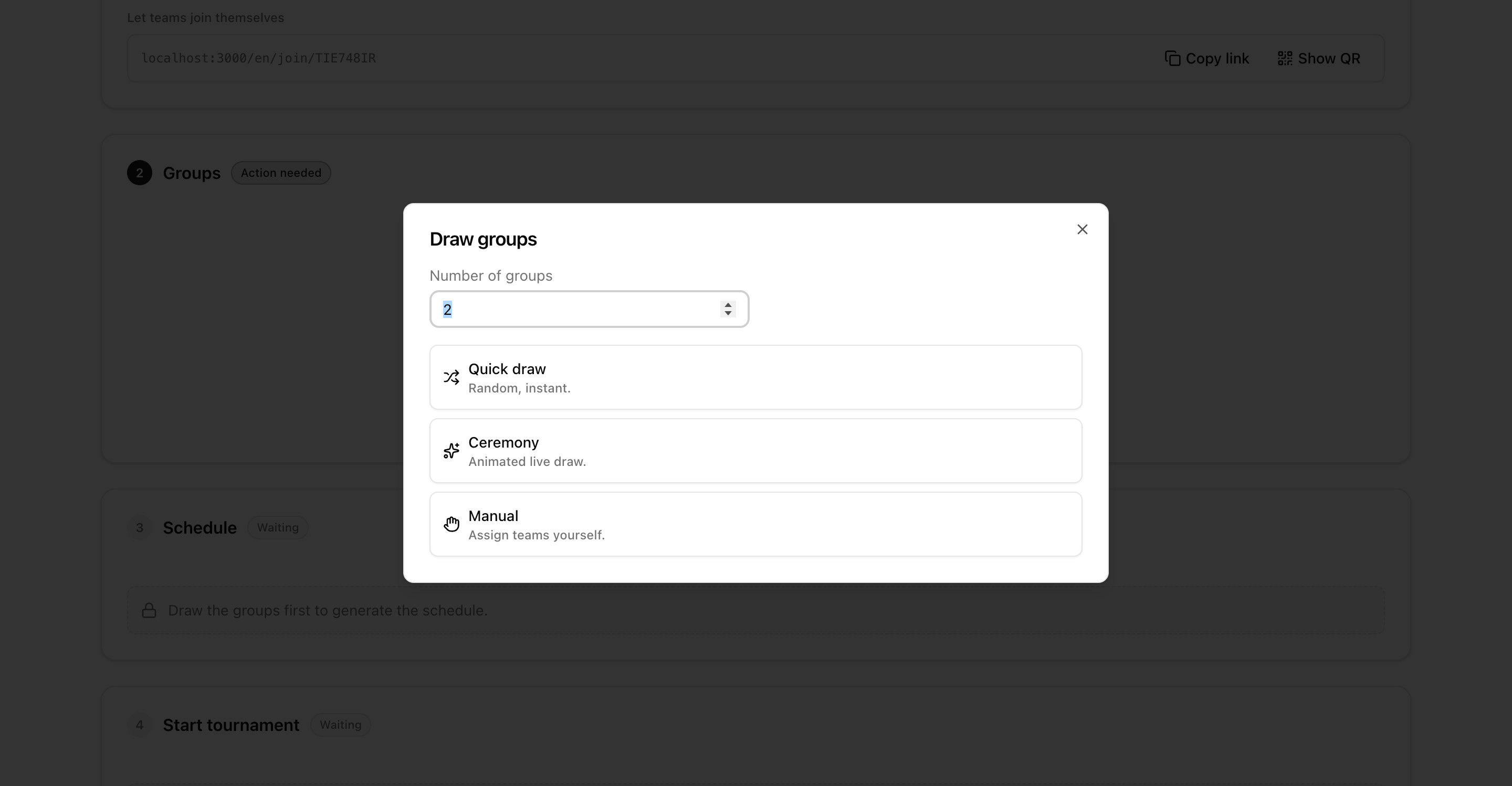
For group formats, the Groups card handles the draw without leaving the panel. Choose how many groups to split into, then draw teams the way that suits your event.
Pick a quick instant draw, run a Champions League-style draw ceremony you can show on screen, or place teams into groups by hand. Whatever you choose, the groups are saved against your real teams and feed straight into the schedule.
Everything stays editable up to kick-off, so a late arrival or a dropout never forces you to start over.
Generate the schedule, then go live
Once teams — and groups, if you're using them — are ready, the Schedule card lights up. Generate the full fixture list with one click, regenerate it if your roster changes, or open the editor to fine-tune individual matches.
The Start card sits at the bottom as the finish line. It stays locked until everything above it is done, then turns your tournament live — schedule set, scores ready, public page and TV display good to go.
Because the steps are gated, the green light only appears when your event is genuinely ready. No more accidental starts with half a schedule.
No drafts, no dead ends
We removed the old draft system entirely. From the very first click your tournament is a real, fully-featured event — not a fragile draft that could get lost or leave you unsure where to pick things back up.
The same simplified flow powers everything, including mega-tournaments and multi-stage events: spawn a linked final stage and you land straight in its panel, ready to set it up exactly the same way.
Fewer steps, clearer signposting, nothing to lose track of — just a faster path from an idea to a tournament your players can join.
Related Articles
Multi-Stage Tournaments Are Here
Play the group phase, then send the qualifiers into a brand-new linked final stage — a league, more groups, or a knockout cup. One event, one public page, as many stages as you need.
Your Tournament Schedule, Your Way
Add teams, generate match-ups in one click, and fine-tune the draw with a visual editor — before or during the tournament
QR Code Tournament Registration
Teams scan a code and register in seconds – no accounts, no paper forms, no registration chaos
How to Organize a Tournament: Step-by-Step Guide
A complete guide for any sport – from choosing a format to displaying live results on a big screen
Spin up your next tournament
Three steps to create, a guided panel to set it up. No draft to lose, no form to dread.
Create Tournament