Multi-Stage Tournaments Are Here
Play the group phase, then send the qualifiers into a brand-new linked final stage — a league, more groups, or a knockout cup. One event, one public page, as many stages as you need.
A pure group stage — now its own format
LiveCup has always had Groups + Playoff, where a group stage feeds a fixed knockout bracket. But real competitions aren't always that rigid — sometimes you want to play the groups first and decide what comes next once you see who qualifies. That's exactly what the new Groups format does.
Pick Groups in the tournament wizard and you get a clean, pure group stage: round-robin inside every group, a live table for each, and a clear list of who's on track to advance. No bracket is locked in up front — the group phase is a complete tournament on its own.
When the groups are done, you decide the next step. The format of the final stage is entirely up to you, and you choose it after the dust settles — not before a ball is kicked.
Decide how many teams advance
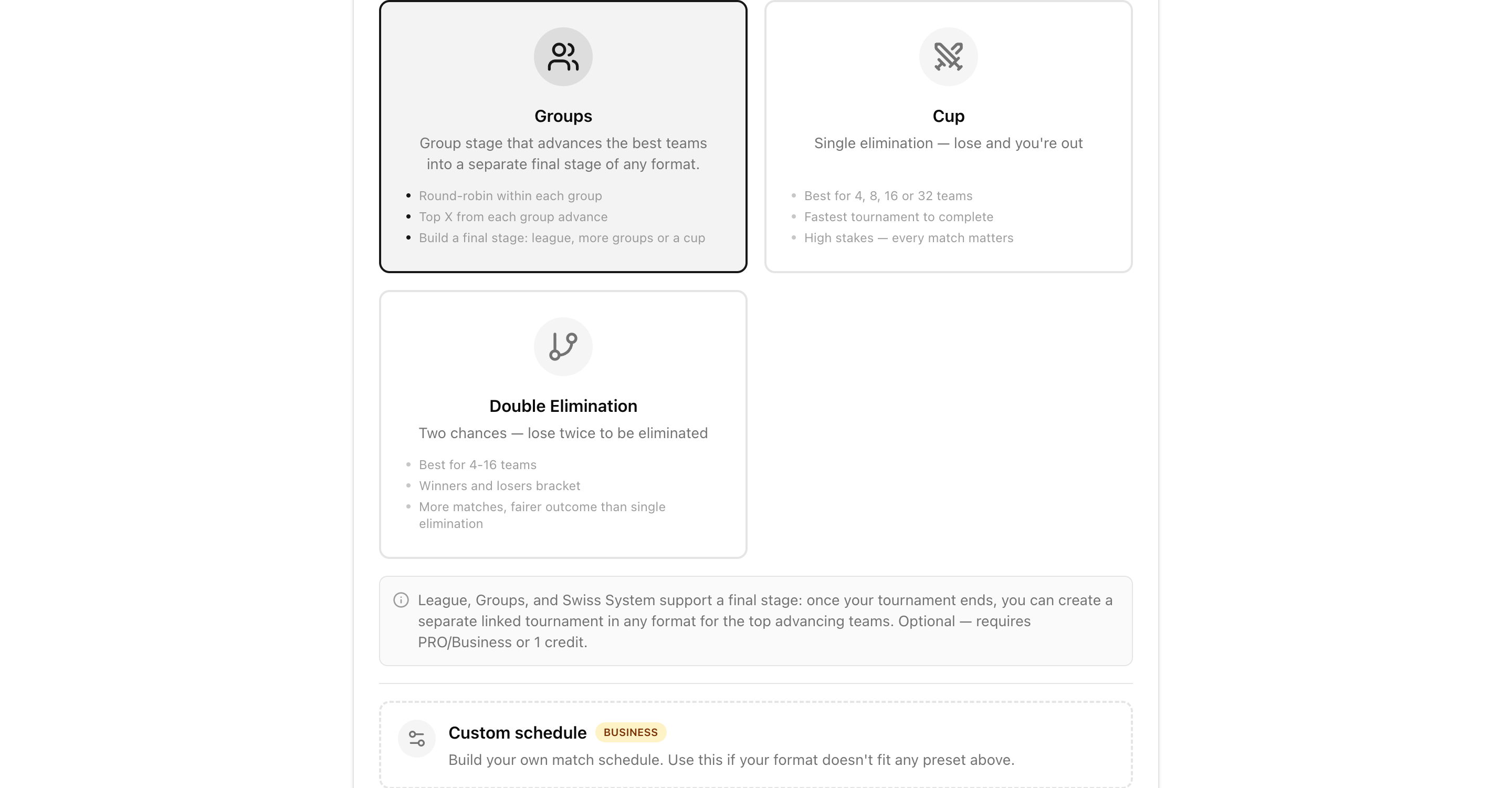
In the Groups step you set two things: how many groups to split your teams into, and how many teams advance from each group. LiveCup shows you the math live — teams per group and the total number of qualifiers heading to the next stage.
Draw the groups instantly, run a Champions League-style draw ceremony, or assign teams by hand. Eight teams in two groups with the top two advancing? That's four qualifiers and a perfect four-team final. Sixteen teams in four groups? Pick your cut-off and LiveCup keeps the count clear.
Everything is editable up to kick-off, so a late roster change never breaks your plan.
One click to launch the final stage
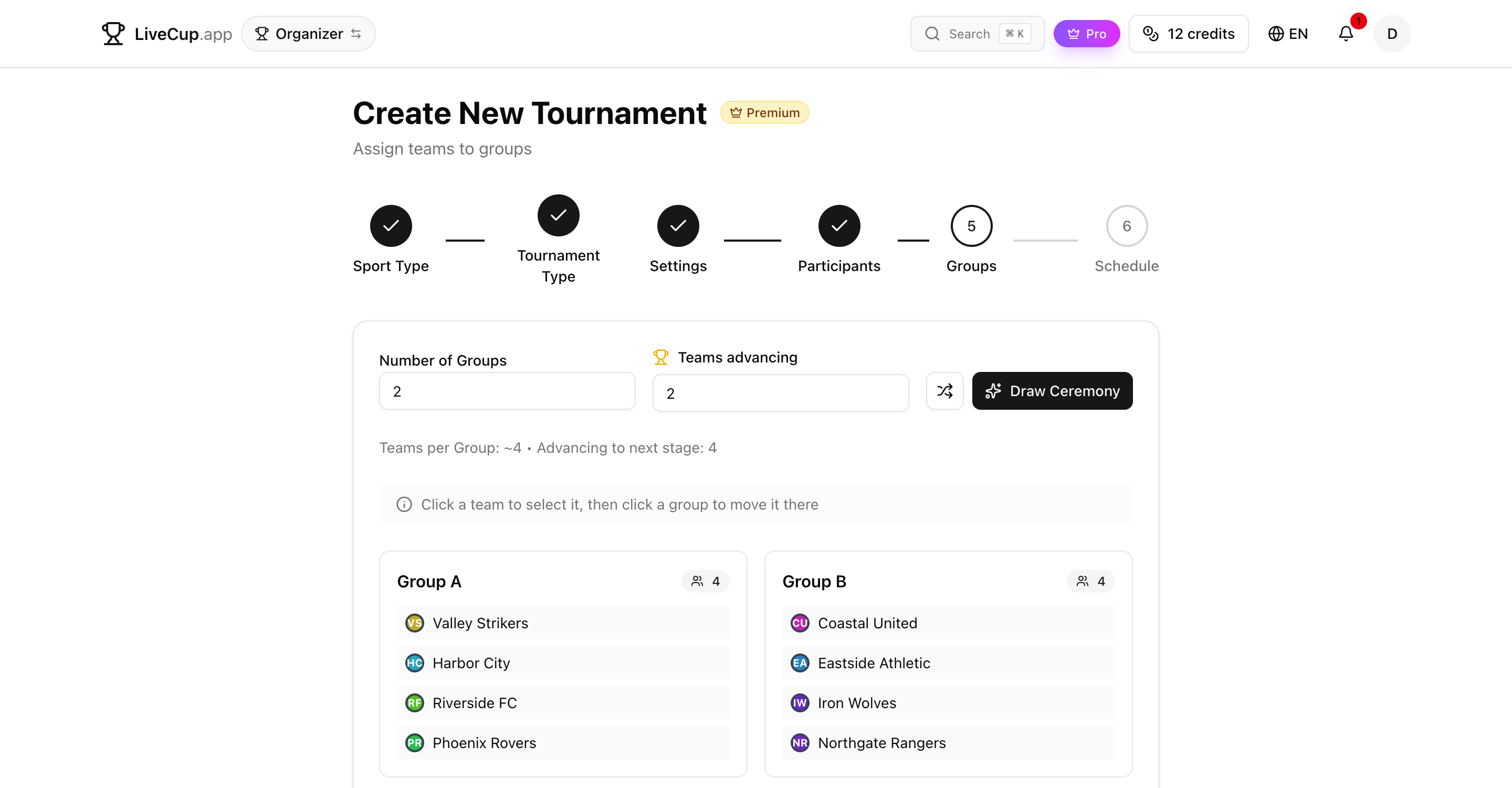
As soon as the group stage is complete, a banner appears on your tournament: “Group stage complete — X teams have advanced.” One click on Create final stage and you're on your way.
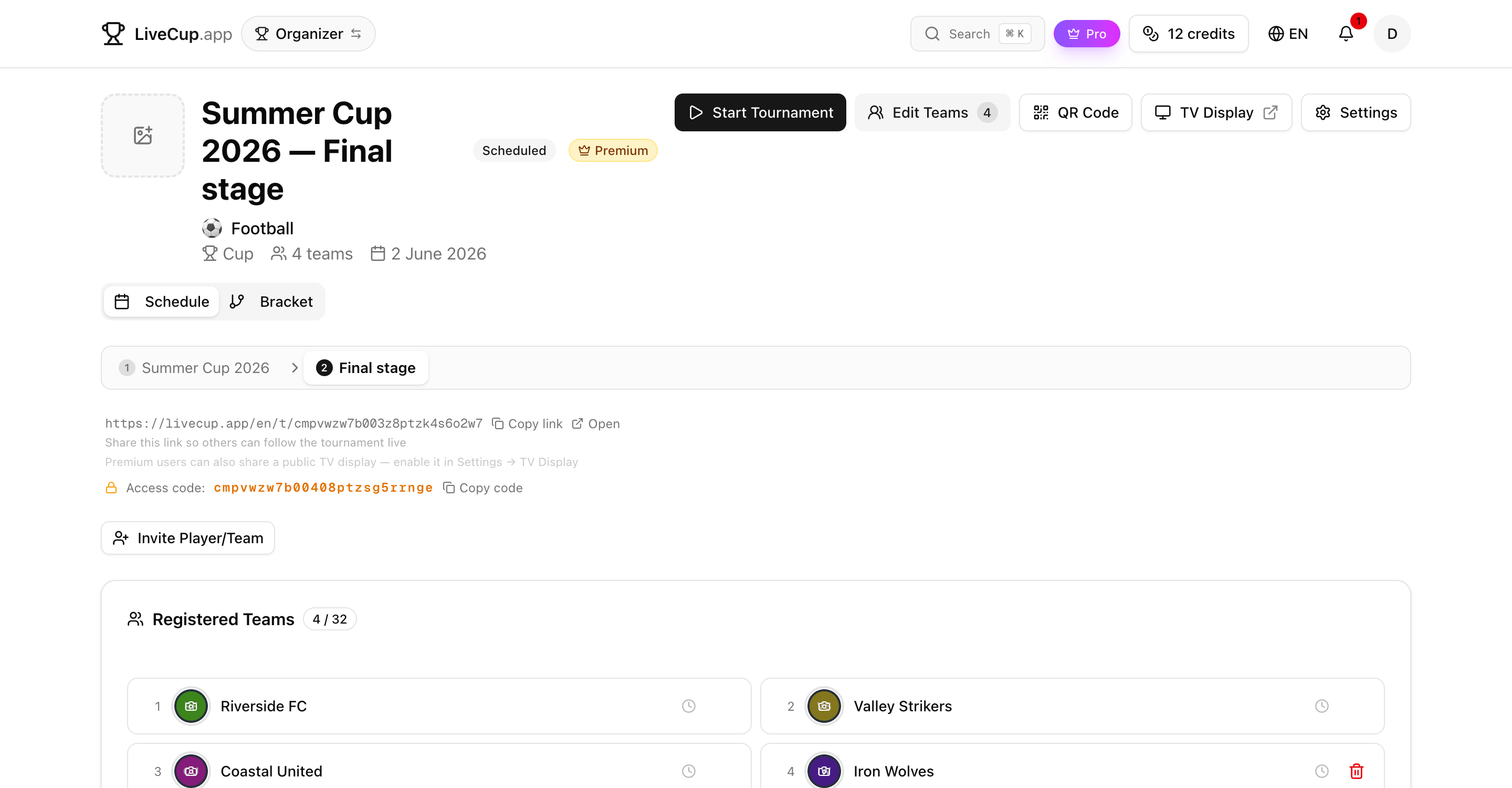
The final stage isn't a bolt-on bracket inside the same tournament — it's a brand-new, fully featured tournament of its own, linked to the group stage. It gets its own schedule, its own live standings, its own TV display and its own public link.
And because the final stage is a normal tournament, it can spawn its own final stage too. Group phase → playoff groups → knockout final: chain as many stages as your competition needs.
The qualifiers, seeded and locked
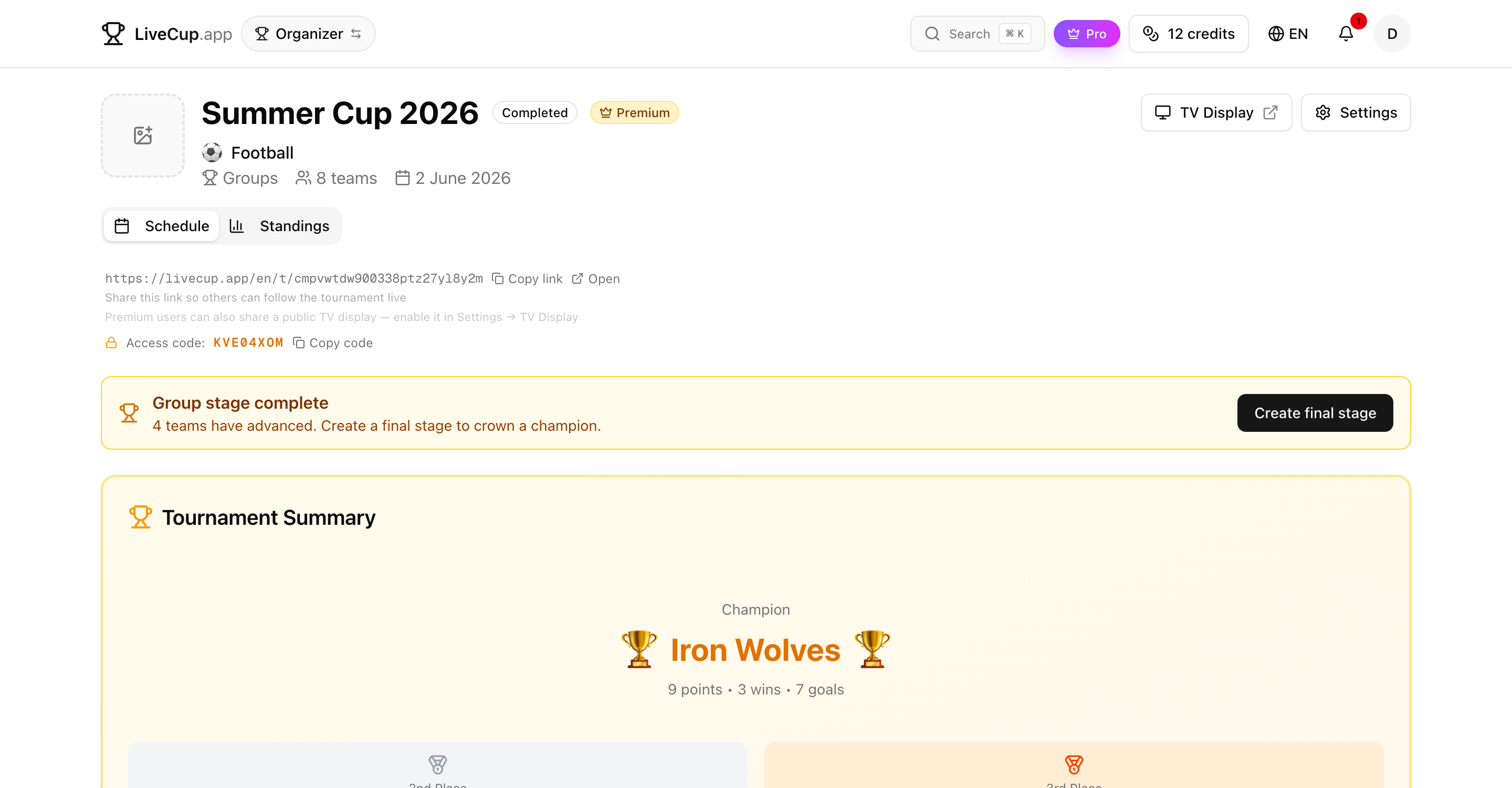
Creating the final stage opens a quick check-list of who advanced. The top teams from each group are pre-selected by default, but you stay in control — tick or untick any team before you continue.
Every qualifier carries a seed label showing exactly where it came from: A1 for the Group A winner, B2 for the runner-up of Group B, and so on. Those labels follow the team into the final stage and onto the public standings, so nobody has to guess how a team got there.
The advancing roster is locked to the group results. To change who qualified, you edit the group stage — there's no way to accidentally desync the two stages.
Choose any format for the final
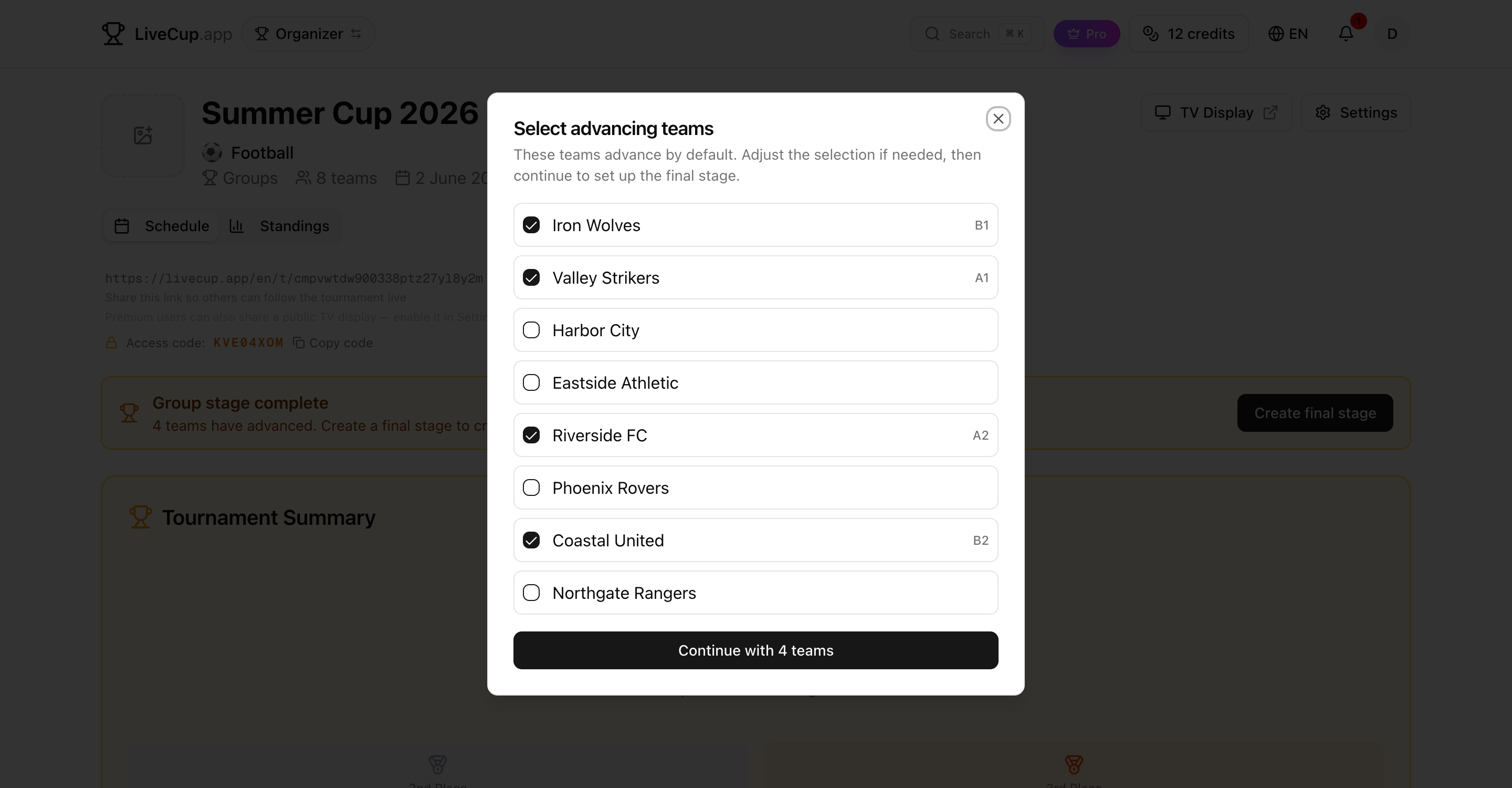
Because the final stage runs through the same tournament wizard, you can give it any format LiveCup supports. Send four qualifiers into a knockout Cup, run a final League where everyone plays everyone, or seed them into a fresh set of Groups.
The wizard pre-fills the qualifiers, inherits the parent's sport and venue, and lets you draw the bracket or table however you like. Set it up in under a minute.
A numbered stage switcher ties everything together. From the operator panel you jump between Stage 1 (the groups) and Stage 2 (the final) with a single click — every stage just a tab away.
One event for your spectators
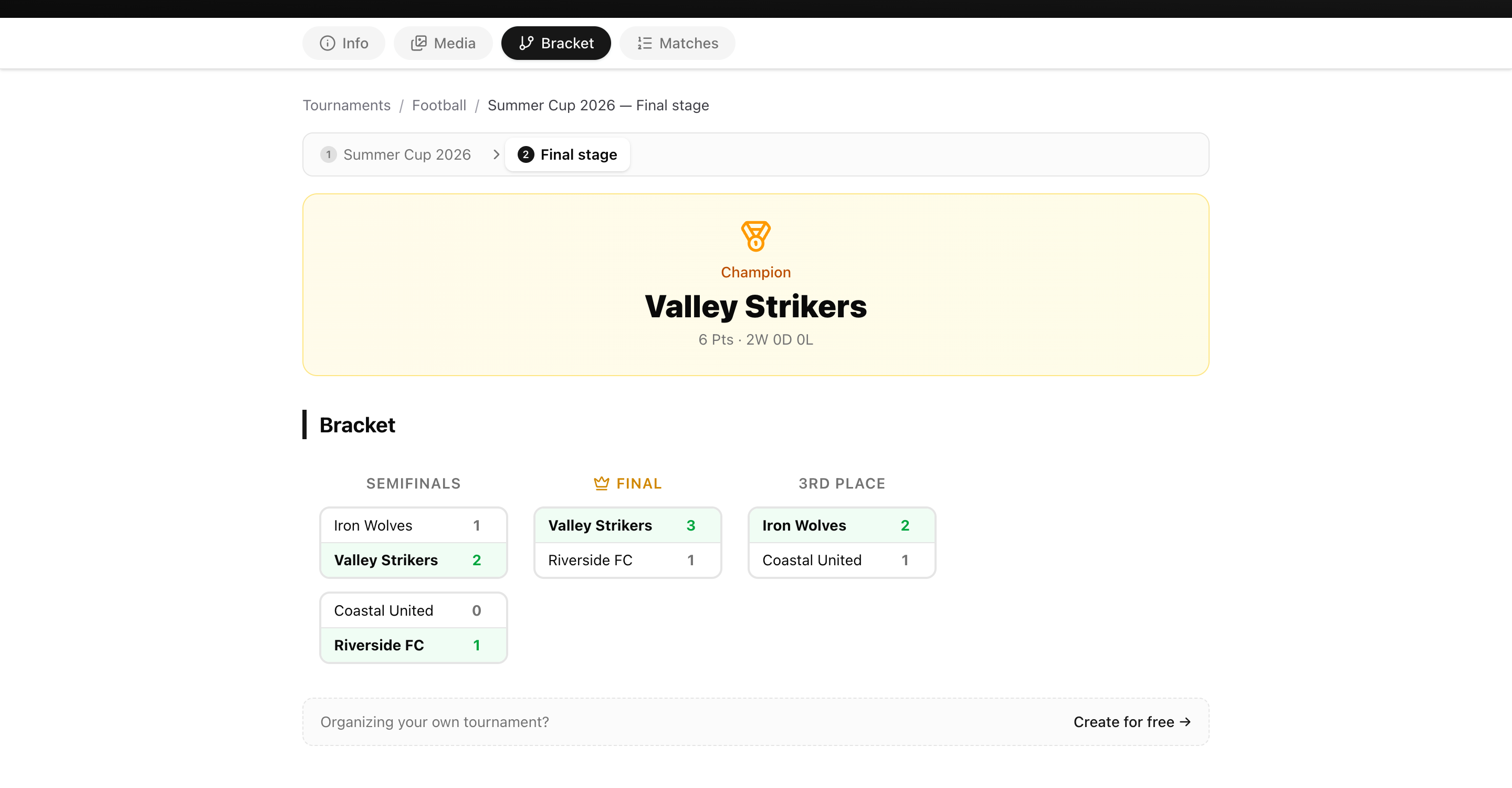
Fans get the same connected experience on the public page. The stage switcher sits right at the top, so anyone following along can move between the group tables and the knockout bracket without hunting for a second link.
Each stage keeps its own live standings, results and form guide, and the seed labels make the story obvious — you can see at a glance that the team lifting the trophy came through as the A1 seed from the group phase.
Share one link and your audience follows the whole competition, from the first group game to the final whistle.
Related Articles
Three Ways to Seed Your Playoff Bracket
Auto seeding, cross-group draw, or manual pick — choose the method that fits your tournament, preview the bracket, and generate with one click
Free Tournament Bracket Generator
Create professional brackets for any sport – single elimination, double elimination, or round-robin – in seconds
How to Organize a Tournament: Step-by-Step Guide
A complete guide for any sport – from choosing a format to displaying live results on a big screen
How to Make a League Table: Points, Tiebreakers and Fixtures
League table maker for football, FIFA, and any sport. Make your own league table with automatic points, goal difference, tiebreakers, and real-time updates.
Build your multi-stage tournament
The group stage is free for everyone. Add a linked final stage with PRO, Business, or a single Event Pass credit.
Create Tournament