Three Ways to Seed Your Playoff Bracket
Auto seeding, cross-group draw, or manual pick — choose the method that fits your tournament, preview the bracket, and generate with one click
Why Seeding Matters
In a Groups + Playoff tournament, the group stage decides who advances — but the bracket seeding decides who plays whom in the knockout rounds. The right seeding keeps the bracket fair and the matches exciting all the way to the final.
LiveCup now gives you three seeding modes so you stay in control. All three guarantee that teams from the same group can only meet in the final — unless you choose Manual mode and set it up differently on purpose.
Once all group matches are completed, the "Groups completed" banner appears with a Generate Playoff button. Click it to open the bracket configuration dialog.
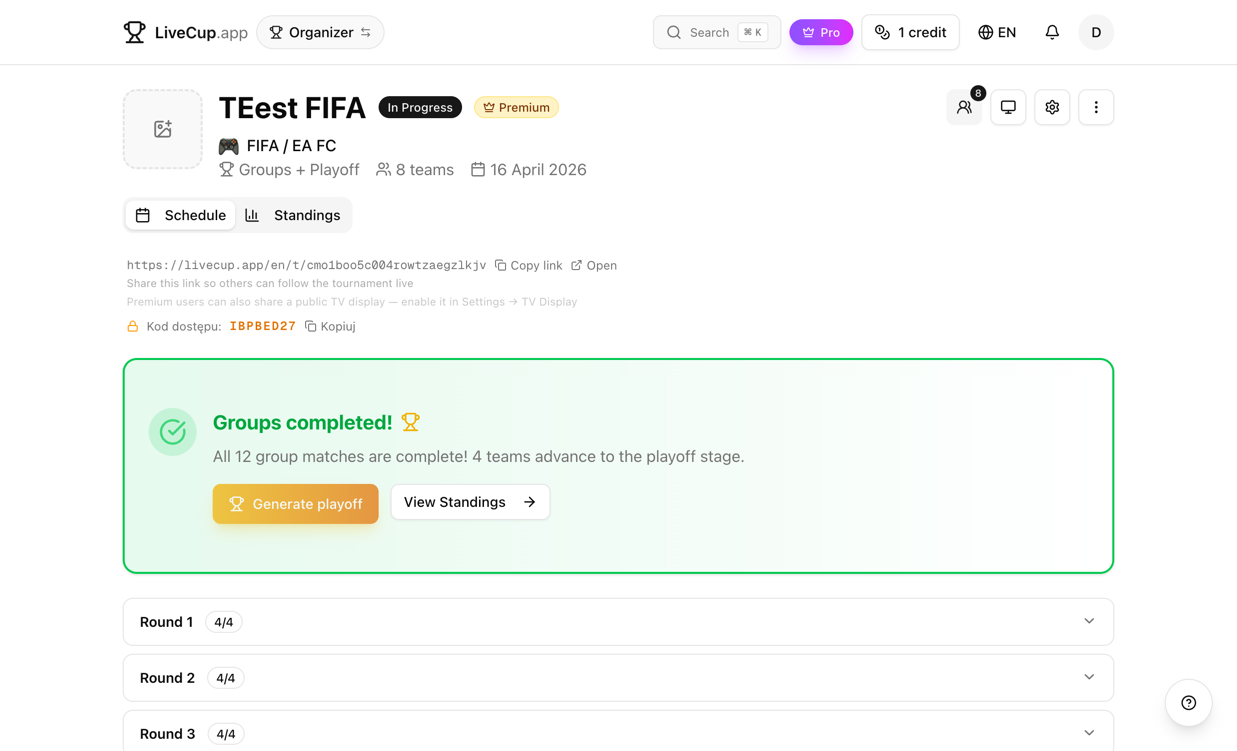
Auto Seeding
The default mode. Teams are ranked by their group standings — points, goal difference, goals scored — and placed into the bracket so the strongest team plays the weakest. Teams from the same group are automatically separated to opposite sides of the bracket.
This is the recommended option for most tournaments. It rewards group performance with favorable bracket positions while ensuring fair match-ups across the knockout stage.
No configuration needed — just select Auto Seeding (it's pre-selected) and click Preview Bracket.
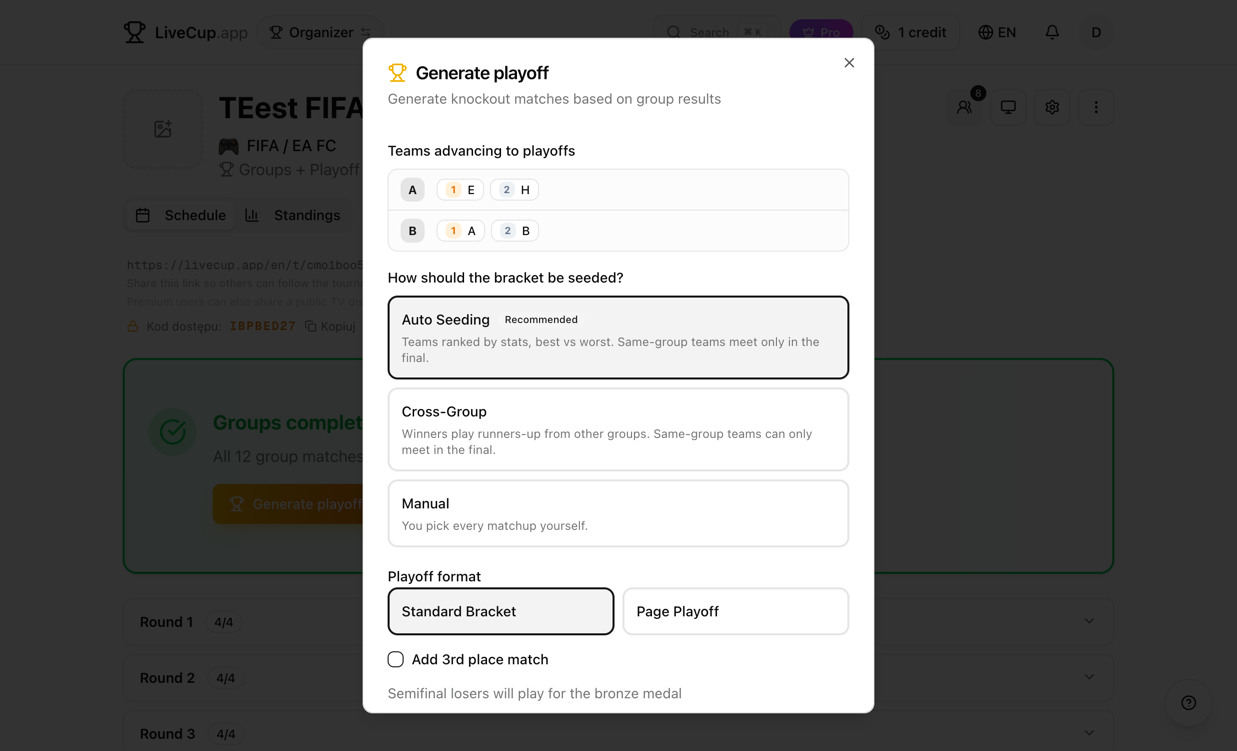
Cross-Group Draw
Inspired by the FIFA World Cup format. Group winners play runners-up from a different group: A1 vs B2, B1 vs A2, C1 vs D2, D1 vs C2. This creates a fixed, transparent bracket that everyone can follow before the knockout stage begins.
Each pairing is shown with a swap button, so you can adjust individual match-ups if needed — for example, to avoid geographic or scheduling conflicts while keeping the cross-group structure intact.
Cross-Group mode works best when you have an even number of groups (2, 4, 6, or 8) with the same number of advancing teams per group.
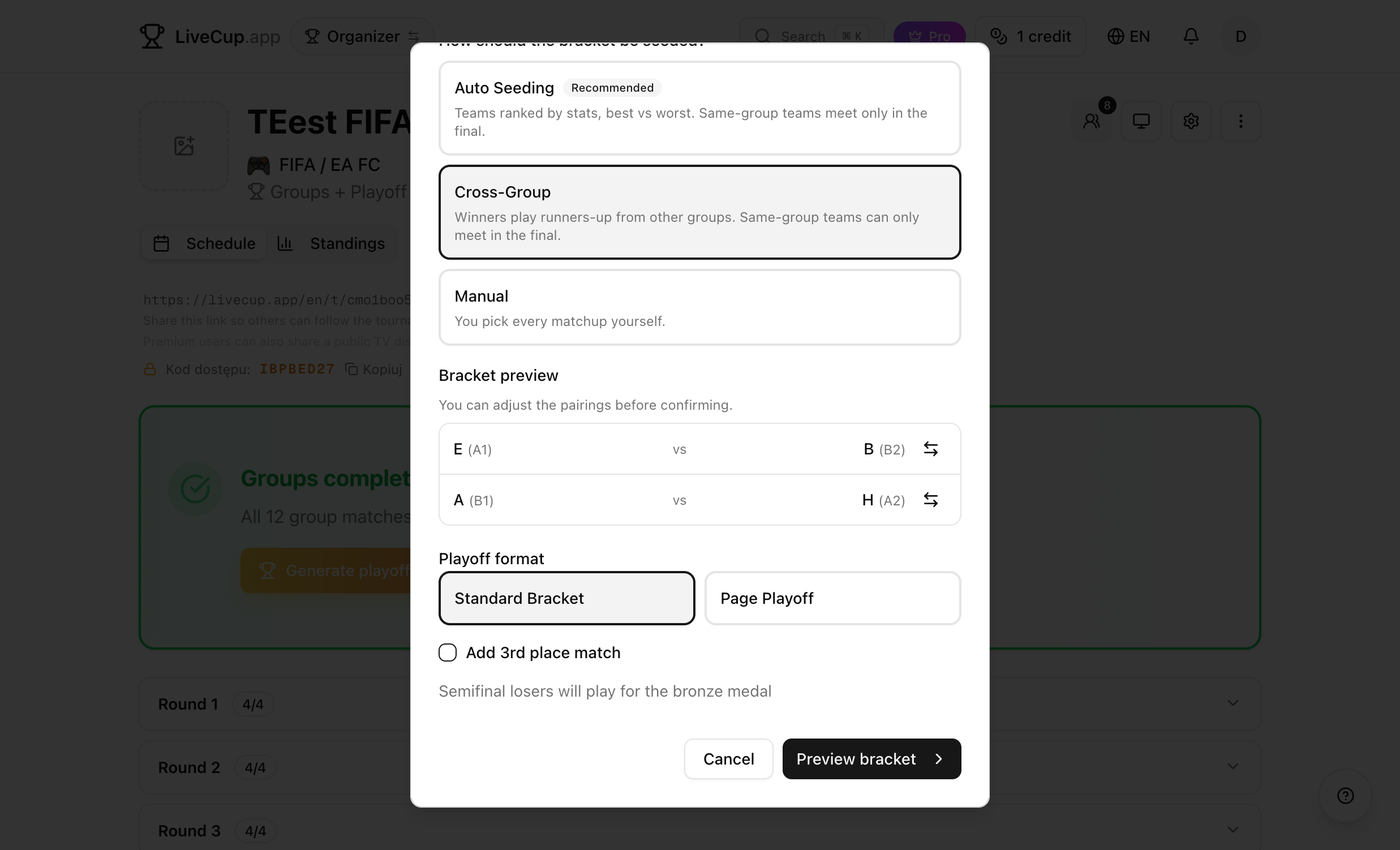
Manual Pick
Full control. You choose every match-up from dropdown menus. Each advancing team appears in the list with their group and position — select a home team and an away team for each match slot.
Teams are automatically removed from other dropdowns once selected, so you can't accidentally assign a team twice. The Preview Bracket button stays disabled until every slot is filled.
Use Manual mode when you have special requirements — seeding agreements, audience preferences, or any other reason the bracket needs a human touch.
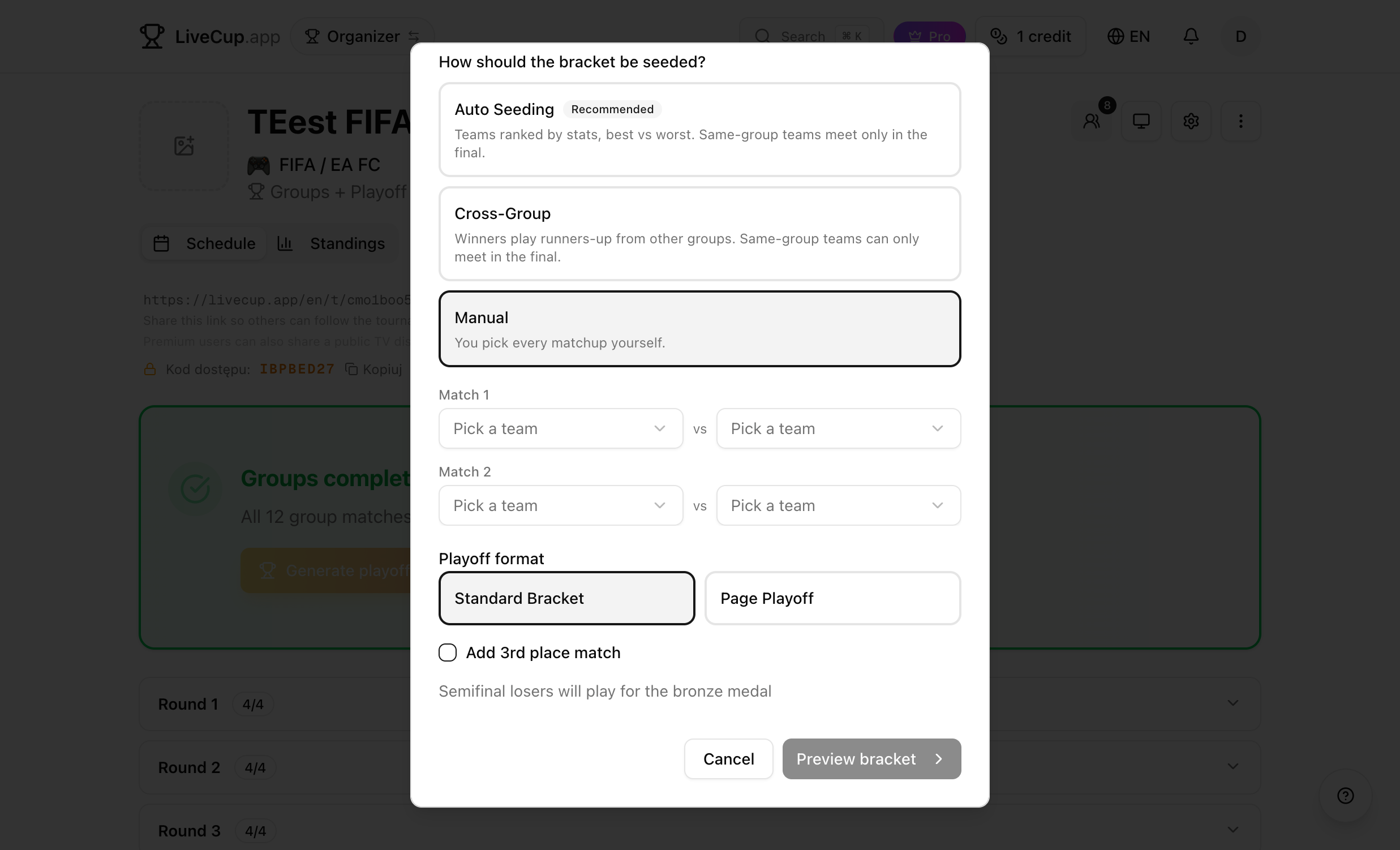
Preview Before You Commit
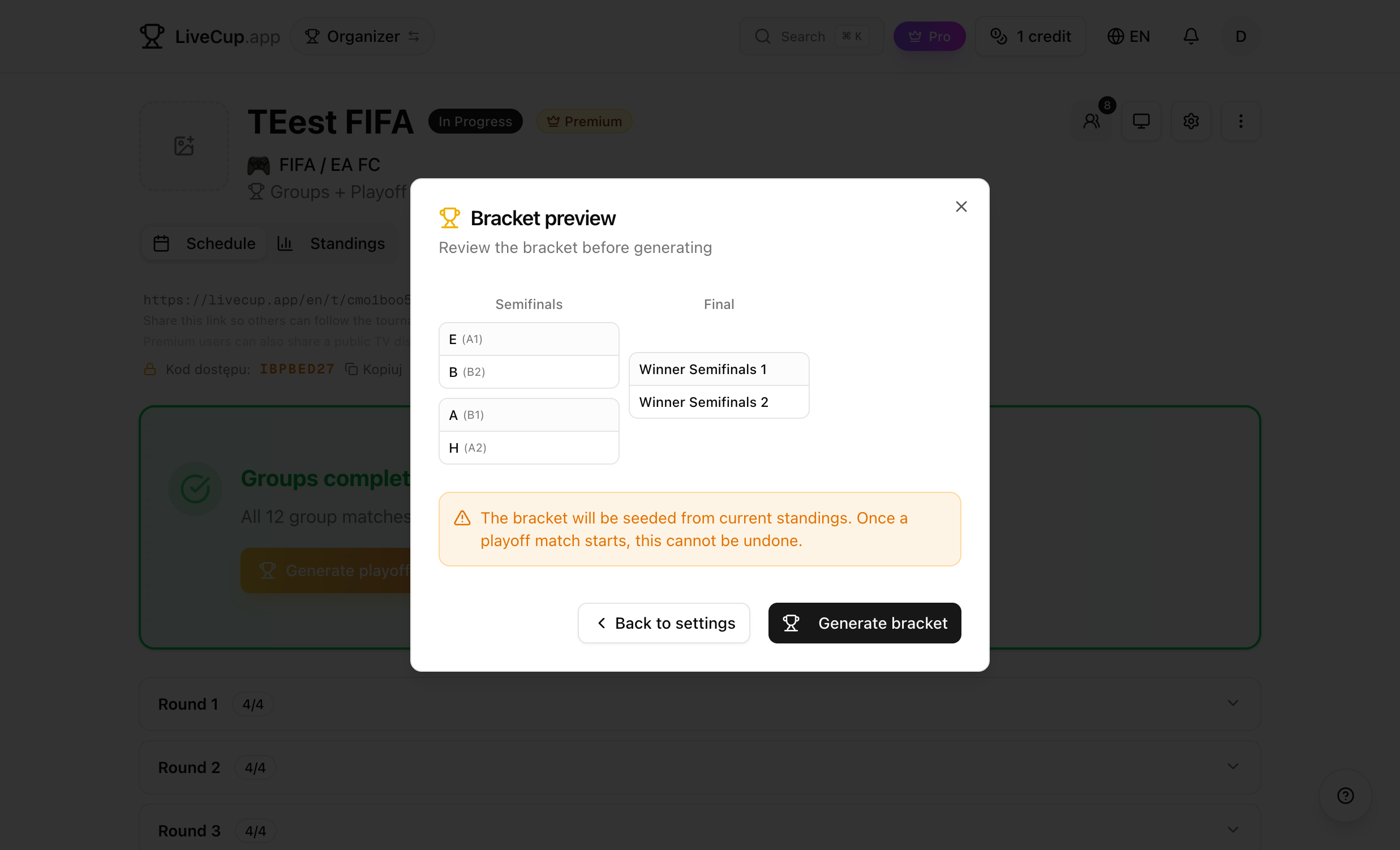
Regardless of the seeding mode, you always preview the full bracket before generating it. The preview shows every round — quarterfinals, semifinals, and the final — with real team names in the first round and "Winner of" labels for later rounds.
Not happy with the result? Click Back to Settings to adjust your pairings or switch to a different mode. Nothing is saved until you click Generate Bracket.
Once generated, the knockout matches appear on your tournament dashboard ready to be played. The bracket cannot be changed after a match starts — so take your time with the preview.
Related Articles
Free Tournament Bracket Generator
Create professional brackets for any sport – single elimination, double elimination, or round-robin – in seconds
How to Organize a Tournament: Step-by-Step Guide
A complete guide for any sport – from choosing a format to displaying live results on a big screen
Football Tournament Organizer: Complete Planning Guide
Choose the right format, set rules, manage teams, and display live results – all with the free LiveCup tournament app
Build Your Bracket, Your Way
Three seeding modes, live bracket preview, one-click generation. Free for every Groups + Playoff tournament.
Create Tournament