Never Lose a Team Manager's Number Again
Save each manager's name, email and phone next to their team — private to you, still there a year later, and ready to export when it's time to invite everyone back.
One place for every manager's details
You know the drill. The tournament wraps up, everyone goes home, and the managers' phone numbers live on in a WhatsApp thread, a crumpled sign-up sheet and three different spreadsheets. Twelve months later you're organizing the next edition and half of those contacts are gone.
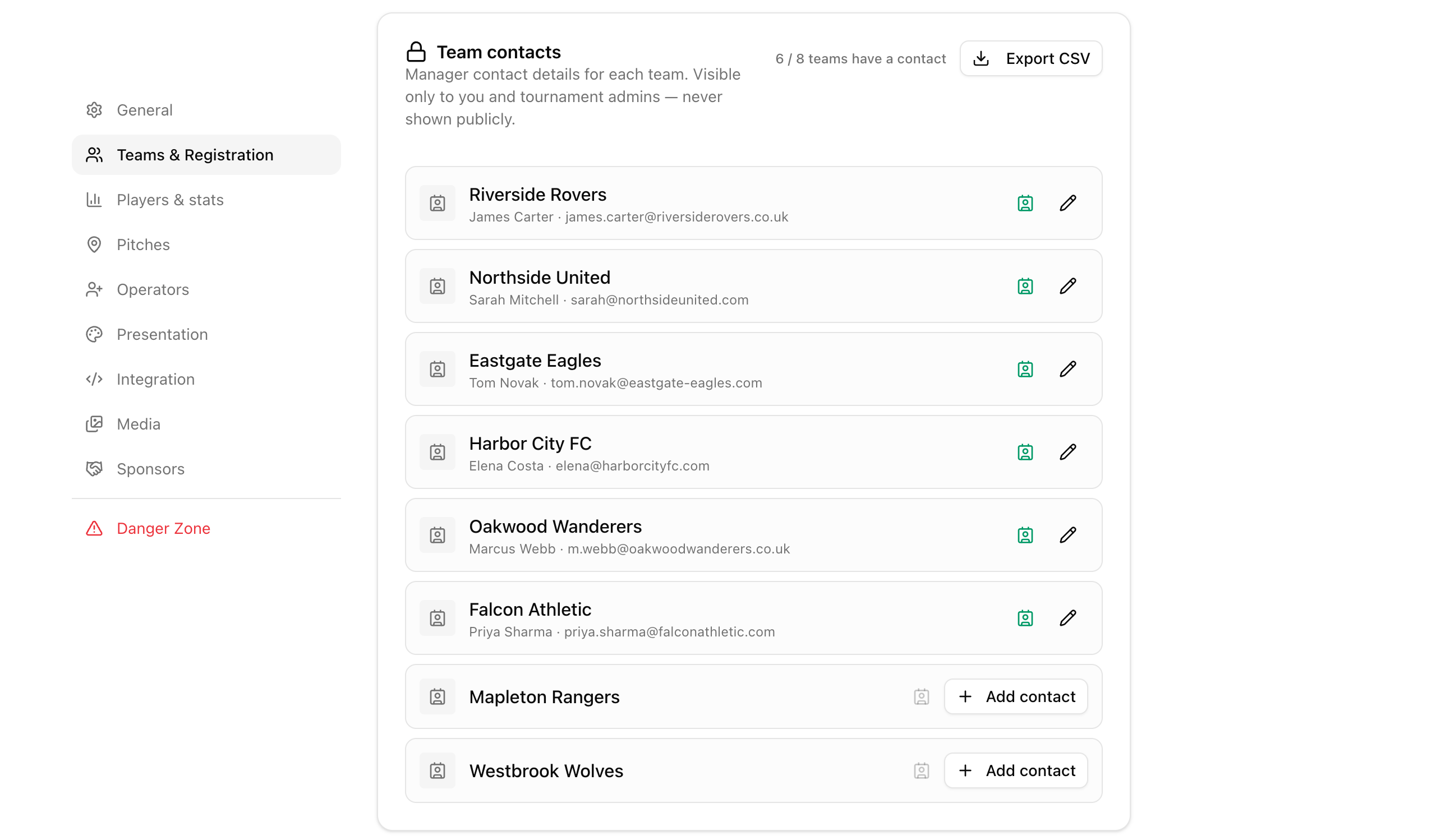
Team contacts fixes that. In your tournament settings, under Teams & Registration, there's now a section that lists every registered team with space for its manager's contact details. A counter shows how many teams are covered, so you can see the gaps at a glance.
Teams with a saved contact show the manager's name and email right in the list. Teams without one get a clear Add contact button — filling in the whole roster takes a couple of minutes during a quiet moment at the venue.
Five fields, thirty seconds per team
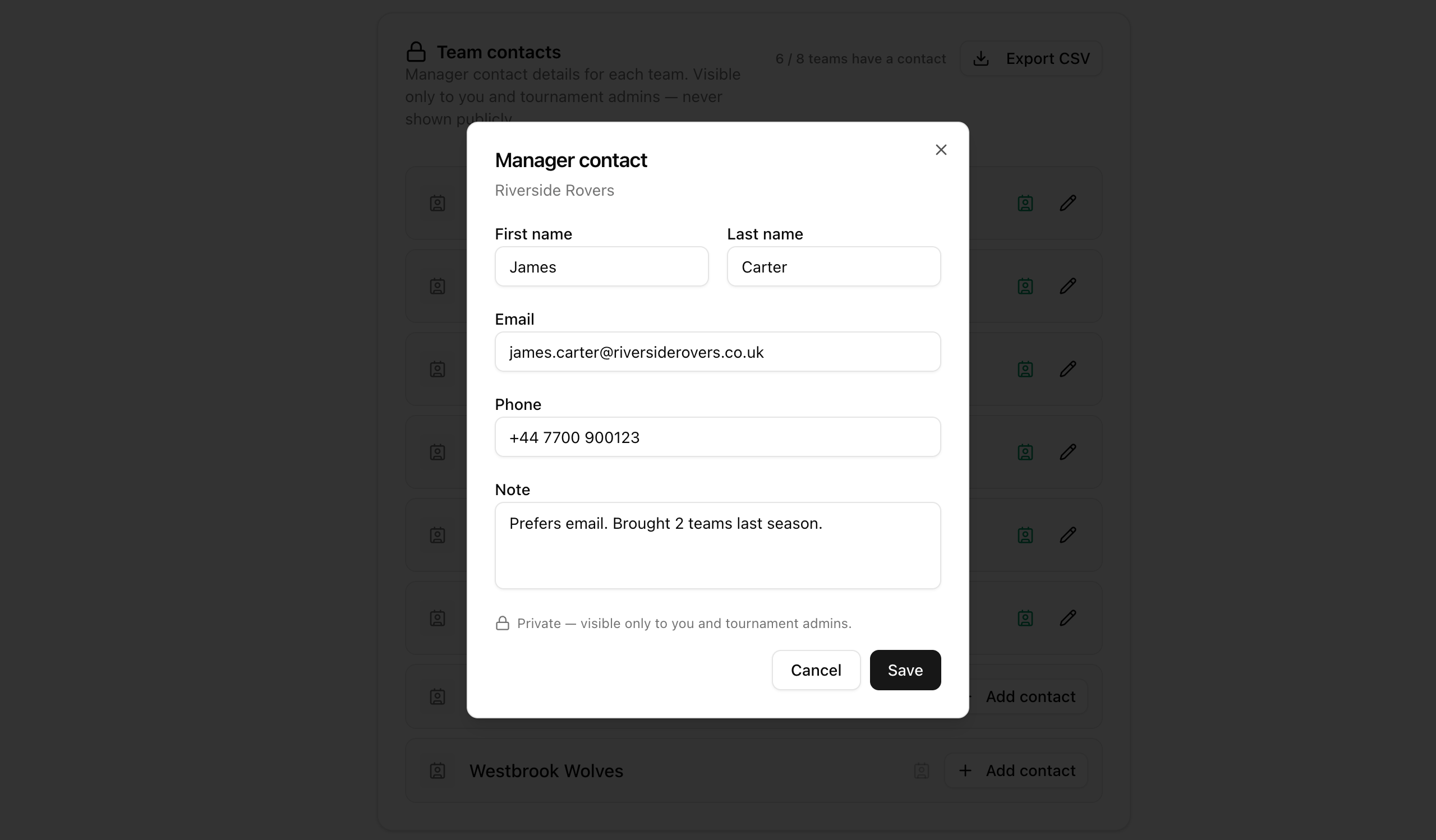
Click Add contact and a small dialog opens: first name, last name, email, phone and a free-form note. Every field is optional — save just an email if that's all you have, and top it up later.
The note field is the quiet hero. "Prefers email." "Brought two teams last season." "Call after 6 pm." Little details like these make next year's outreach feel personal instead of cold.
Emails are validated as you save, phone numbers accept any format — landline, mobile, international — and nothing is shared with anyone. It's your private address book for this tournament.
Private by design
Manager contacts are personal data, so we built the feature around one rule: only you and your tournament admins can ever see them. Players can't, spectators can't, and they never appear on public tournament pages, the TV display or embeds.
That privacy is enforced at the data layer, not just hidden in the interface. Every public read of team data strips the contact fields by default — they are only ever served to people with team-management permission on your tournament.
Moderators you invite to run matches don't see them either. Contact details stay between you, your admins, and nobody else.
Still there when you plan the next edition
Here's the part that matters a year from now: team contacts don't disappear when the tournament ends. Whether your event is still being set up, in full swing or long finished, the section stays right where it was — in the tournament's settings.
So when January rolls around and you start planning the next edition, you open last year's tournament, and every manager is one click away. No archaeology in old chat threads required.
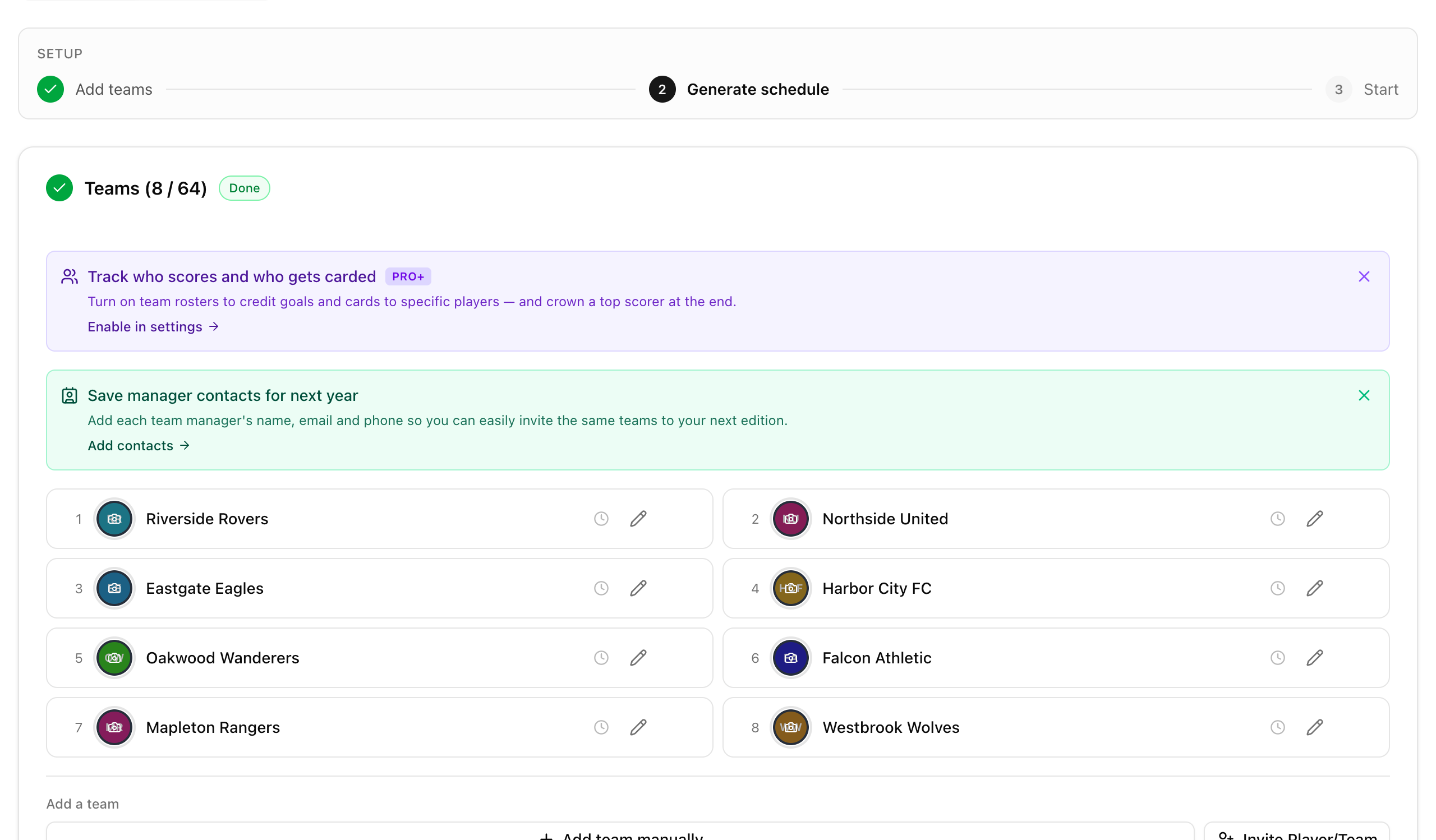
While you're still setting up, the operator panel gives you a gentle nudge to collect the details while managers are standing right next to you — the easiest moment to ask is during check-in, not eleven months later.
Export everyone to CSV and send the invites
When it's time to reach out, one click on Export CSV downloads a spreadsheet with every team, its manager's name, email, phone and your notes. It opens cleanly in Excel and Google Sheets, accents and all.
The export includes all teams — including the ones without a saved contact — so you can see at a glance who you still need to track down, and fill in the blanks by hand if you remember them.
Copy the email column into your mail client, write one warm invitation, and next year's field starts filling up before you've even announced the date.
Frequently asked questions
Who can see the manager contact details?
Only the tournament owner and admins. Contacts never appear on public tournament pages, the TV display, embeds or public data — and moderators who only run matches can't see them either.
Do team captains enter their own contact details?
No. Contacts are added manually by you, the organizer. QR self-registration stays exactly as light as before — teams still join with just a name and an optional logo.
Is this available on the free plan?
Yes. Team contacts and CSV export are available on every plan, for every tournament.
Can I still access contacts after the tournament ends?
Yes — that's the whole point. The Team contacts section in tournament settings stays available at any tournament status, including long-finished events.
What exactly does the CSV export contain?
One row per team with the team name, manager's first and last name, email, phone and your note. All teams are included, even those without a saved contact, and the file opens correctly in Excel with all special characters intact.
How do I remove or change a contact?
Open the contact dialog from the team's row, edit or clear any field and hit Save. Cleared fields are removed immediately.
Are there any limits on the fields?
Names are free text, the email is validated when provided, phone numbers accept any format, and the note holds up to 500 characters — enough for a sentence or two about how the manager prefers to be reached.
Related Articles
QR Code Tournament Registration
Teams scan a code and register in seconds – no accounts, no paper forms, no registration chaos
Setting Up a Tournament Just Got a Lot Simpler
The creation wizard is down to three quick steps, and the rest of the setup — teams, groups, schedule — now happens right in your operator panel, one clear stage at a time.
How to Organize a Tournament: Step-by-Step Guide
A complete guide for any sport – from choosing a format to displaying live results on a big screen
Keep every team one message away
Save manager contacts as teams register, and next year's invitations become a five-minute job.
Create Tournament