Your Tournament Schedule, Your Way
Add teams, generate match-ups in one click, and fine-tune the draw with a visual editor — before or during the tournament
Managing Teams Before Kickoff
The new Registered Teams panel gives you a live view of every participant before the tournament starts — and puts you in full control of the roster.
Adding a team takes two seconds: type a name, hit Add, done. Your plan's team limit is enforced automatically, so you can't accidentally go over it. To remove someone, just hover over their name and click the trash icon.
Running a Cup or Double Elimination? The system validates your team count before generating a schedule — brackets need a power of 2 (4, 8, 16…). If the count is off, you'll see a clear message telling you exactly what to fix.
Generating the Schedule
Hit Generate Schedule and LiveCup does the rest — round-robin fixtures for leagues, seeded brackets for cups, Swiss pairings, and everything in between. One click, all matches created.
Made a late roster change? Click Regenerate Schedule to wipe the slate and start fresh. You'll get a quick confirmation so nothing gets deleted by accident.
When you start the tournament, LiveCup checks if the roster has changed since the last generation. If it has, the schedule regenerates automatically — so it always reflects who's actually playing.
Fine-Tune Match-ups with the Visual Editor
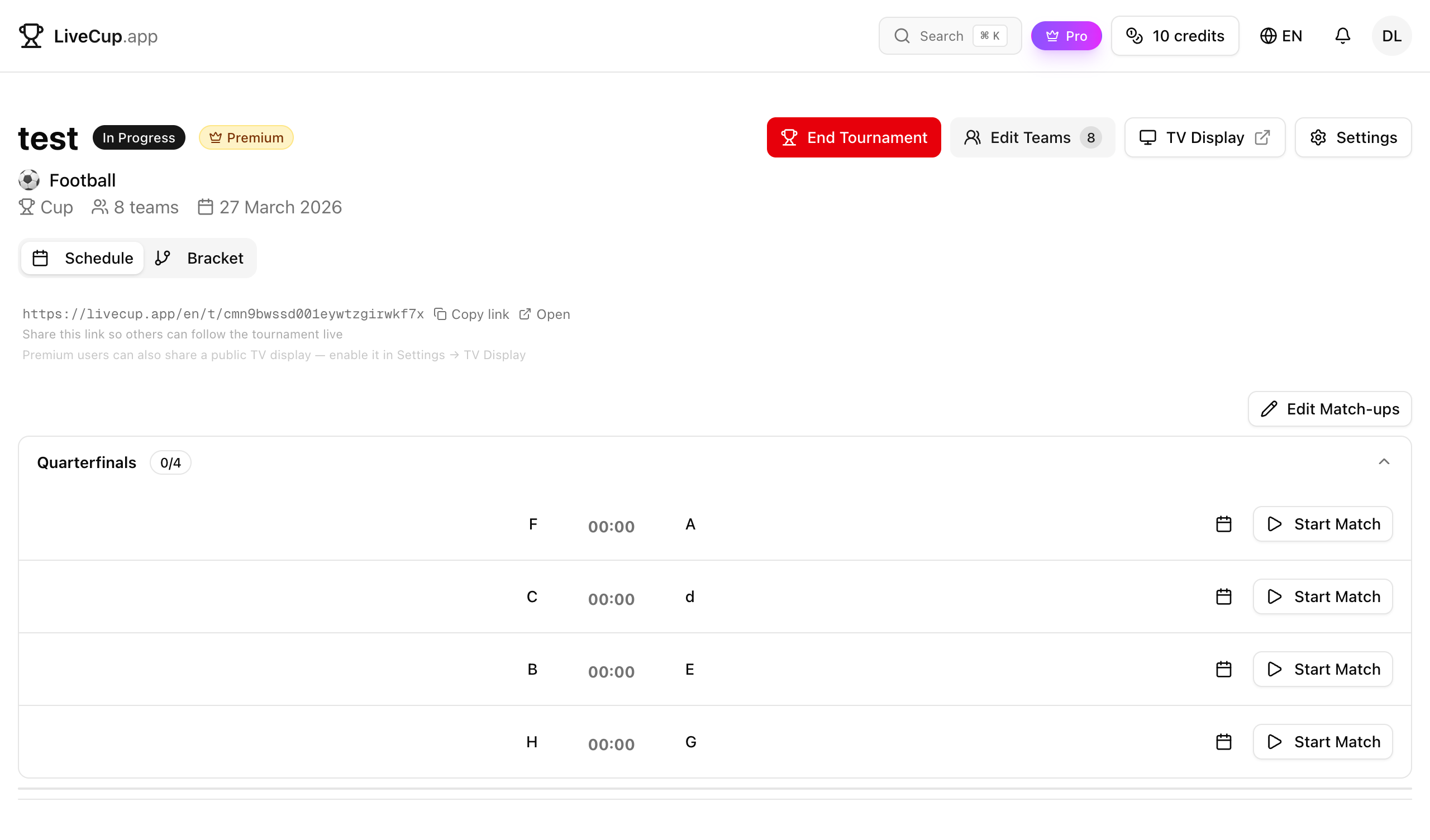
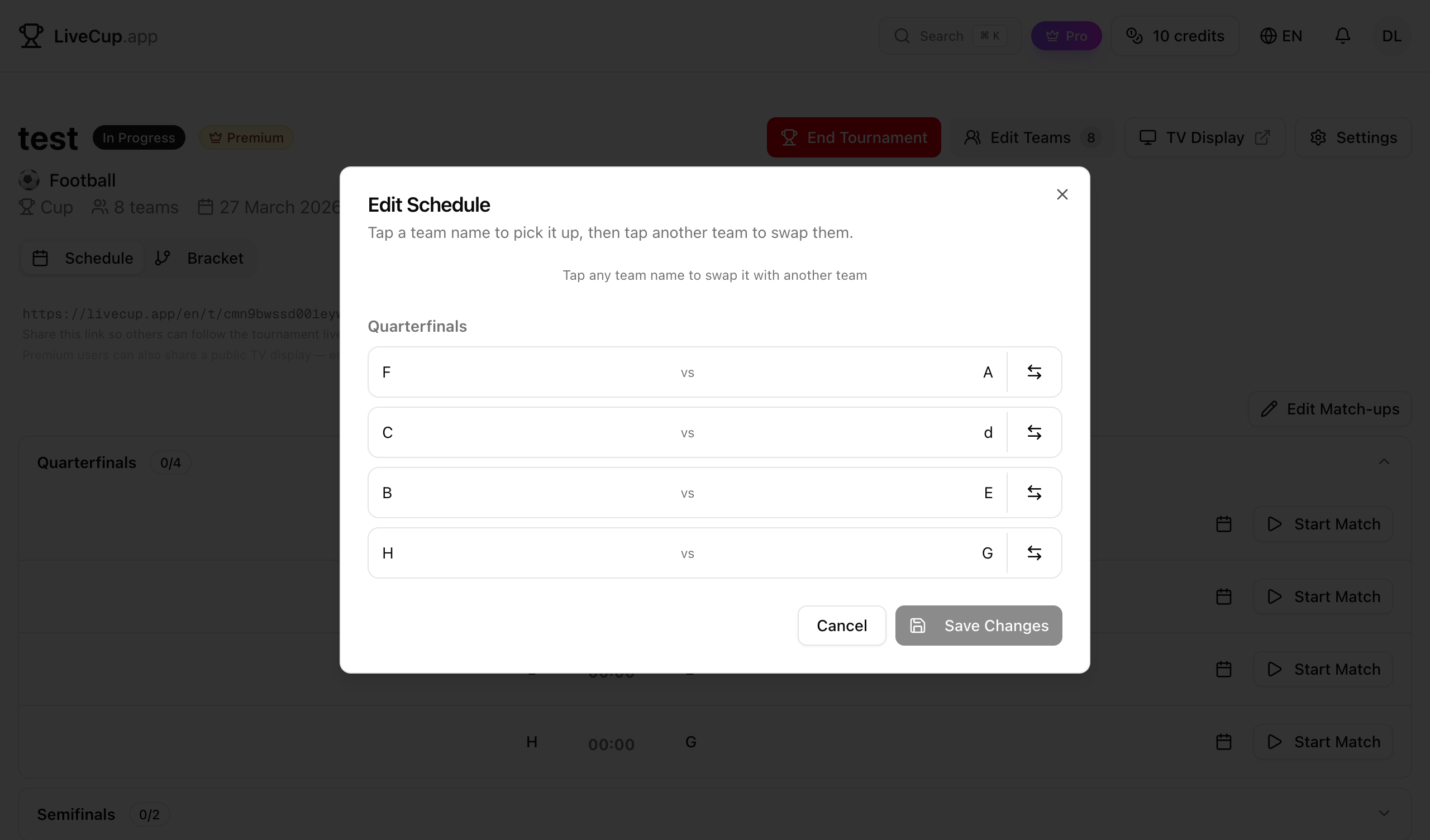
Auto-generation is a great starting point, but sometimes you need to tweak it. Want rival teams in different halves of the bracket? Need to adjust seedings? The Edit Match-ups button has you covered.
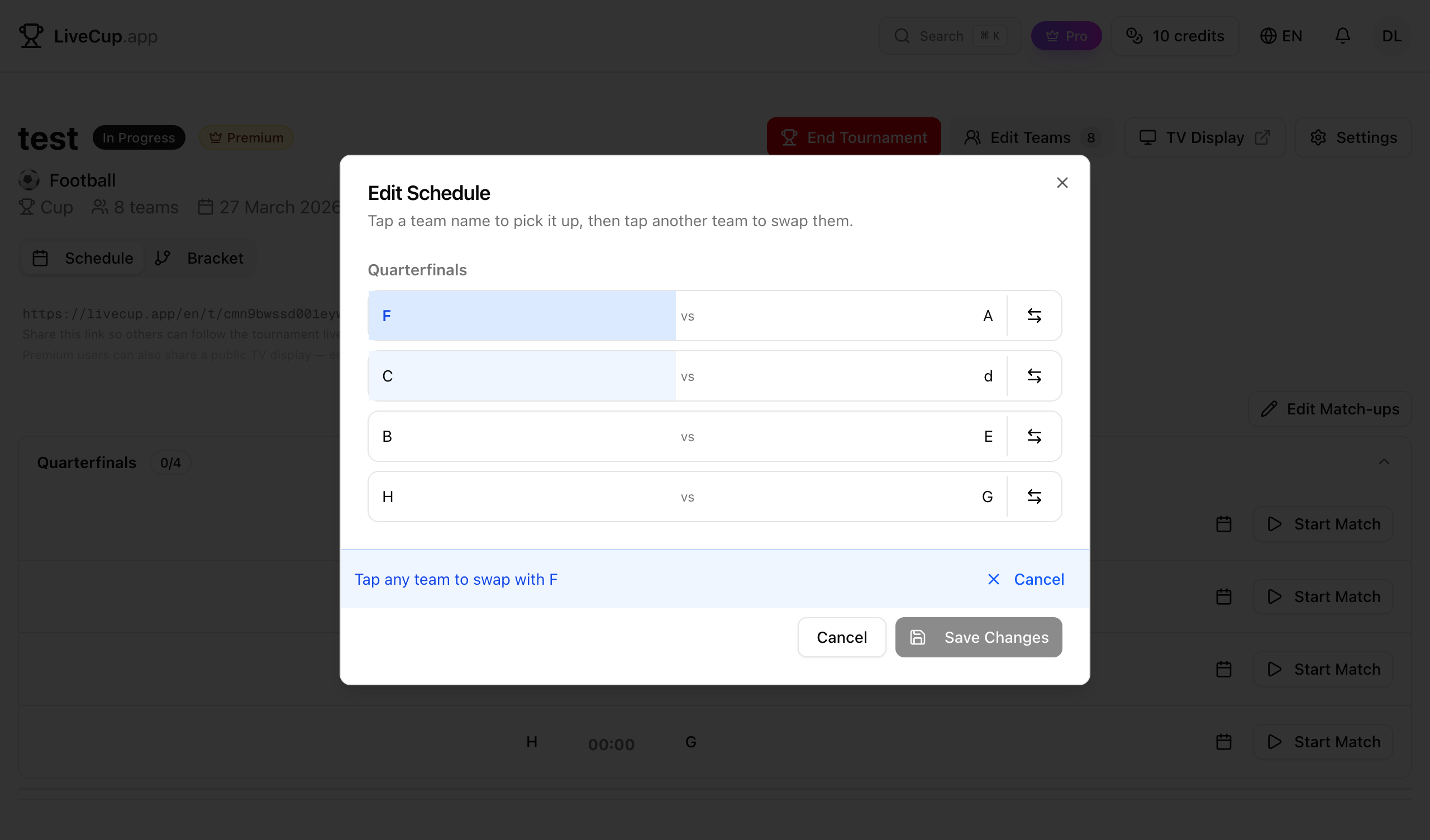
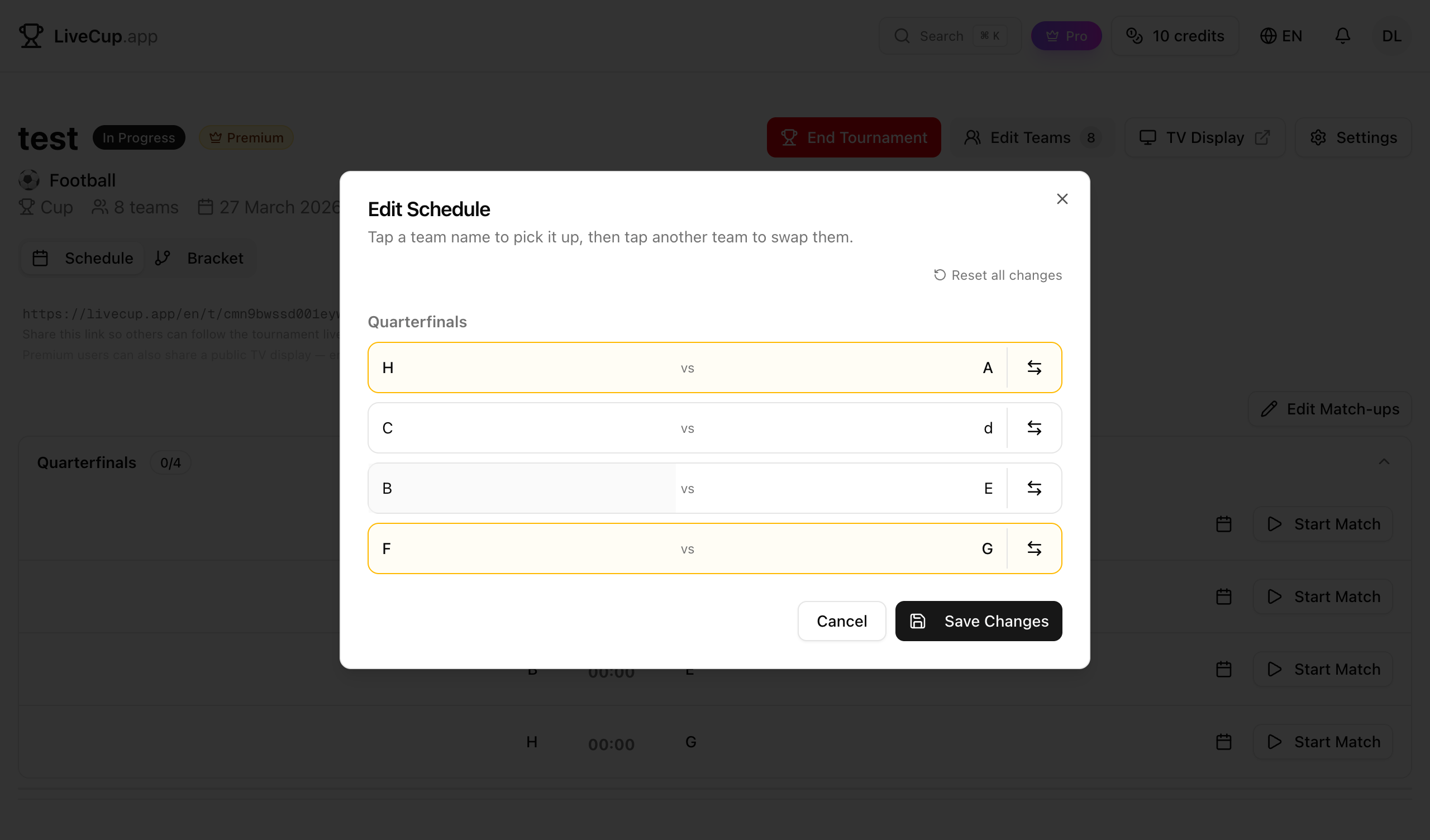
The editor groups matches by round using real names — Quarterfinals, Semifinals, Final — not raw round numbers. Swapping teams is a two-tap operation: tap a team to select it (it turns blue), then tap the team you want to switch with. Done instantly.
You can also flip home and away for any match with the swap icon. Modified matches get a yellow border so the changes are obvious at a glance. Nothing commits until you hit Save Changes — and Reset all changes rolls everything back if you need a do-over.
Edit Between Rounds, Mid-Tournament
Schedule editing doesn't stop once the tournament starts. The Edit Match-ups button stays available above the match list as long as there are upcoming matches that haven't kicked off yet.
Need to react to a surprise result, fix a seeding issue, or handle a last-minute substitution? Swap teams in the next round on the fly. Matches already in progress or completed are locked — only future matches can be touched.
This works across every format LiveCup supports: League, Cup, Double Elimination, Groups + Playoff, Swiss, Americano, and Mexicano. In bracket formats, only matches with two confirmed teams are editable — TBD slots in later rounds are excluded automatically.
Related Articles
How to Organize a Tournament: Step-by-Step Guide
A complete guide for any sport – from choosing a format to displaying live results on a big screen
Free Tournament Bracket Generator
Create professional brackets for any sport – single elimination, double elimination, or round-robin – in seconds
Round Robin Tournament: Complete Guide & Free Generator
The fairest tournament format explained – rules, scheduling, tiebreakers, and a free round-robin schedule generator
How to Make a League Table: Points, Tiebreakers and Fixtures
League table maker for football, FIFA, and any sport. Make your own league table with automatic points, goal difference, tiebreakers, and real-time updates.
Run Your Tournament, Your Way
Add teams, generate schedules, and edit match-ups — all from one place. Free for any tournament size.
Create Tournament