Hand Off a Match, Not the Whole Tournament
Add a referee with just a name and they get an instant personal link and QR code for their assigned matches — no account required, no access to anything else.
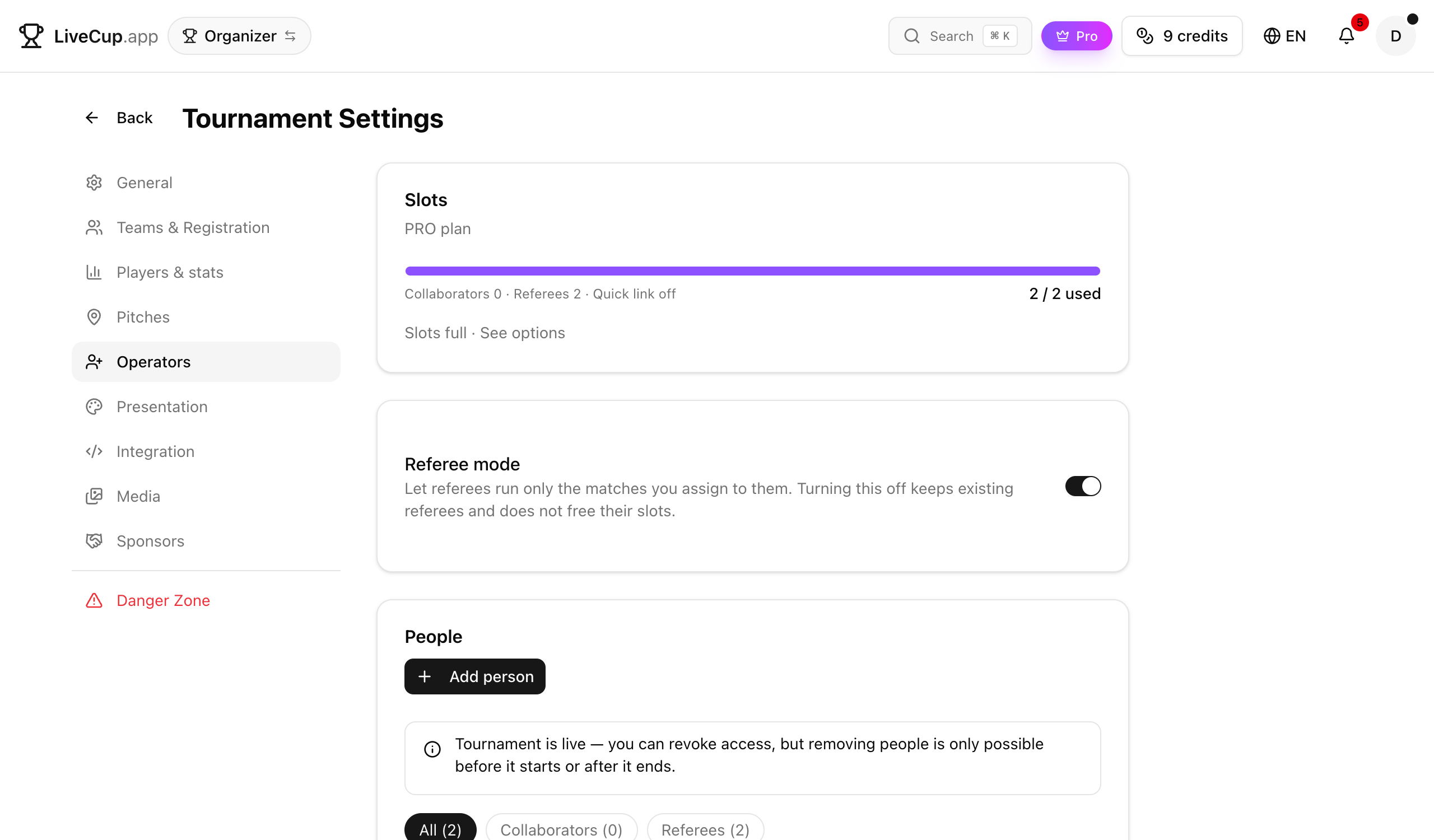
Add a referee in seconds, they're in instantly
Open Operators in your tournament settings, click Add person, choose Referee, and type a name. That's it — no email required, no account to create. LiveCup generates a personal link and QR code the moment you save.
Hand the QR code to your referee at the venue, or send the link over WhatsApp — either way, they're looking at their assigned match within seconds, on whatever phone they already have in their pocket.
Got their email too? Add it and LiveCup also sends an invitation to sign in properly, so a referee who runs matches for you every weekend can keep coming back through their own account instead of hunting for the link again.
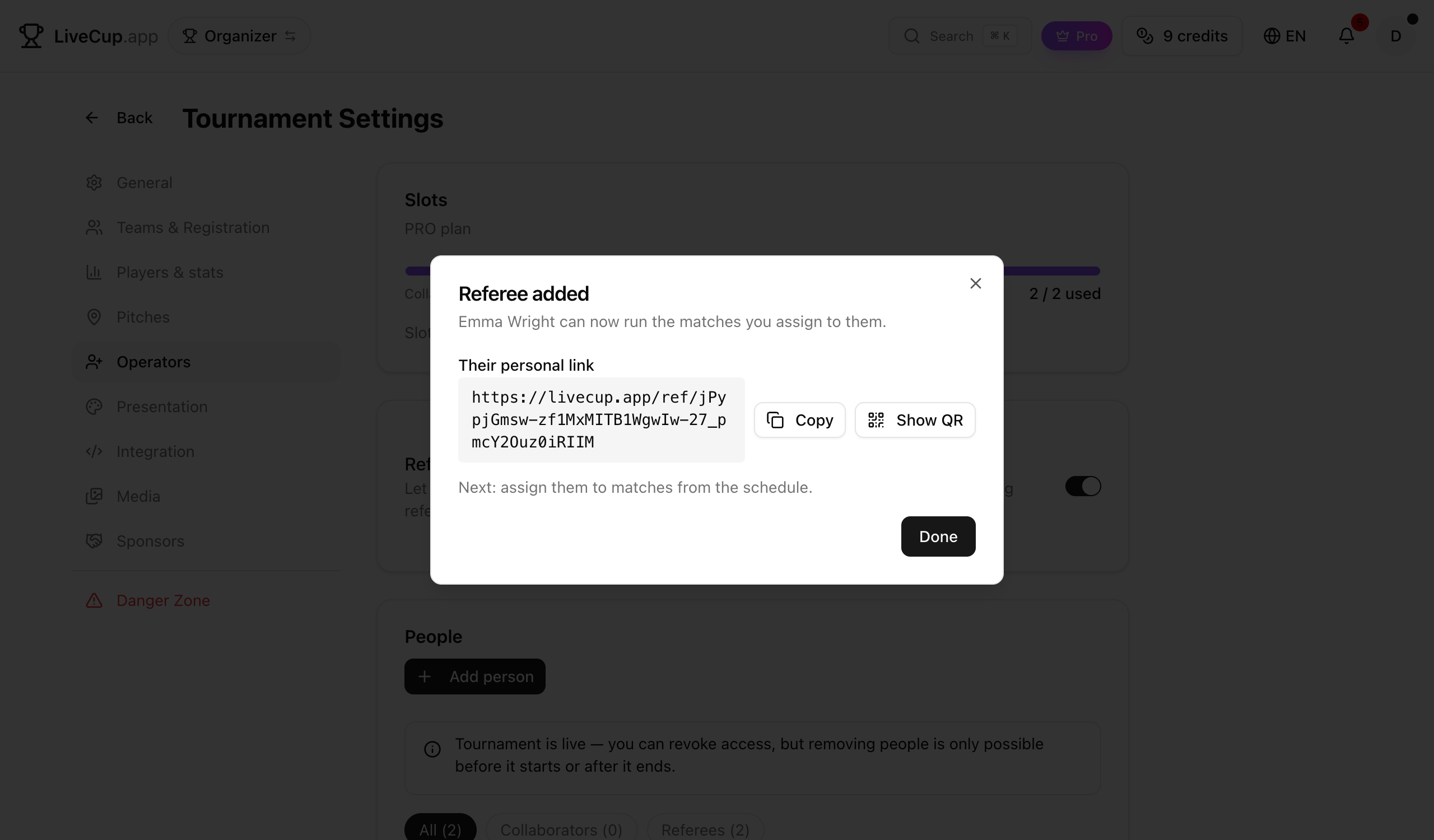
What a referee can do — and what they can't
On a match they're assigned to, a referee can start it, update the score or the sets, add cards, record goal scorers, settle a knockout penalty shootout, and finish the match. It's the same live-scoring screen you use yourself, just scoped down to their game.
What they can't do matters just as much: no other matches, no schedule, no courts, no team lineups. A referee's link opens exactly the matches you assigned and nothing else in the tournament.
That boundary is enforced on the server, not just hidden in the interface — a referee who tries to touch a match they don't own gets rejected, the same as anyone with no access at all.
Assign more than one referee, right from the schedule
The referee select shows up wherever you already manage matches — the match card in the operator panel and the schedule editor. Pick one or several referees per match; a busy final might need a head referee and an assistant both scoring, and now both can.
Plans change. If someone cancels or you want to swap who's covering court 3, just update the assignment — no need to reissue a link or ask them to sign in again. Their existing link simply starts, or stops, showing that match.
This is what makes referee mode scale past a single court: assign one match per referee, or a whole afternoon's worth, and spend your own attention on the matches you still want to run yourself.
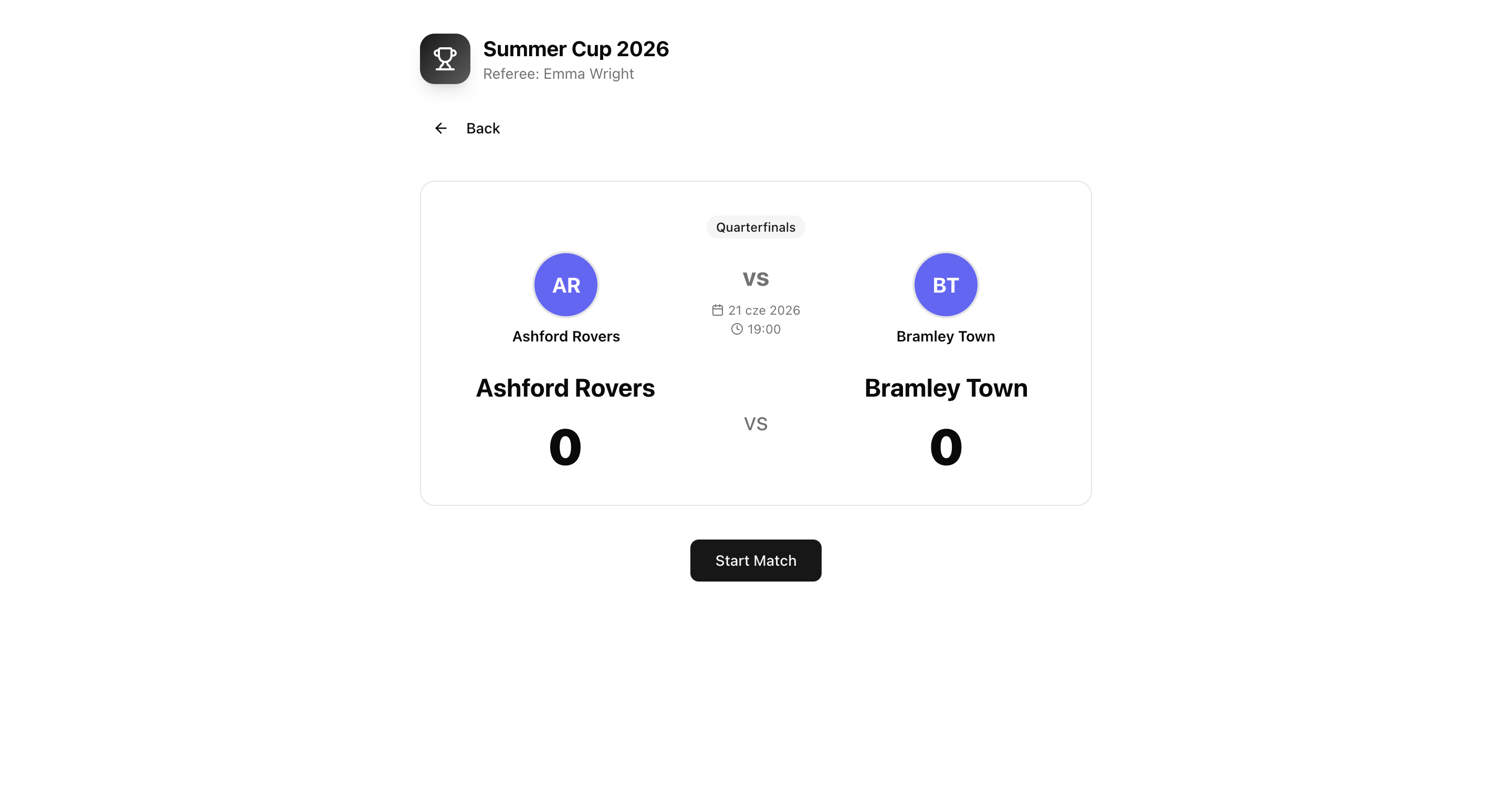
Everyone can see who's calling the match
Once a match has a referee assigned, the public tournament page shows it: "Referee: <name>" right next to the score, visible to players, team managers, and anyone following along.
For events where accountability matters — a school tournament with parent volunteers, a corporate cup with a rotating officiating roster — that little line does real work. People know who made the call and who to ask if something's unclear.
There's nothing to turn on for this — it appears automatically as soon as you make an assignment, and disappears just as automatically if a match has no referee yet.
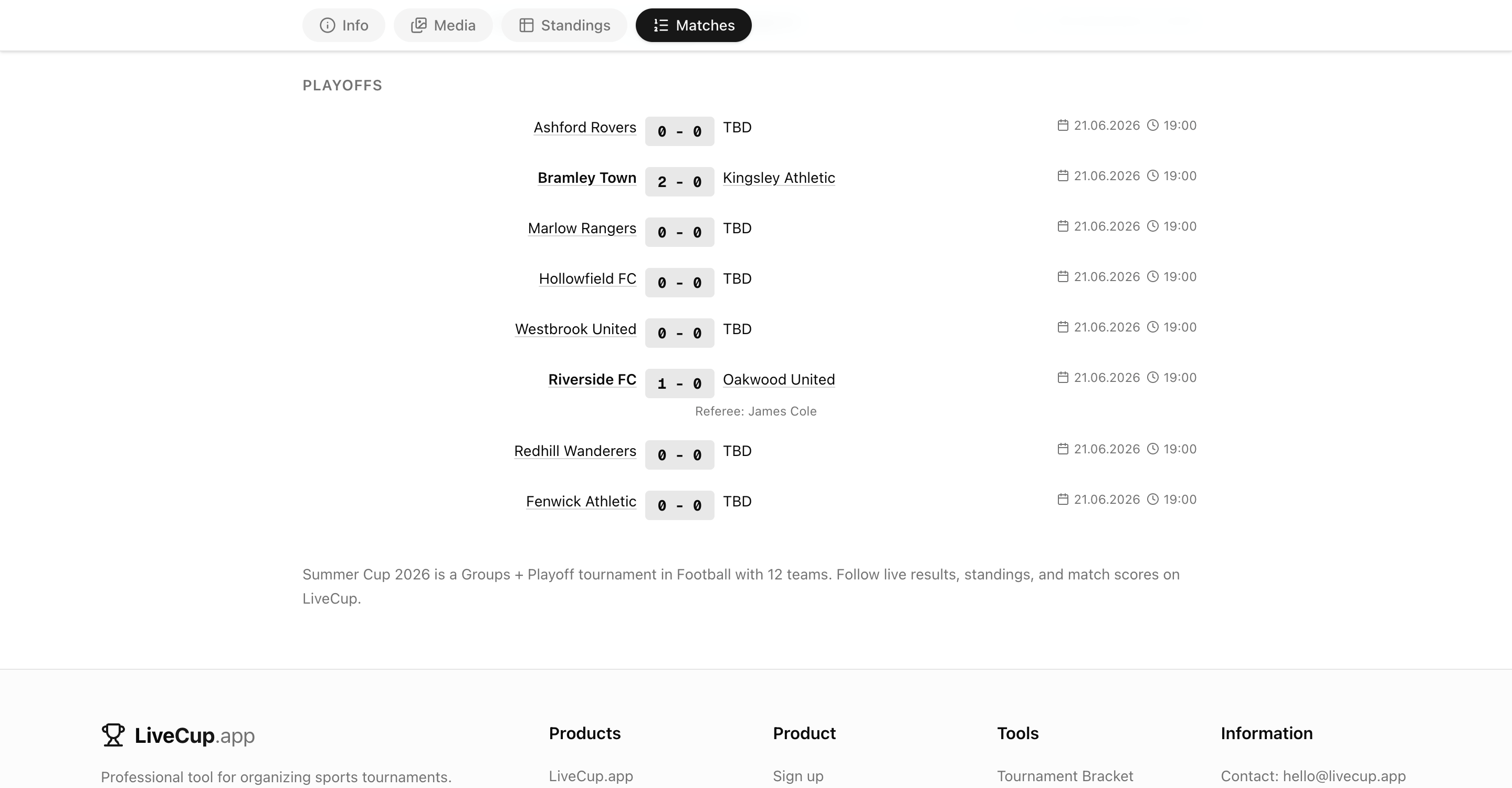
One shared slot pool, a cleaner operators panel
Referee mode is a PRO+ feature. Referees draw from the same operator slot pool as collaborators and the anonymous quick link — PRO plans get 1 slot, BUSINESS gets 5, all shared across however you mix referees, moderators, and admins.
Run out of room for one big event? Buy a single extra slot for 1 credit, scoped to that tournament, instead of upgrading your whole plan. Need more room everywhere, every time? Upgrading gives you a bigger pool on every tournament you run.
We also rebuilt the Operators settings screen while we were at it — the old tabs are gone, replaced with a single card layout that shows your slot pool at a glance, so you always know how much room you have before you add the next referee.
Frequently asked questions
Does a referee need to create a LiveCup account?
No. A name is enough — they get a personal link and QR code to their assigned matches immediately. Add an email too and they'll also get an invitation to sign in, but it's optional.
What exactly can a referee do on their match?
Start the match, update the score or sets, add cards, record goal scorers, settle a penalty shootout, and finish the match. That's the full list — the same live-scoring tools you use, scoped to just their game.
Can a referee see or touch other matches, the schedule, or team lineups?
No. Their link only opens the matches you've assigned them. They can't view the rest of the schedule, move courts, or change a team's lineup — that stays with owners, admins, and moderators.
Can I assign more than one referee to the same match?
Yes. Add as many as you need from the referee select in the match card or the schedule editor — useful for a head referee plus an assistant, or shared coverage on a big final.
Is referee mode available on the free plan?
No, it's a PRO+ feature. Referees share the operator slot pool with collaborators and the quick link: 1 slot on PRO, 5 on BUSINESS.
What happens once I run out of operator slots?
Buy one extra slot for a single credit, scoped to that tournament, or upgrade your plan for a bigger pool across every tournament you run.
Do players and spectators see who's refereeing a match?
Yes. Once you assign a referee, the public tournament page shows "Referee: <name>" next to that match. If no referee is assigned yet, nothing shows.
Related Articles
Never Lose a Team Manager's Number Again
Save each manager's name, email and phone next to their team — private to you, still there a year later, and ready to export when it's time to invite everyone back.
Your Tournament Schedule, Your Way
Add teams, generate match-ups in one click, and fine-tune the draw with a visual editor — before or during the tournament
Courts, Pitches and Automatic Scheduling
Set up your courts, set your match duration and break, and let LiveCup build the whole timetable. Every match gets a court and a real kickoff time, with no team ever double-booked.
Stop running every court yourself
Add a referee, hand them the link or QR code, and let them run the match while you keep an eye on the rest of the tournament.
Create Tournament