Pay once for one tournament, not every month
An Event Pass gives a single tournament the PRO features it needs: more teams, no ads, your own logo and sponsors. No subscription to cancel afterwards.
You are organising a charity cup, a company day or a school sports tournament. It takes place on one weekend. A monthly subscription for it makes little sense, and the free plan stops at 4 teams. The Event Pass is built for exactly this gap: you pay once, pick the tournament it belongs to, and that tournament gets the premium features. Here is what that covers, what it leaves out and how to use one.
A subscription is the wrong tool for a one-off event
Most plans are priced for people who run tournaments all the time. That is fine for a league or a club. It is not fine for the parent who organises the school's sports day once a year, or for the HR team that runs one football afternoon for the whole company.
The free plan is generous: scoring, standings, the public page and the TV view all work. The wall is at 4 teams per tournament, and LiveCup branding and ads stay on the screen. A charity cup with 12 teams, a logo from the main sponsor and a big TV in the hall needs more than that.
Before you pick a plan, ask one question. How many tournaments will I run in the next few months? If the answer is one, or one every few months, a pass is the simpler way to pay.
What an Event Pass is
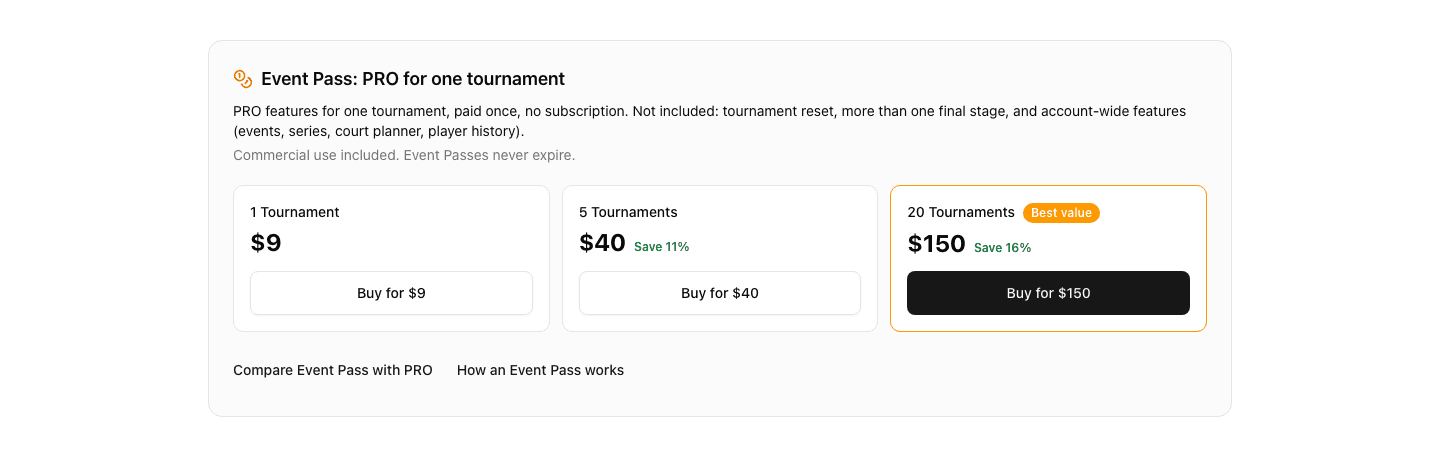
An Event Pass is a one-off payment that unlocks the PRO features for one tournament. It is not tied to a plan, it does not renew and it never expires. You can buy one today and use it next spring.
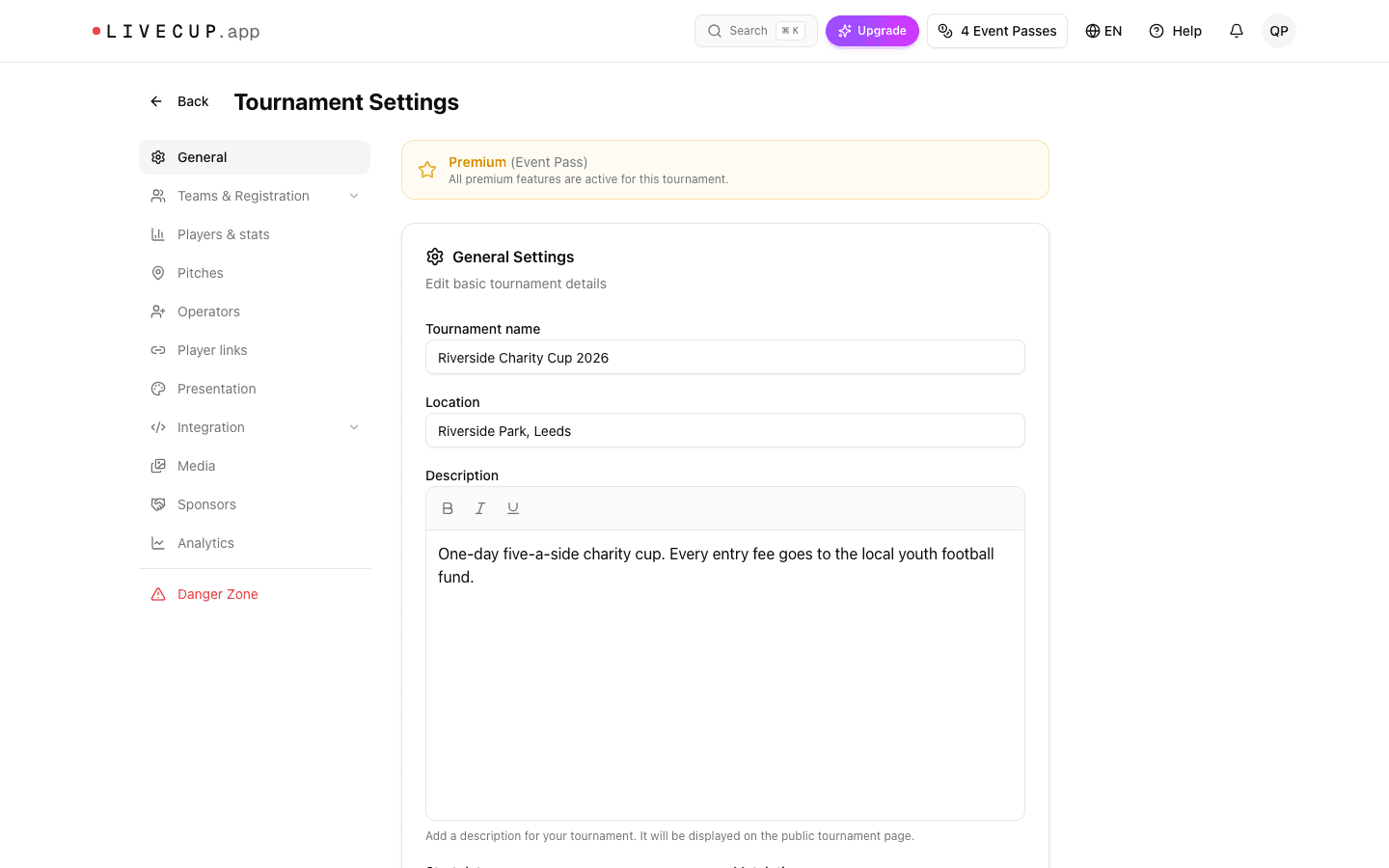
You can buy a single pass or a pack. When you buy, passes are added to your balance. When you use one, you pick the tournament, and from that moment the tournament is marked Premium (Event Pass). The number of passes you hold is shown on the button in the top bar, so you always know how many are left.

What one pass unlocks
The tournament you unlock behaves like a tournament on the PRO plan. These are the things organisers use most:
- Up to 32 teams instead of 4.
- No advertisements and no LiveCup branding on the public page and the TV view.
- Your own logo, colours and typeface on the TV display, plus a sponsor carousel for the people who paid for the event.
- Premium TV templates, a TV link you can share, and an embeddable widget for the club or company website.
- The court or pitch system with automatic match scheduling, referee mode, and player links for entering results from a phone.
- A multi-stage tournament: a group stage with a linked final.
- A live stream (YouTube or Twitch) and a media gallery on the tournament page, plus PDF export.
- Waitlist, pair sign-up, placement matches, extra matches and player rosters with goal scorers and cards.
For a charity cup that means 12 teams in two groups and a final, the company logo and three sponsors rotating on the TV in the hall, and a stream for people who could not come. All of it for one tournament, with no account-wide commitment.
What a pass does not include, and when a plan is the better deal
A pass covers one tournament. That is its strength, and also where it stops. These things stay with a subscription:
- More than one final stage. A pass includes a group stage with one linked final.
- Resetting a tournament after a test run.
- Account-wide tools: events with many leagues, repeating a tournament and weekly series, the court and pitch planner for multi-category events, and player history across tournaments.
- BUSINESS features: the club page, club sign-ups, members and dues, audience analytics, the custom schedule and 64 teams.
The rule of thumb is simple. If you run one tournament, or a few a year, buy passes. If you run several tournaments a month, run a league or a club, or need anything from the list above, a plan costs less and covers more. The pass also does not raise the number of tournaments you can create each month.
A pass has one more use. If your active tournament limit is full, you can create one extra tournament for 1 Event Pass. The pricing page shows the current prices and a feature-by-feature comparison. You can compare the Event Pass with the plans on the pricing page.
Packs for people who run a few events a year
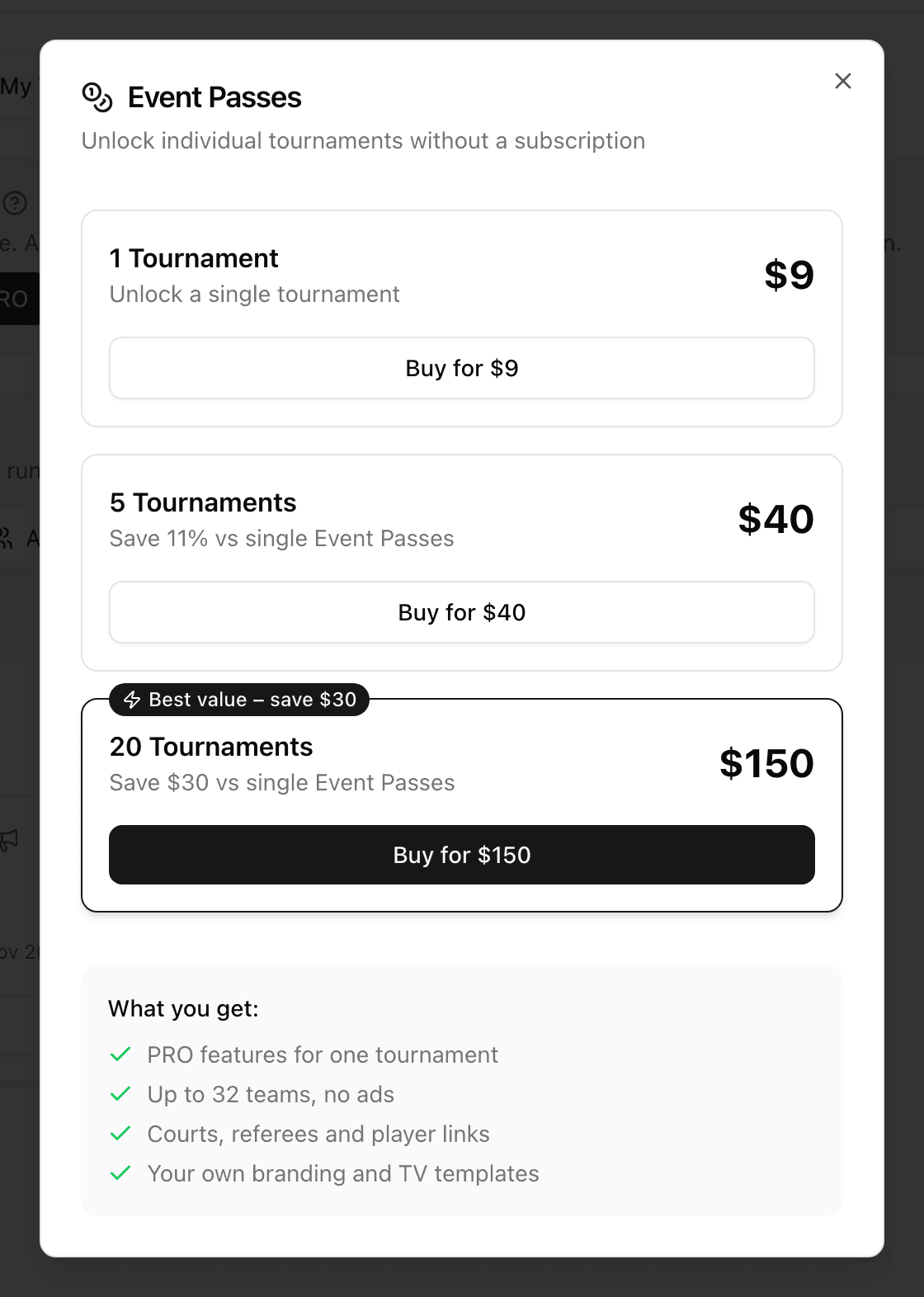
You choose from three options: 1 Tournament, 5 Tournaments or 20 Tournaments. The bigger the pack, the lower the price per tournament, and the pricing page shows how much you save.
A pack of 5 suits a school or a company with a few events through the year. A pack of 20 suits an organiser who runs tournaments for clients, such as a sports agency or a venue. Passes do not expire, so you can stock up and use them whenever a tournament comes up.
How to buy a pass and use it, step by step
You can buy in three places: the button in the top bar, the new tournament page (the Unlock Premium Tournament window, or Buy Event Passes when your limit is full) and the Free tournament box of a locked tournament. The packs are the same everywhere.
- 1Click Buy Event Passes in the top bar (if you already hold passes, the button shows how many), or Buy Event Pass in the Free tournament box of a locked tournament.
- 2In the Event Passes window, choose 1 Tournament, 5 Tournaments or 20 Tournaments and click the Buy for button on that pack.
- 3Pay on the secure Stripe page. The price is shown in your currency. You then return to the dashboard, where the Event Passes added! window confirms your new balance. The passes are now on your account, not yet on a tournament.
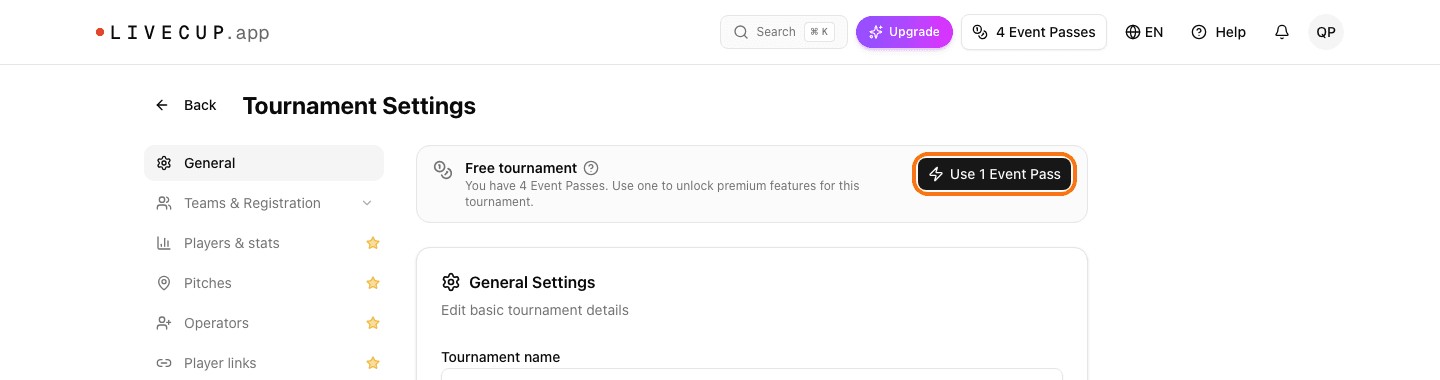
- 4Open the tournament, go to Settings, then General. A tournament without a pass shows Free tournament. Click Use 1 Event Pass.
- 5You see Tournament unlocked! and the box now says Premium (Event Pass).
You can also use a pass while you create the tournament. The new tournament page opens the Unlock Premium Tournament window. If you hold passes it offers Use 1 Event Pass for this tournament; if not, it shows the packs with Buy for. Choose Continue with free version to skip it; the Upgrade to Premium button at the top opens it again. After you create the tournament you see Tournament created and unlocked!. If your active tournament limit is full, the page shows You've reached your active tournament limit and Use 1 Event Pass to create tournament (or Buy Event Passes if you have no passes). You reach the same page from Settings, in the Usage card, with Create an extra tournament for 1 Event Pass. A free tournament with a full team list shows Maximum number of teams reached for your plan, and Add team manually opens the Event Passes window. Either way, use the pass before the tournament starts. You can see your balance and history in Settings, in the Event Passes card. The help article on unlocking one tournament shows each screen.
Commercial use is included
The free plan is for fun, school and friends. A paid event is different: an entry fee, a sponsor, a company that puts its name on the trophy. An Event Pass includes the commercial licence for the tournament it unlocks, so you can charge entry and show sponsors without moving to a plan.
Entry fee tracking is part of the package too, so you can see who has paid before the first match.
Frequently asked questions
Do I need a subscription to use an Event Pass?
No. An Event Pass is a one-off payment. There is no plan to start and nothing to cancel afterwards. You keep your free account and the pass unlocks one tournament.
Do Event Passes expire?
No. A pass stays on your balance until you use it, so you can buy a pack now and use the passes over the next seasons.
How many teams can a tournament with a pass have?
Up to 32 teams, the same as on the PRO plan. The free plan stops at 4. For up to 64 teams you need the BUSINESS plan.
Can I use an Event Pass for a paid event with sponsors?
Yes. An Event Pass includes the commercial licence for the tournament it unlocks, so entry fees and sponsors are fine.
Can I unlock a tournament that has already started?
No. A pass can be used only while the tournament is still scheduled, before the first match is played. Use it in Settings, General, or when you create an extra tournament with a pass.
Which features does an Event Pass not unlock?
Resetting a tournament, more than one final stage, and everything that works across many tournaments: events, repeating and series, the court and pitch planner, player history, and the BUSINESS features such as the club page and audience analytics. Those need a plan.
What if I later decide to subscribe?
Your passes stay on your balance. A tournament on a plan already includes everything a pass unlocks, so you only need a pass for tournaments that would otherwise run on the free plan.
Related Articles
How to organize a charity tournament
A practical plan for a fundraising tournament: pick the cause, the format and the income streams, then run match day so the money and the mood both work.
Corporate Tournament Ideas for Team Building
How to organize a sports event your team will love – with a free tournament app and live TV display
School Tournament Ideas: 25 Sports Day Activities
Creative sports day ideas and a step-by-step guide to organizing school tournaments that students will remember
Unlock your tournament once, run it your way
Choose a pack on the pricing page, then use a pass on the tournament that needs it. The free plan keeps working for everything else.
See the Event Pass