A credit unlocks premium features for one tournament. You pay once. You do not need a subscription.
What one credit gives you
No ads.
Up to 32 teams.
Premium TV display templates and a public TV view link.
Embeddable widget and sponsor carousel on TV.
Multi-stage tournaments with a linked final.
Credits never expire.
A credit is for personal use only. It does not include a commercial license. For commercial events, use a Pro or Business plan.
Some features need a paid plan, not a credit. Examples are the court system, referee mode, player links, and custom schedule. See Plans and limits.
Buy credits
Click the Buy Credits button in the top bar. If you already have credits, the button shows how many you have.
In the Tournament Credits window, choose 1 Tournament, 5 Tournaments or 20 Tournaments.
Pay on the secure Stripe page. The price is shown in your currency.
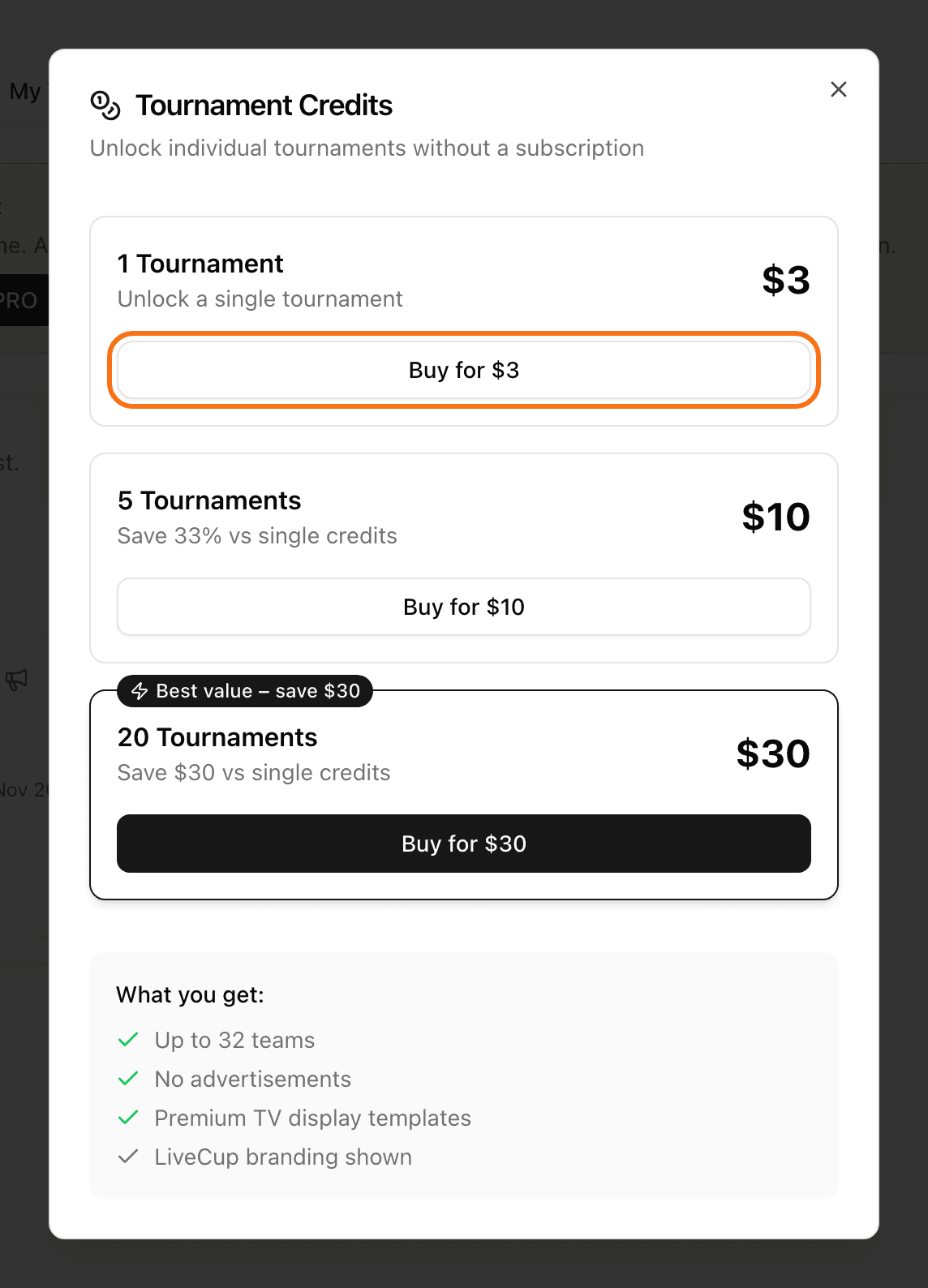
You can see your balance and history in Settings, in the Credits card.
Unlock a tournament that already exists
You can do this only before the tournament starts.
Open your tournament.
Click Settings, then General.
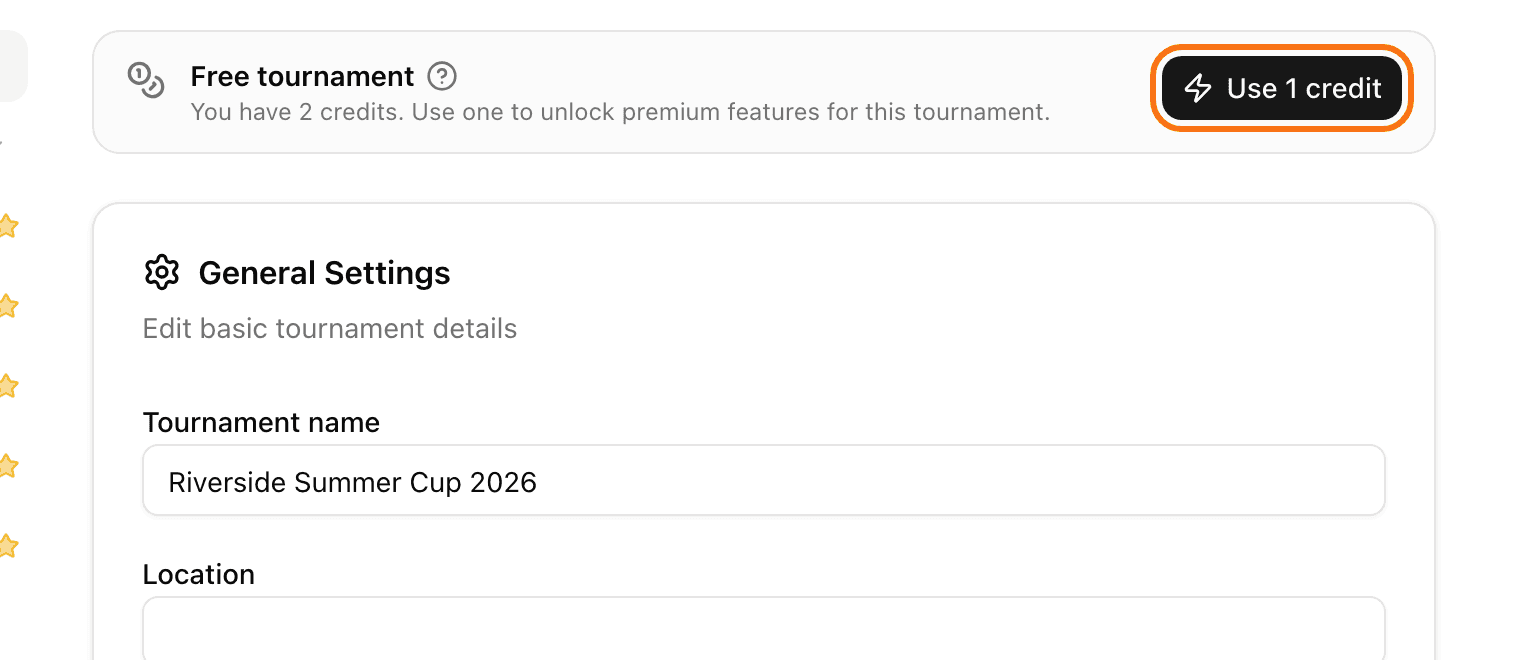
Look at the top of the page. A tournament without a credit shows Free tournament.
Click Use 1 credit. If you have no credits, click Buy credit.
You see "Tournament unlocked!". The top of the page now shows Premium (credit).
Unlock while you create a tournament
When you create a tournament, choose Unlock just this tournament. Then click Use Credit. If you have no credit, click Buy Credit.
You reached your tournament limit?
A credit also lets you create one more tournament when your plan limit is full. In Settings, in the Usage card, click Create an extra tournament for 1 credit. This extra tournament is for home and non-commercial use.