Padel registration without the WhatsApp chaos
Players sign up as a pair or look for a partner. You run every category from one page, and a waitlist refills the draw when someone drops out.
If you organise padel tournaments, you know the routine: a sign-up post in the group chat, names trickling in for three days, someone registering twice, a partner who never confirmed, and a phone call at 7 a.m. because a pair can't make it. LiveCup now handles the whole registration for you, from the first sign-up to the last-minute replacement.
What's new
- Pair registration: one player signs up the pair, and the team name builds itself from both surnames.
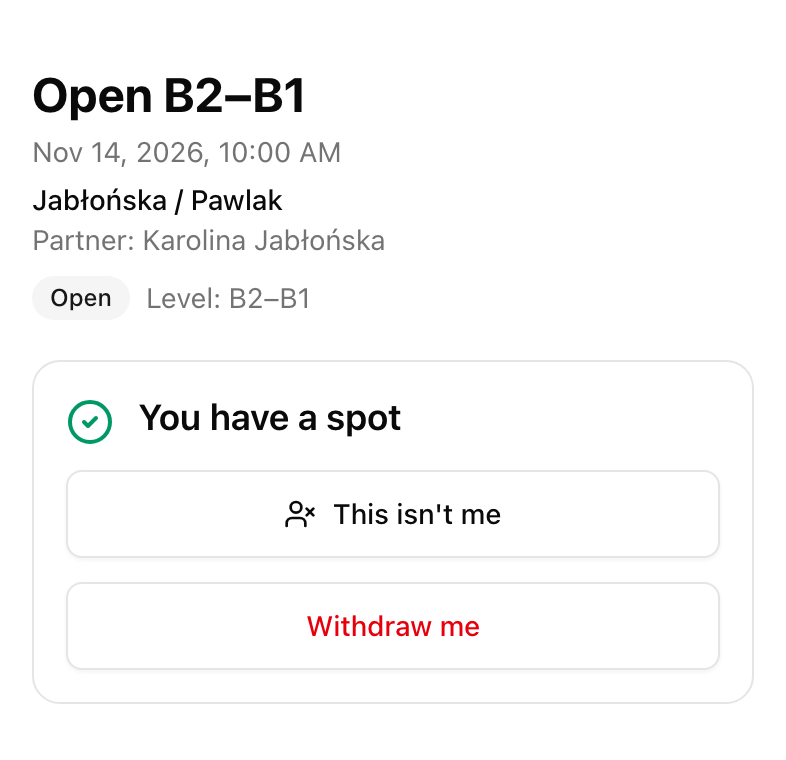
- Every player gets a personal link, with a "This isn't me" button for anyone added by mistake.
- "Looking for a partner": solo players join a list, and you pair them up in one tap.
- Categories (Open, Men, Women, Mixed) with a level label, all on one registration page per event.
- A waitlist that fills freed spots automatically, or waits for your decision.
- Withdraw, add or substitute a player during an Americano without rebuilding the rounds already played.
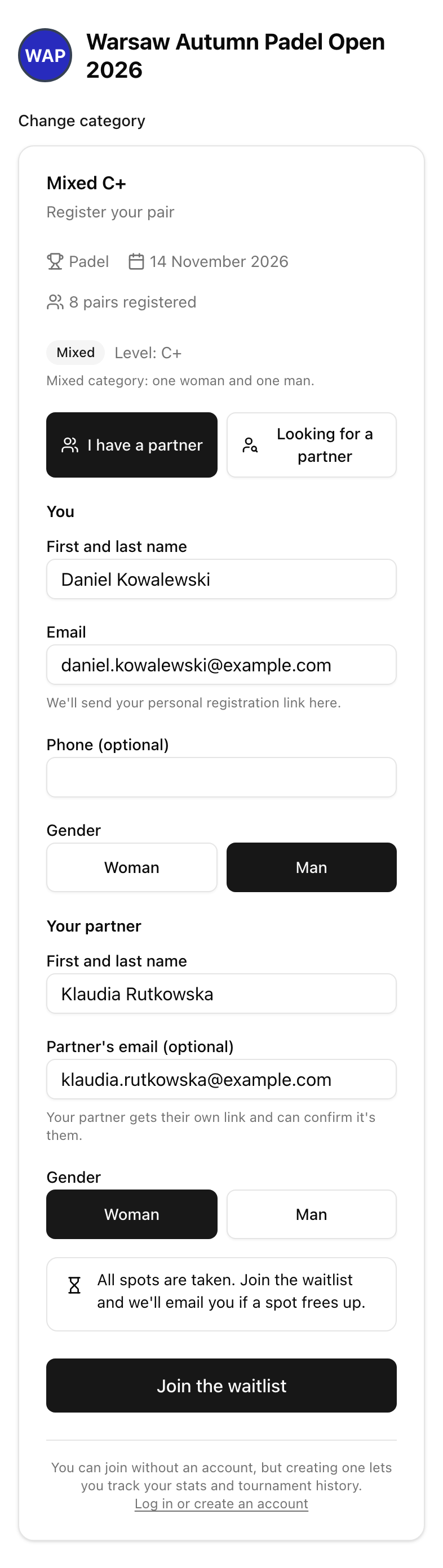
Pairs register in one form
Doubles events used to force a choice: let players type "Kowalski / Nowak" into a team-name field, or collect two separate sign-ups and match them by hand. Now one player fills in their own details and their partner's name, and LiveCup builds the pair for you, with the team name from both surnames and both players in the roster.
The registering player needs an email address; the partner's email is optional. When you add it, the partner gets their own confirmation with a personal link, so nobody has to forward messages.
"This isn't me" keeps the list honest
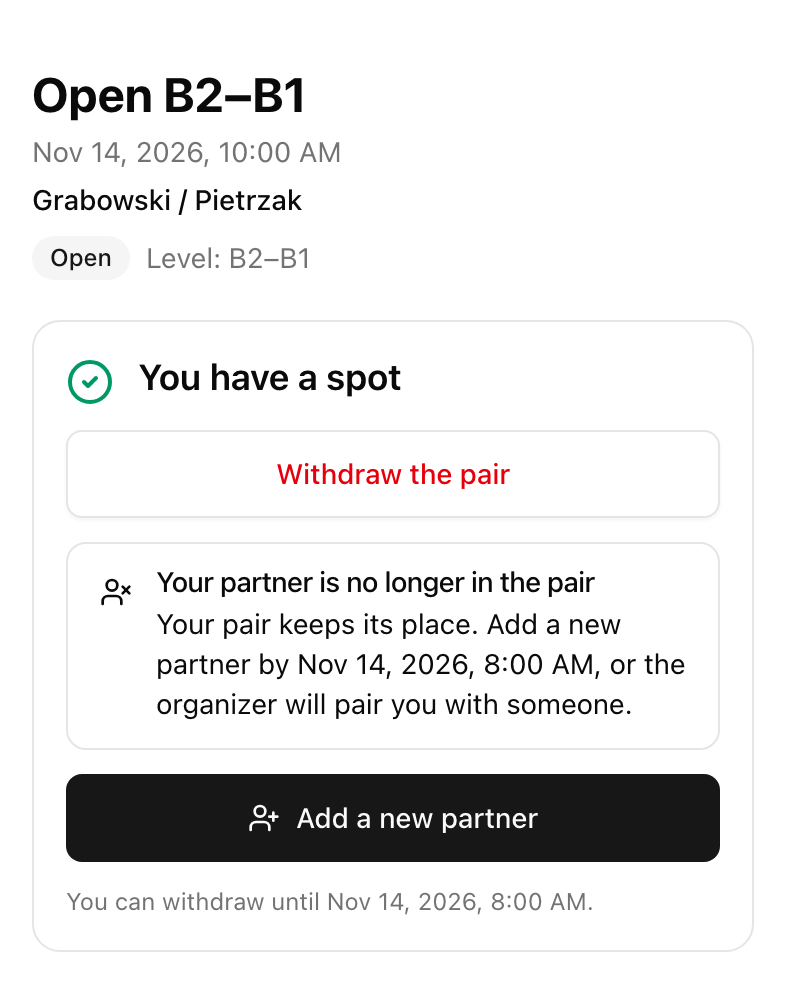
Partners don't have to confirm anything, so the draw never waits for someone who forgot to click a link. If a player was added without asking, one tap on "This isn't me" removes them. The pair keeps its spot and the remaining player can add a new partner from their own link until registration locks.
Players without a partner are no longer lost
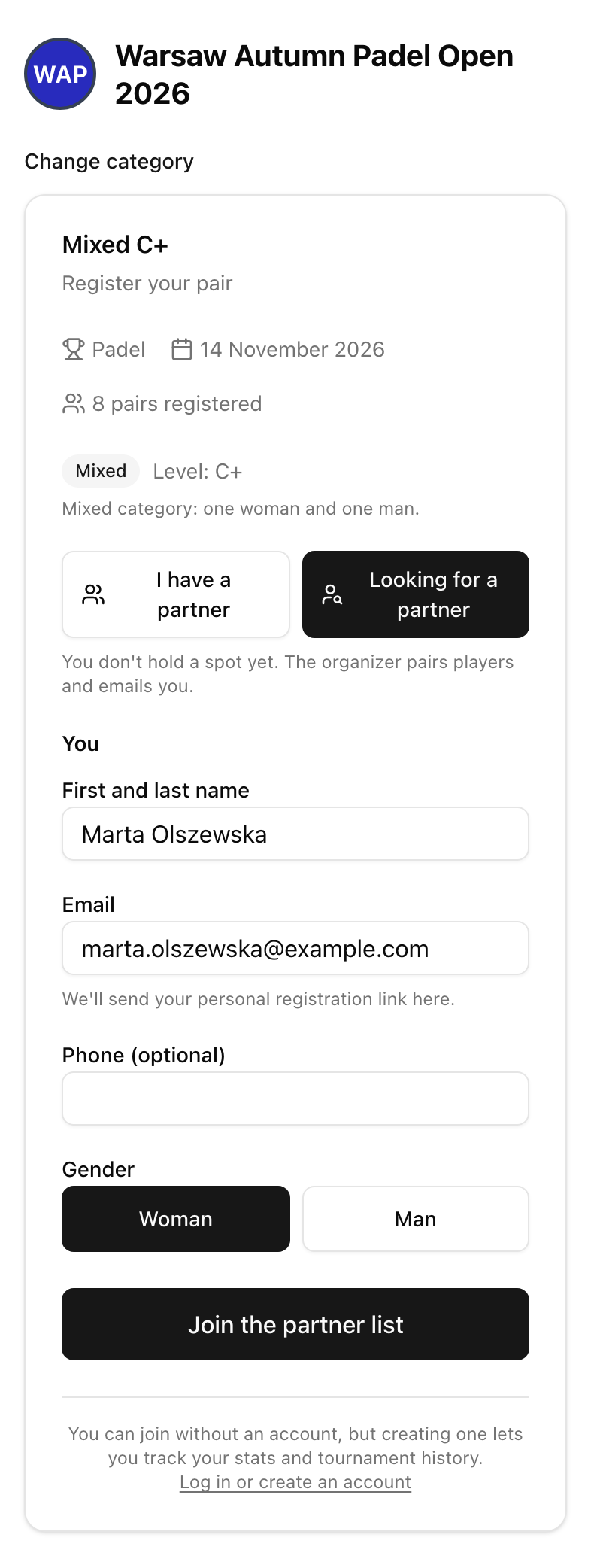
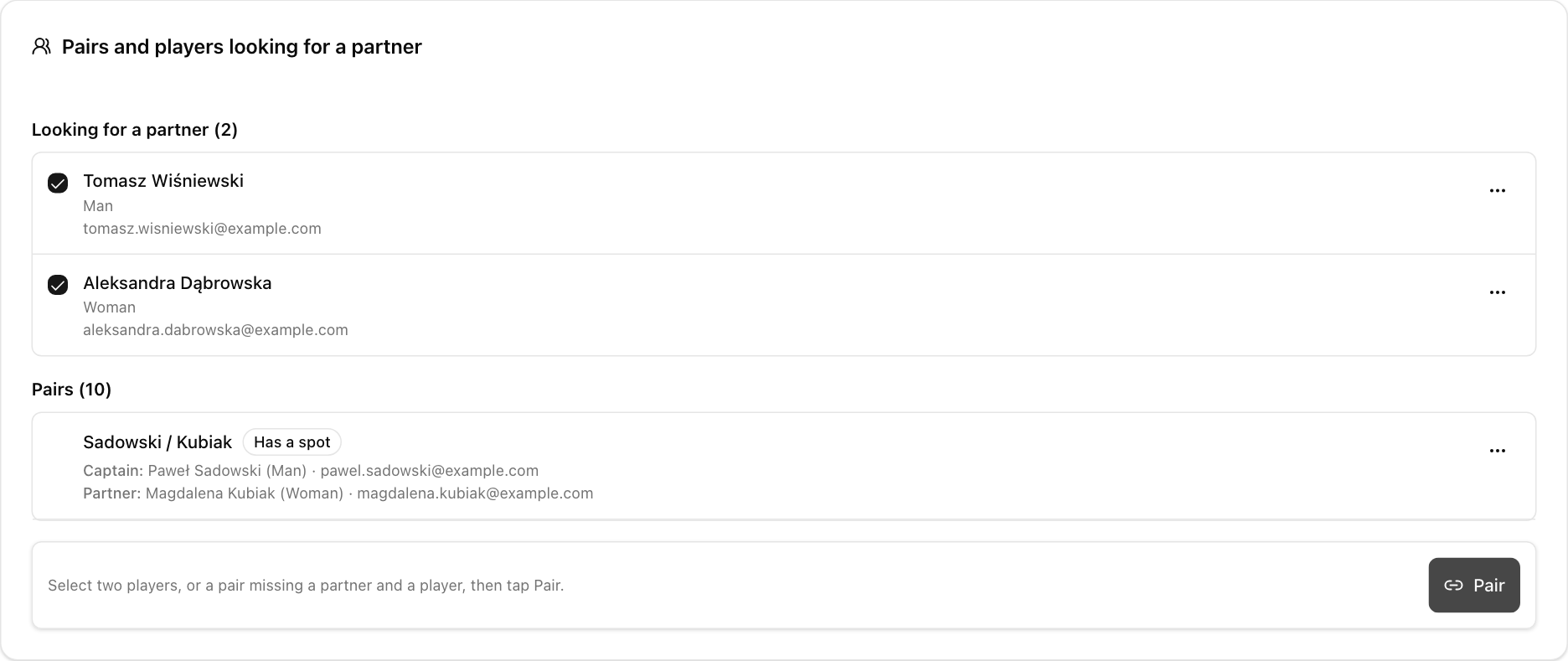
Some of your best players simply don't have a partner that weekend. Instead of an "anyone free on Saturday?" thread, they choose "Looking for a partner" in the same form.
Solo sign-ups don't take a spot, so they never block a full category. You see them in the operator panel with their gender and level, pick two, and tap Pair. The new pair gets a free spot or joins the waitlist, and both players receive an email with their partner's name.
Every category on one registration page
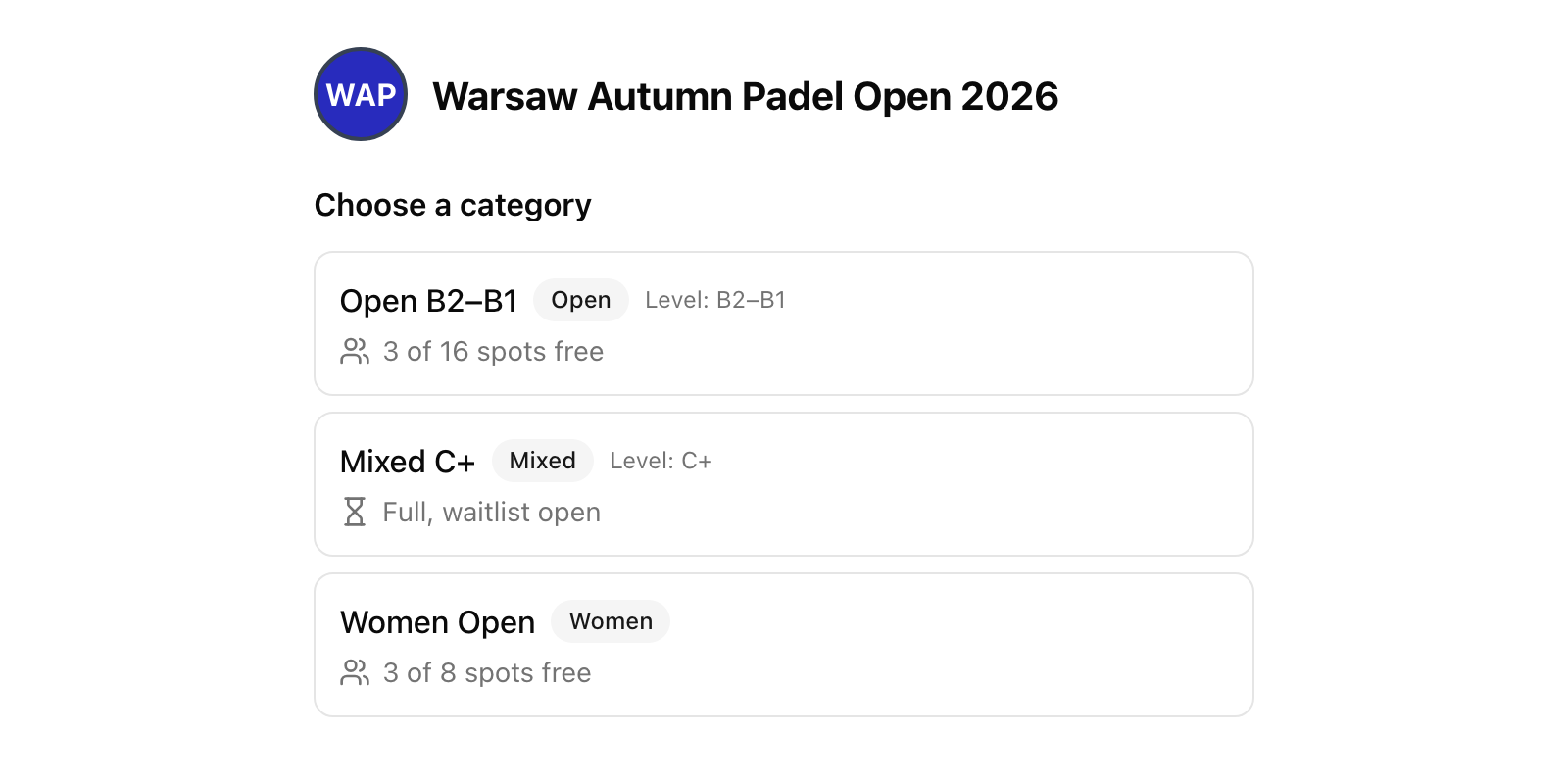
A typical club tournament runs three or four categories at once. In LiveCup each category is its own tournament inside one event, with its own groups, bracket, schedule and TV screen.
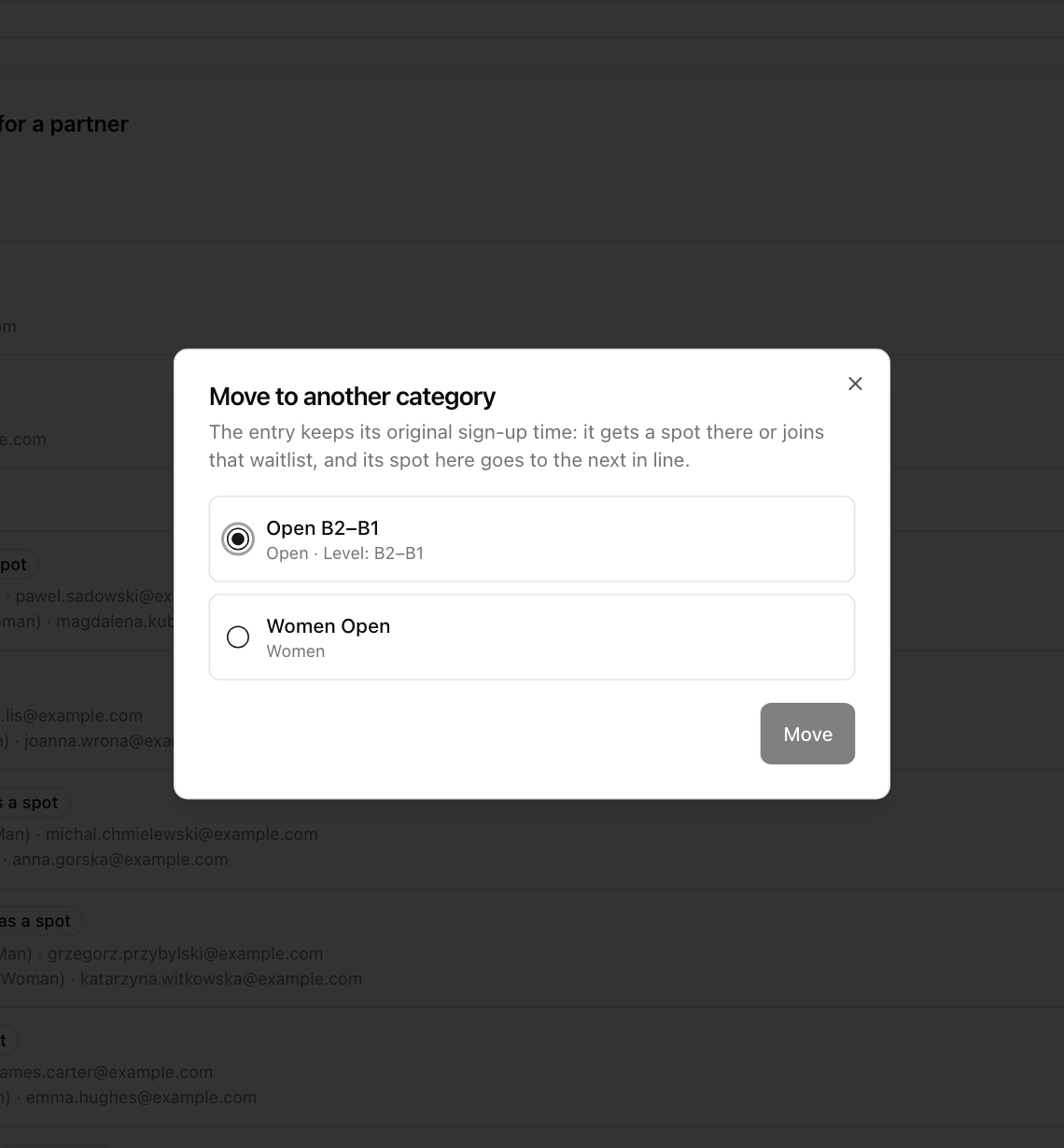
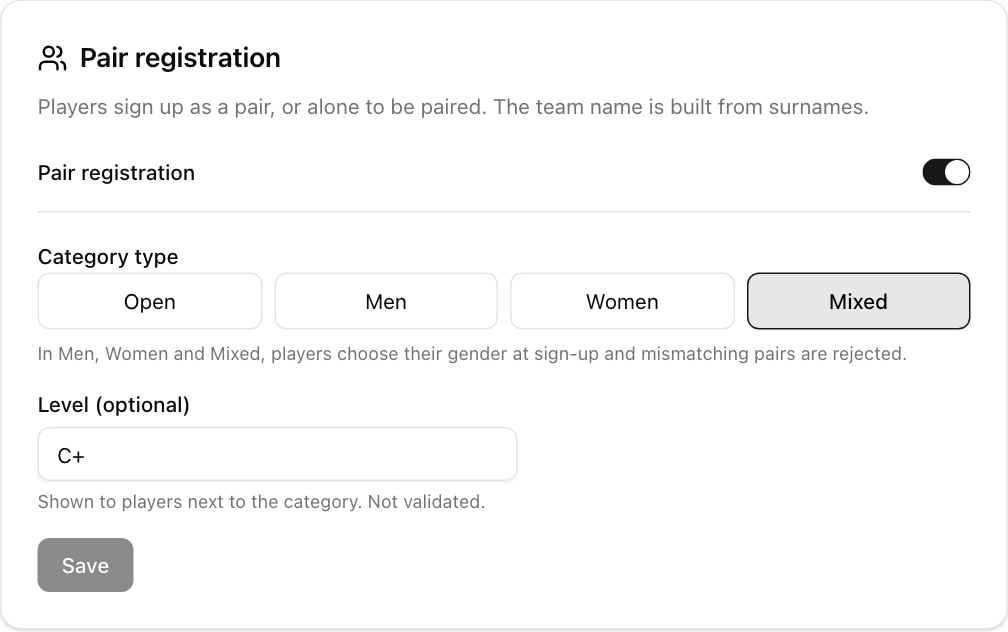
Players open one link, see every category with its level and the number of free spots, and register where they belong. Men, Women and Mixed categories check gender at sign-up, so you won't find two men in the Mixed draw. Placed a pair in the wrong level? Move it to another category of the same event and it keeps its original sign-up time.
A waitlist that refills the draw for you
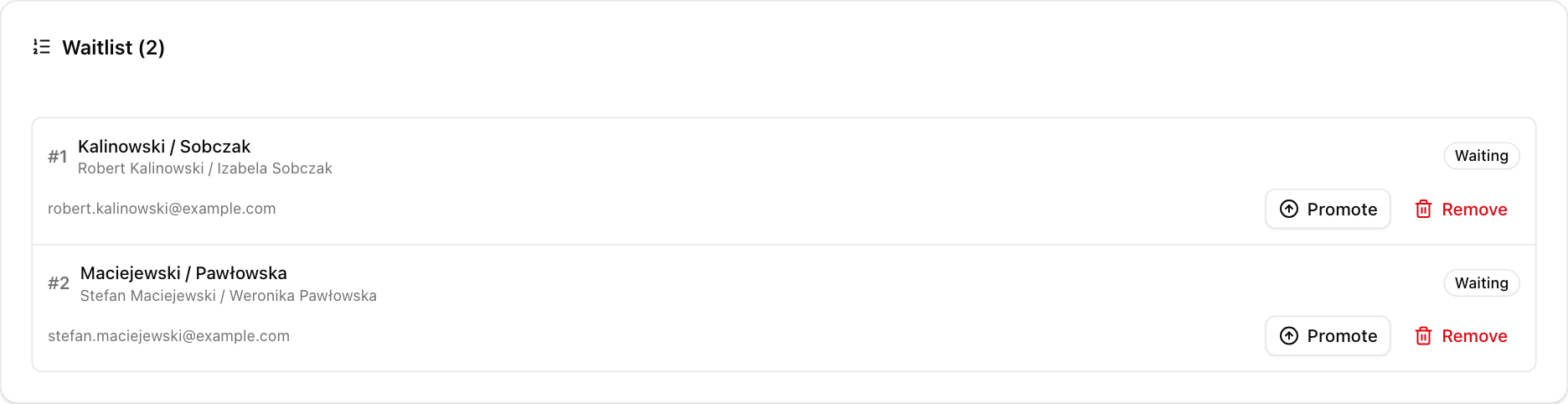
When a category is full, new sign-ups join a waitlist in the order they registered. When a pair withdraws, the first pair on the list gets the spot and an email, with no messages from you.
Close to the event, LiveCup switches to time-limited offers: the next pair has a set number of hours to accept, and if they don't, the offer moves on. Prefer to choose yourself? Turn off automatic promotion and pick any pair from the list.
Players can check their position and withdraw from their own link, so you get fewer messages asking "am I in?".
Changes during an Americano
Someone sprains an ankle after round three? Withdraw the player, add a latecomer or bring in a substitute. LiveCup rebuilds only the rounds that haven't started, keeps every score already played and balances the rest-outs. By default, players who sit out a round get half the match points, so resting never costs anyone a place in the table.
How to set it up
- 1
Create the event
Create a multi-tournament event and add one tournament per category (for example Open B2–B1, Mixed C+ and Women Open).
- 2
Turn on pair registration
In each category's registration settings, switch on pair registration and set the category type and level label.
- 3
Set the limit and the waitlist
Set the number of pairs per category and turn on the waitlist with automatic or manual promotion.
- 4
Share one link
Turn on the event registration page and share its link or QR code in your club group.
- 5
Pair the solos
Before the draw, open the operator panel, pair the players who are looking for a partner, and start the tournament.
Which plan do I need?
Pair registration, partner matching, the event registration page and the waitlist are part of the PRO and Business plans. Categories, schedules, live scores and TV screens work the same way they always have.
See plansFrequently asked questions
Does my partner need an account?
No. Neither player needs an account. The registering player gives an email address and both players manage their registration from a personal link.
What happens if my partner pulls out?
Your pair keeps its spot. You can add a new partner from your link until registration locks, and the organizer can pair you with someone from the list of players looking for a partner.
Do solo players take a spot in the category?
No. A spot is only taken when the organizer pairs two solo players. The new pair then gets a free spot or joins the waitlist.
How does the waitlist decide who gets a freed spot?
Pairs move up in the order they registered. Close to the event they receive a time-limited offer instead. The organizer can always promote any pair manually.
Can I check levels or gender?
Men, Women and Mixed categories check gender at sign-up. The level is a label you set, such as B2–B1, and players choose the category that fits them. You can move a pair to another category at any time before the start.
Does it work for sports other than padel?
Yes. Pair registration works for tennis, pickleball, beach volleyball and table tennis as well. The waitlist works for every sport.
Can players register in more than one category?
Each category is a separate tournament, so a player can register in more than one. Within one category the same email can only be in one active registration.
Related Articles
Padel Americano: Rules, Format & How to Organize
Rotating partners, individual scoring, and maximum fun – the complete guide to the Americano format
Padel Mexicano: Rules, Scoring and How to Run One
Round 1 is random. After that the leaderboard picks your partner — and the matches get closer every round.
Five Age Groups. One Event. One Link for Every Parent.
A club cup with U8 to U14, a men's and a women's draw, an A and a B tier. How to run every division on its own terms without running five separate tournaments.
QR Code Tournament Registration
Teams scan a code and register in seconds – no accounts, no paper forms, no registration chaos
Fill your padel draw without the follow-ups
Available on the PRO and Business plans.
Create a padel tournament