Every try now has a name
Record who scored, who kicked and who was carded, and let fans follow the whole match from one link or the big screen.
Rugby organisers asked for more than a score. They wanted the name behind every try, a proper record of substitutions and a way for fans at home to follow the match as it happens. Here is what is new in LiveCup for rugby.
Who scored? Two taps.
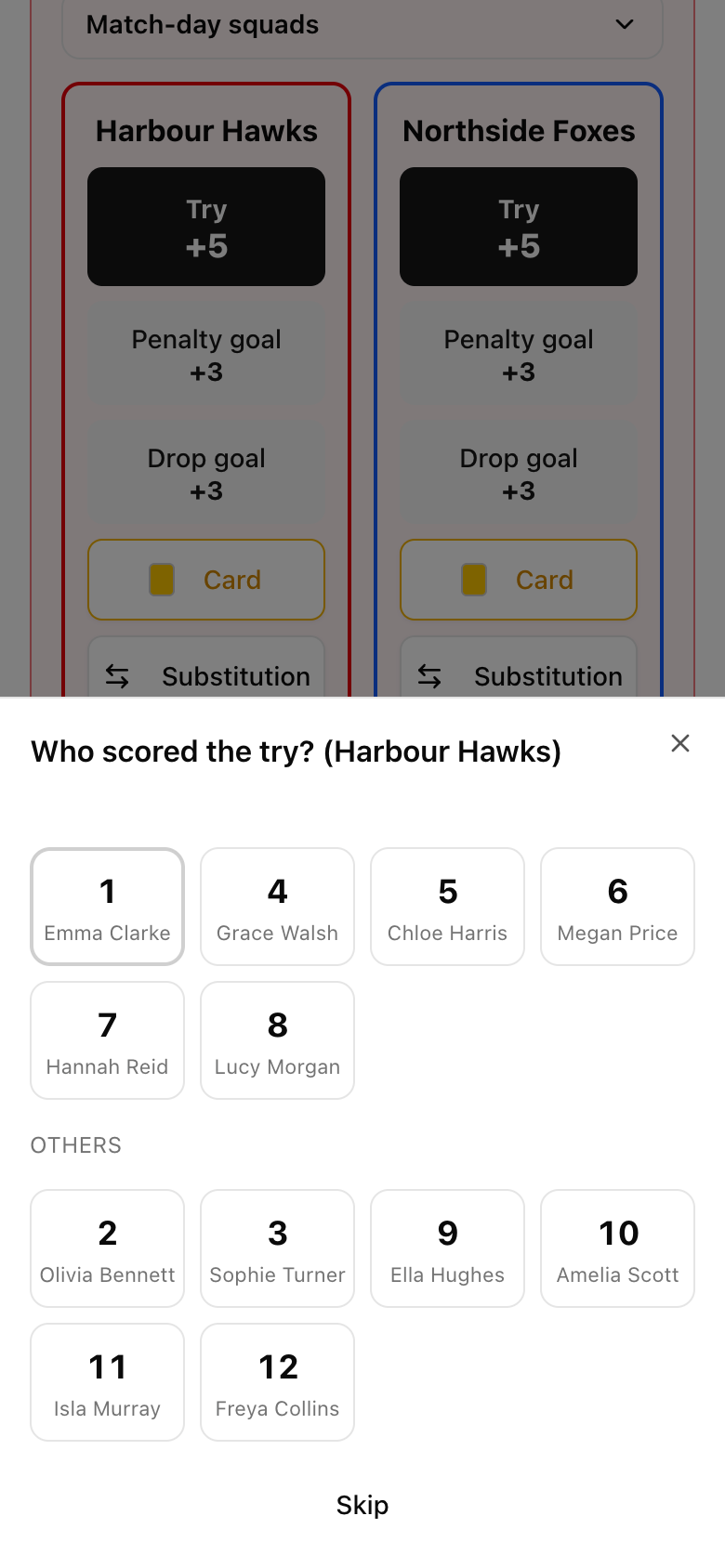
Tap Try and LiveCup asks one question: who scored? The players on the field come first, as big shirt numbers you can hit on a phone in the rain. Tap the number and the try is logged with the minute, the player and the running score.
The conversion follows straight away: made or missed, then the kicker. LiveCup puts your last kicker first, so it is usually one more tap. Penalty goals, drop goals and cards work the same way.
Not using rosters? Scoring works exactly as before, just without names.
Match-day squads, substitutions and head injuries
Before kick-off, pick each team's squad for the match: tap a number once for the starting side, twice for the bench. In Sevens that is 7 on the field and 5 on the bench, and "Same as last match" fills it in with one tap.
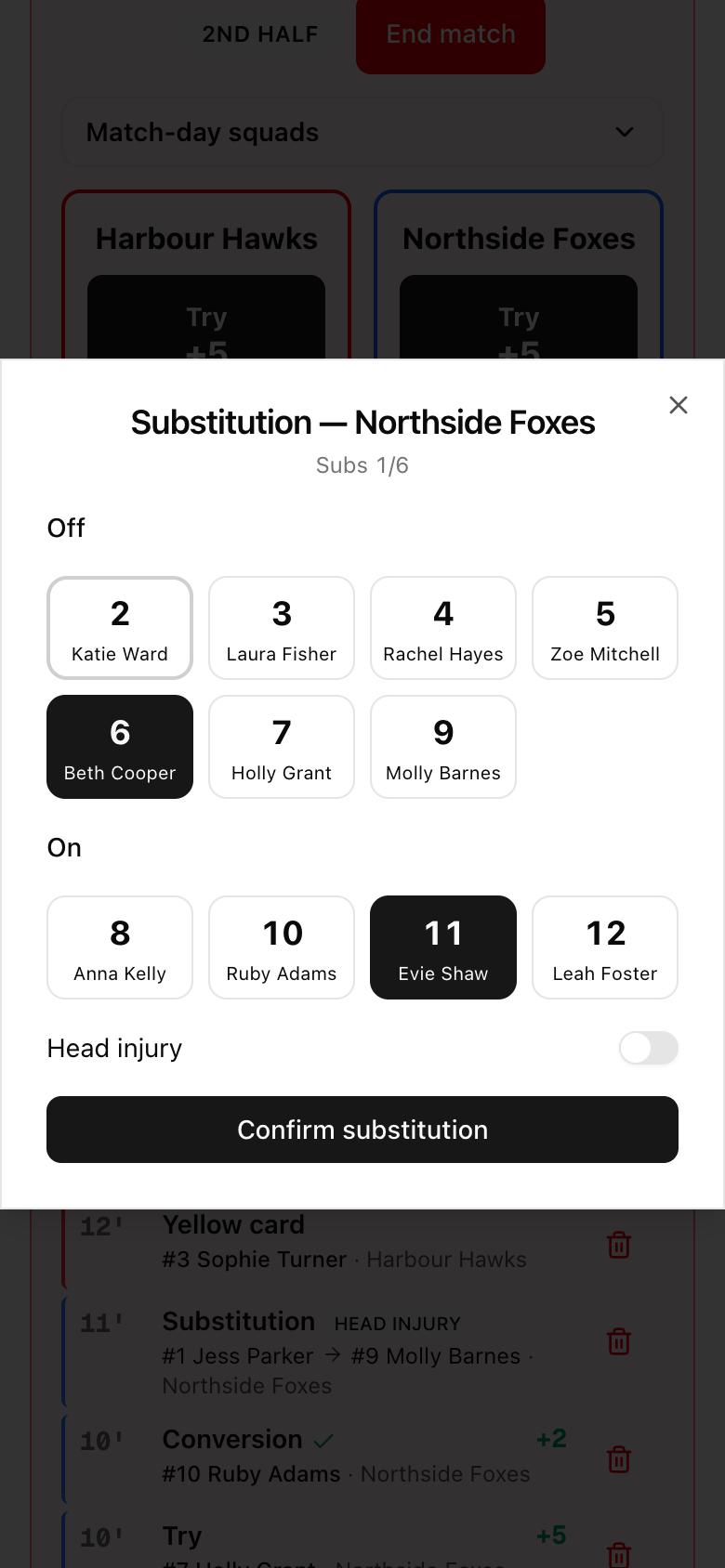
A substitution is one dialog: who comes off, who goes on, and a switch for a head injury. LiveCup counts substitutions against your limit, adds an extra one after a head injury if your rules allow it, and never offers a player who left with a head injury or a red card.
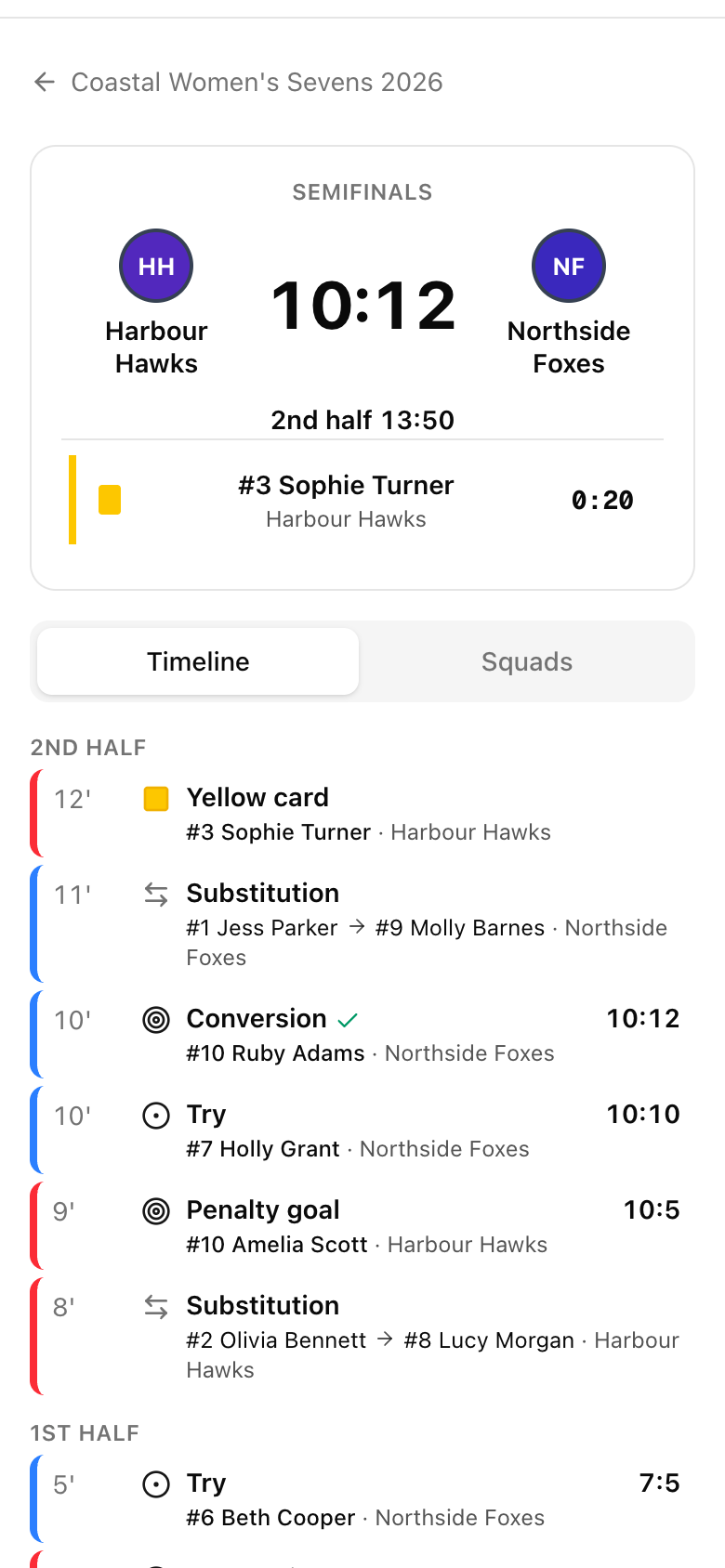
A yellow card starts the sin-bin countdown on the operator's phone, the public match page and the TV. A second yellow for the same player offers a red, and a direct red can rule the player out of the rest of the tournament.
Fans see it as it happens
The tournament link you share now shows every live rugby match with the clock, the half, anyone in the sin-bin and the latest event. Tap the match to open its live page: the full timeline split by half, with the scorer and the score after every point.
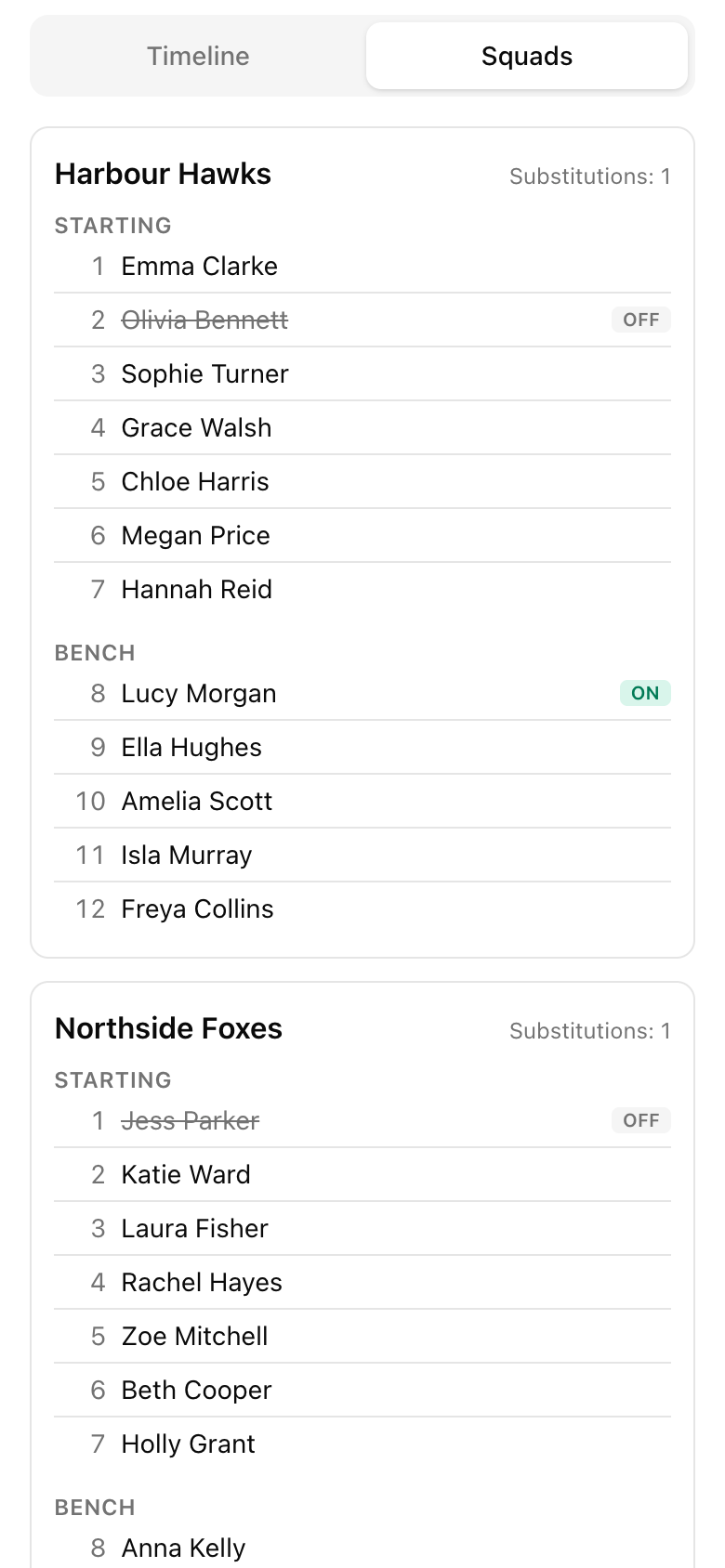
Want fans to see the full squads? Turn on "Show full match-day squads publicly" and a Squads tab appears, with who came off and who came on. It is off by default, because squads are names. Switch it on only when you have the players' consent.
Medical details stay private. Fans see "Substitution"; only your operators see that it was a head injury.
Rules that match your competition
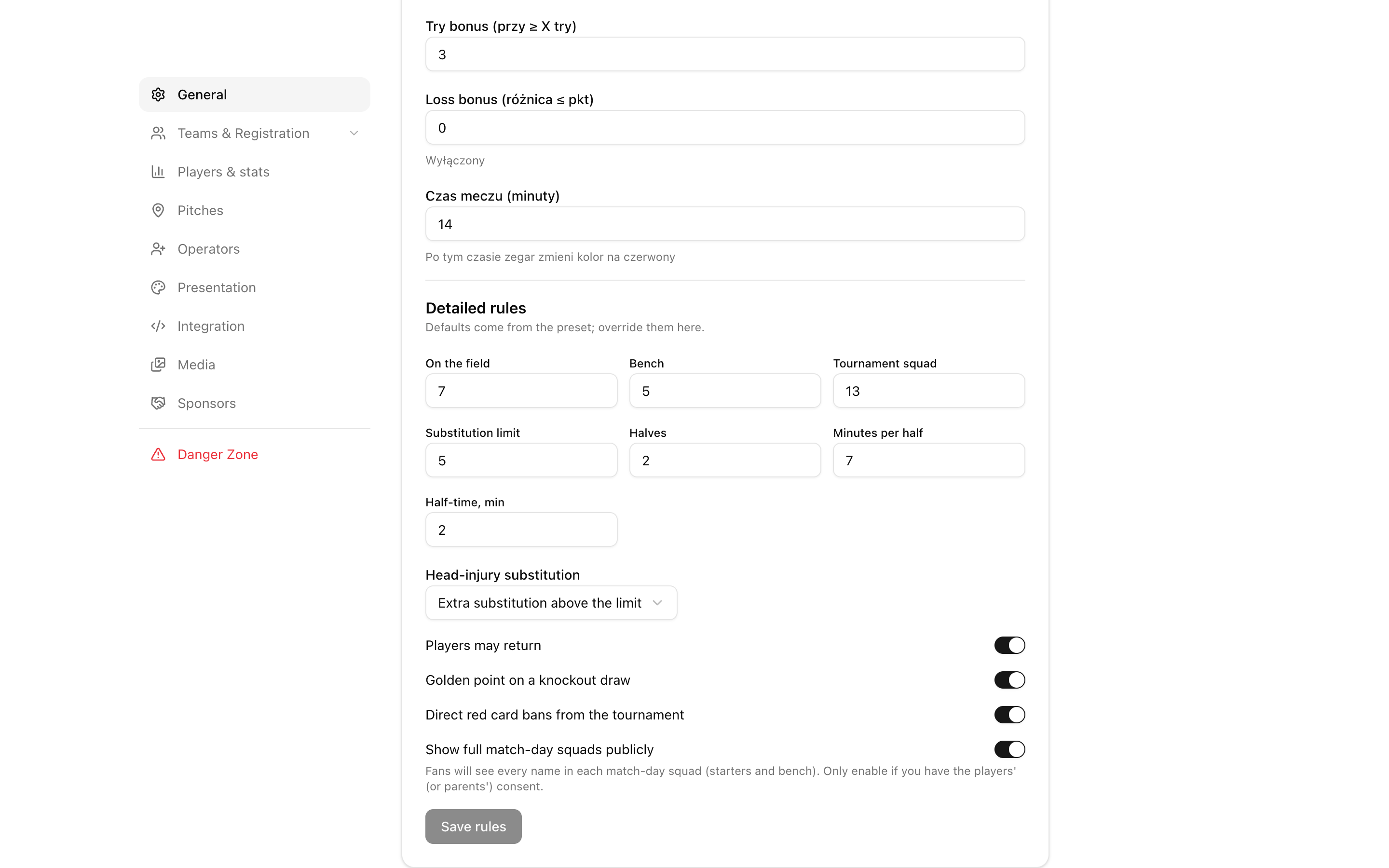
The Sevens preset now covers the details that matter on match day: 7 on the field and 5 on the bench, a 13-player tournament squad, 5 substitutions, two 7-minute halves with a 2-minute break, a 2-minute sin-bin and golden point for knockout draws.
Every value can be changed in Detailed rules, including unlimited substitutions, whether players may return to the field and how head-injury substitutions count.
On match day the clock follows the halves: start the first half, end it, watch the half-time countdown, start the second. If a knockout match is level at full time, "Extra time: golden point" appears, and the first score ends the match.
Rosters you enter once
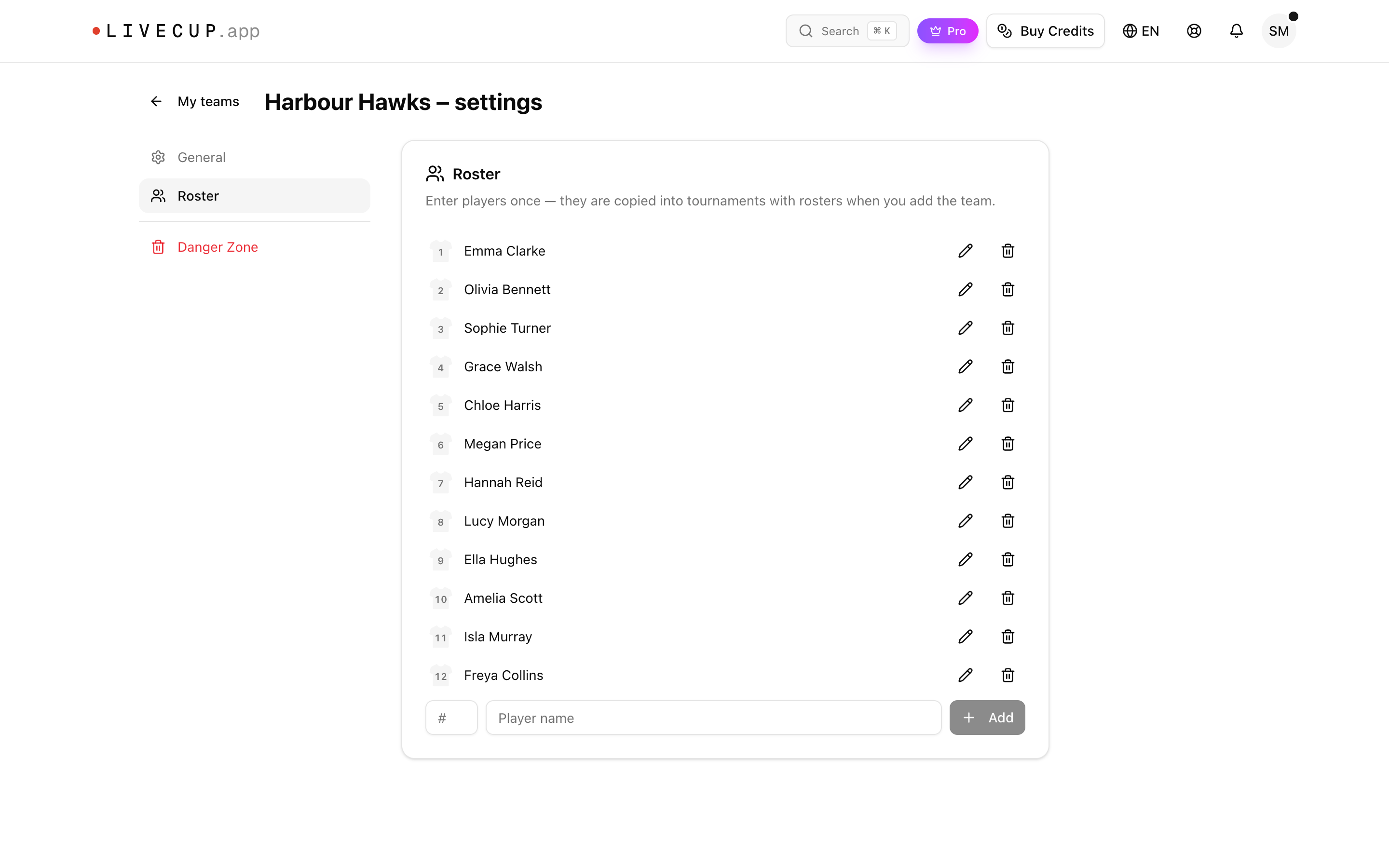
Save each team's roster in My teams: name and shirt number, once. When you add the team to a tournament that uses rosters, the players come with it.
The tournament keeps its own copy, so you can add a player on the day without touching your saved team. Changed a roster during a tournament and want to keep it? Send it back to My teams in one click.
Each saved team now has its own settings page with details, roster and delete, laid out like your tournament settings.
The big screen follows every try
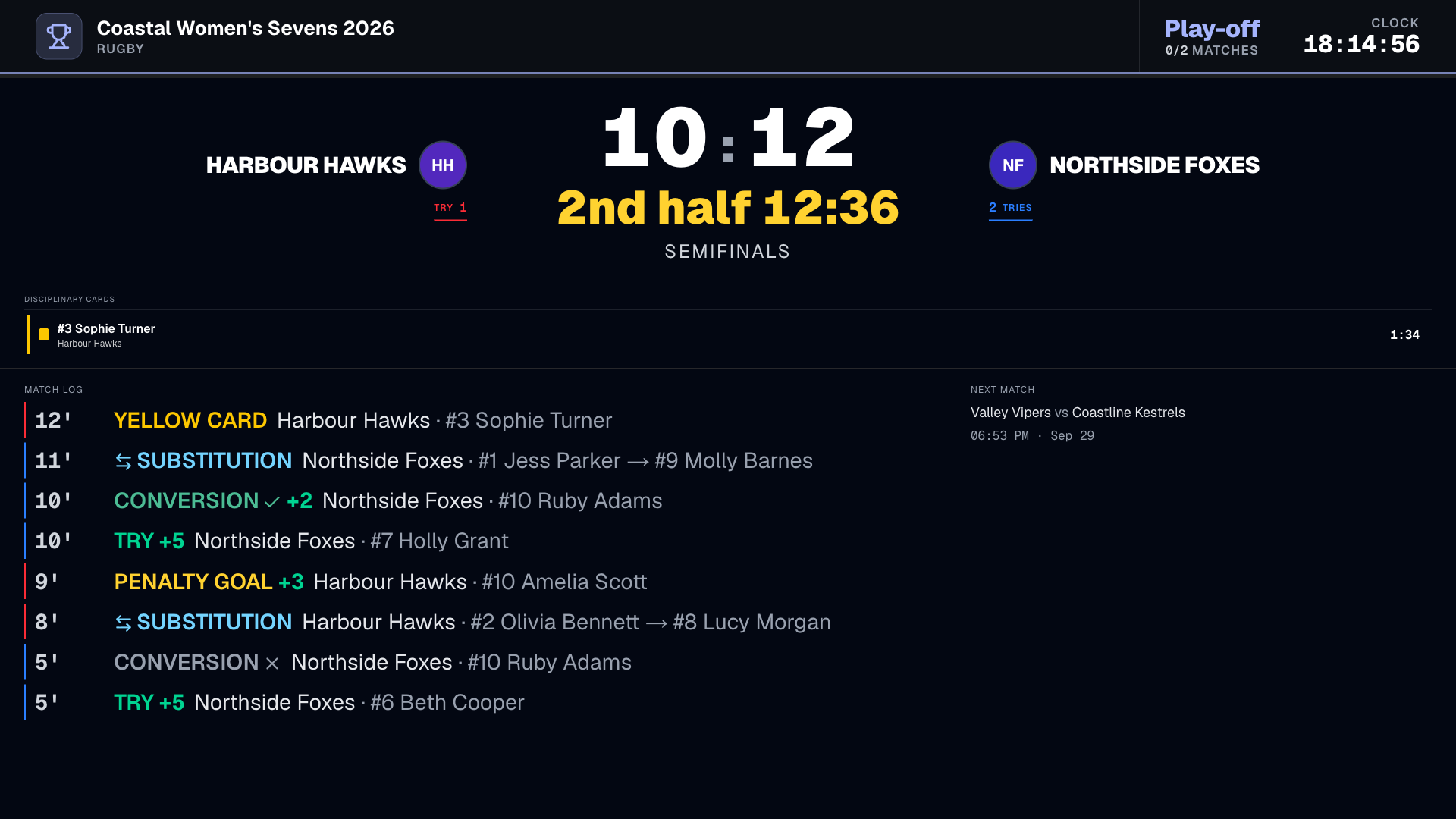
On the TV view the match clock and the half sit right under the score. The match log shows the last eight events in type you can read from across the clubhouse, and a banner names the scorer the moment a try or a card is logged.
Frequently asked questions
Do I have to enter player names?
No. Rosters are optional. Without them you score tries, conversions, kicks and cards exactly as before. With them, every event gets a shirt number and a name.
Are player rosters free?
Player rosters are a Premium feature, available on paid plans or when you unlock a single tournament. Rugby live scoring with the sin-bin and bonus points is part of the free plan.
How does the head-injury rule work?
Choose it in Detailed rules: an extra substitution above the limit (the Sevens default), not counted towards the limit, or counted like any other substitution. A player replaced after a head injury cannot come back in that match.
What happens after a red card?
The player is off for the rest of the match and the team plays short. With "Direct red card bans from the tournament" switched on (the Sevens default), the player cannot be picked for later matches either. A red card for a second yellow does not carry that ban.
Can two people score the same match?
Yes. Every entry is saved as a separate action on the server, so an operator and a referee on another phone do not overwrite each other. If a phone loses signal, LiveCup retries the same entry, so a try is never counted twice.
Can fans see the squads?
Only if you turn on "Show full match-day squads publicly". It is off by default. Scorers, cards and substitutions appear with shirt numbers and names either way.
Does it work for Rugby Union 15s?
Yes. The 15s preset has its own defaults: 15 on the field, 8 on the bench, two 40-minute halves and a 10-minute sin-bin. Every value can be adjusted in Detailed rules.
Related Articles
Rugby on LiveCup: full support for 15s and Sevens
We've launched a dedicated rugby module — real scoring, sin-bin countdowns, and bonus points calculated automatically.
Hand Off a Match, Not the Whole Tournament
Add a referee with just a name and they get an instant personal link and QR code for their assigned matches — no account required, no access to anything else.
Put a name on every try at your next tournament
Create a rugby tournament, add your squads and share one link with every fan.
Create a rugby tournament