Every darts match gets its own live page
Fans follow the match from their phones while it is played. When it ends, the same link becomes the recap with stats, a share card and the best moments.
In a pub league only the people standing at the board know the score. Everyone else waits for the table to update. Now every darts match in LiveCup has its own page. Open it from the tournament, scan the QR code on the board or on the TV, or tap a link someone shared in the group chat.
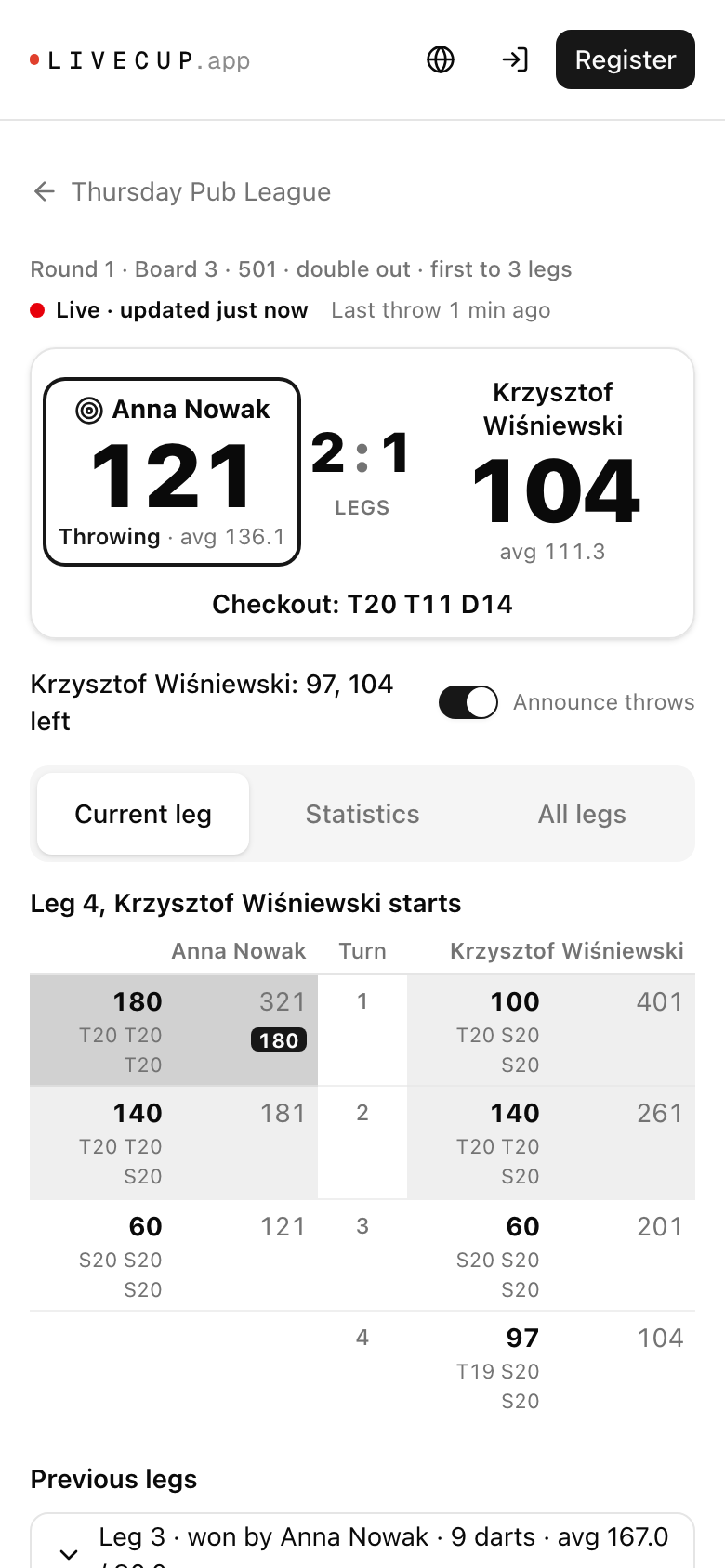
Live: who throws, what is left, how to finish
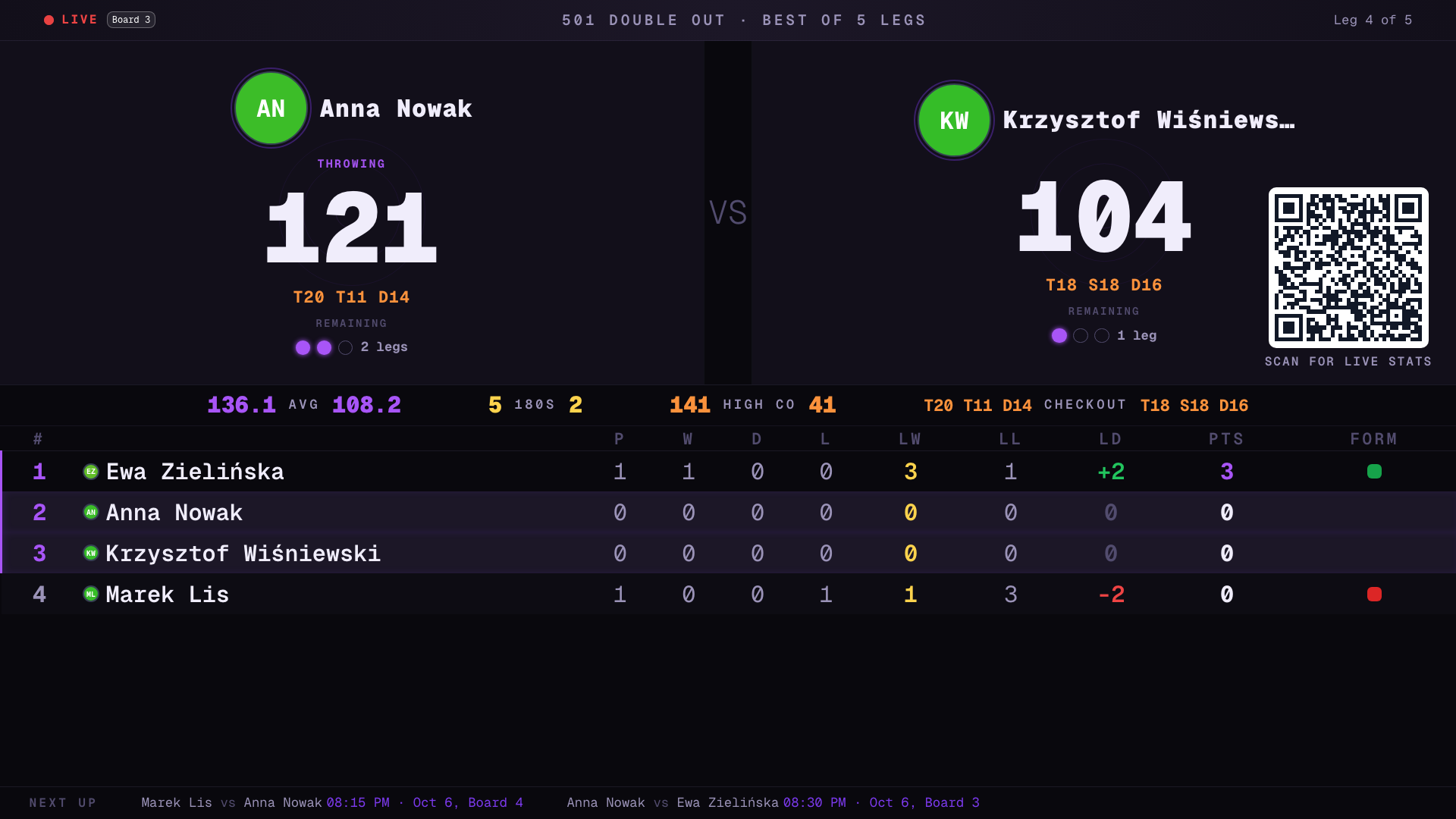
The page shows both players' remaining scores in big numbers, the legs or sets, and who is throwing. When a player can finish, the checkout path appears, for example T20 T11 D14.
Below is the sheet of the current leg, visit by visit: the score, what is left and, when the marker enters dart by dart, every dart. 180s are marked, a bust is struck through, and a checkout shows how many darts it took. The page updates on its own every few seconds and stops when you switch to another app, so it does not drain the battery.
After the match: the same link becomes the recap
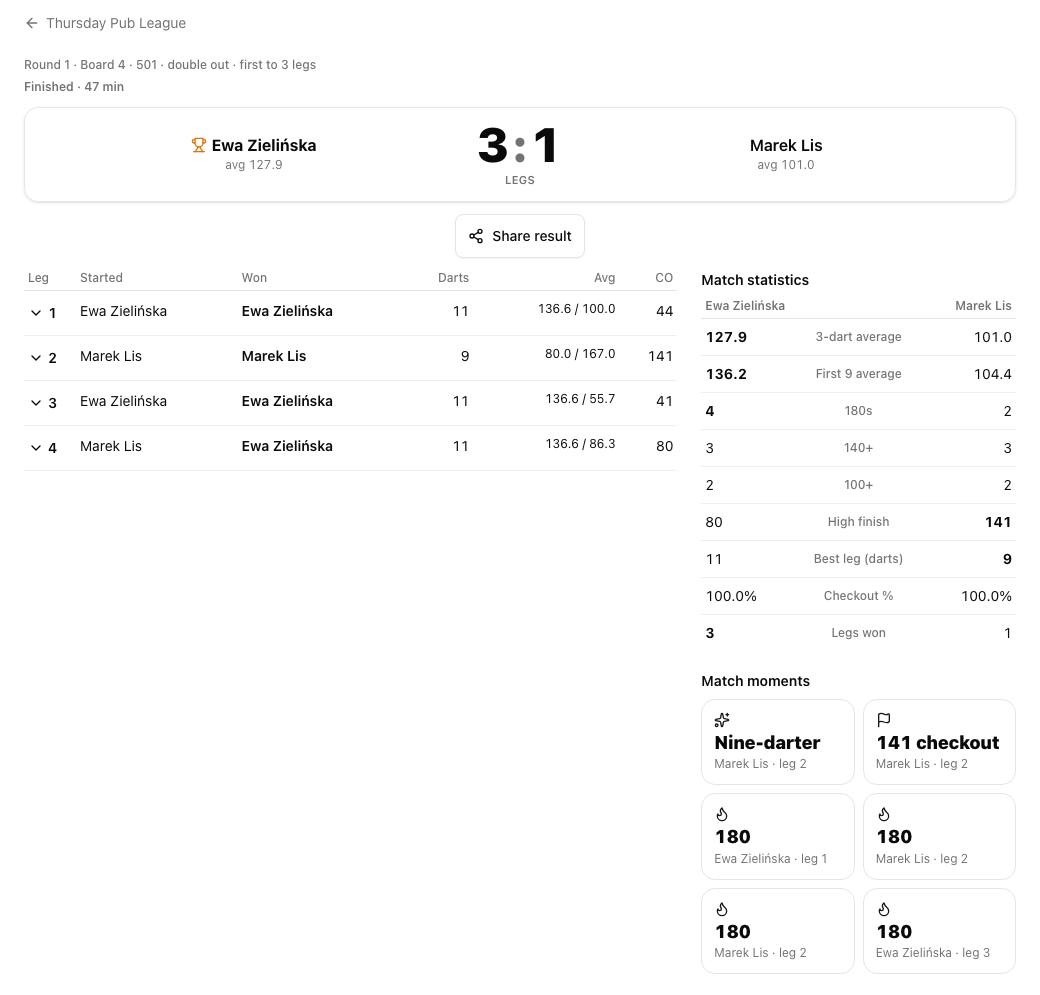
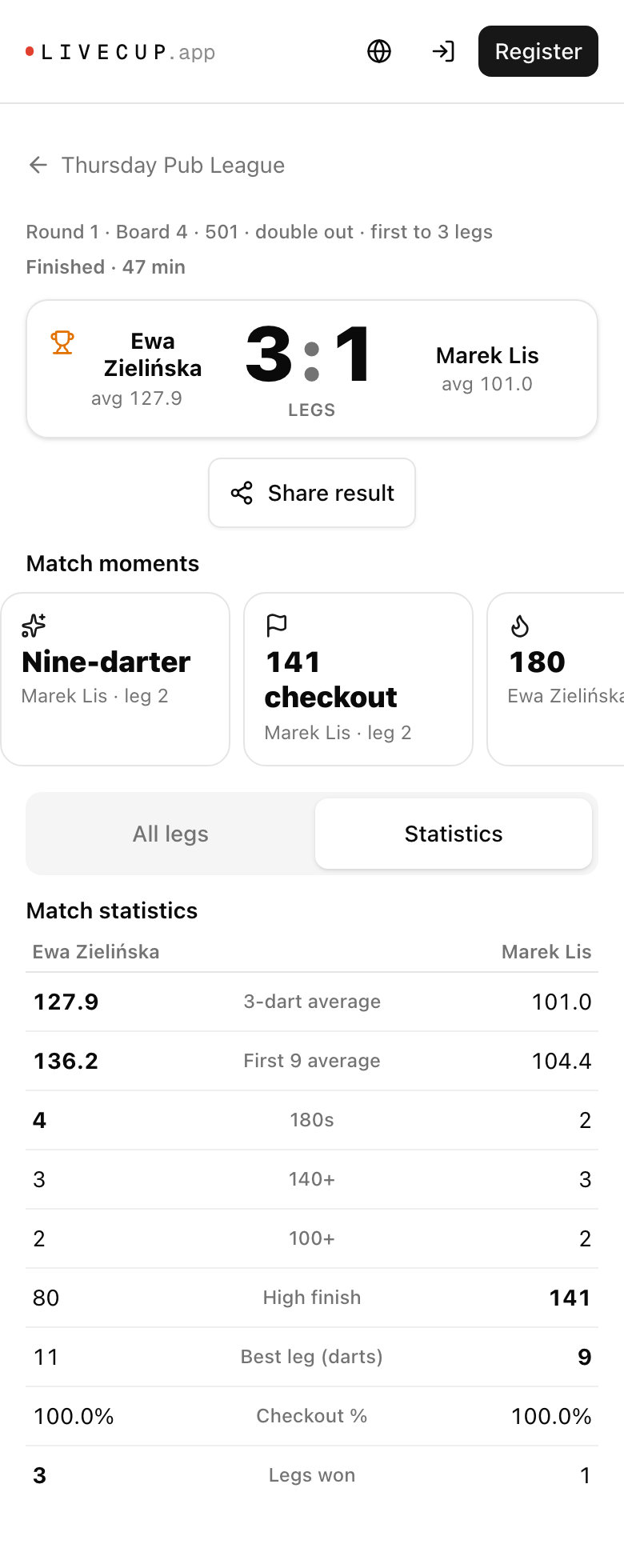
When the match ends, nobody has to send a new link. The page shows the final score, how long the match took, a table of all legs with who started, who won, darts used and averages, and the full match statistics: 3-dart average, first 9 average, 180s, 140+, 100+, high finish, best leg and checkout percentage.
Match moments pick out the highlights automatically: a nine-darter, 100+ checkouts, 180s and the shortest leg.
Share the result as a card
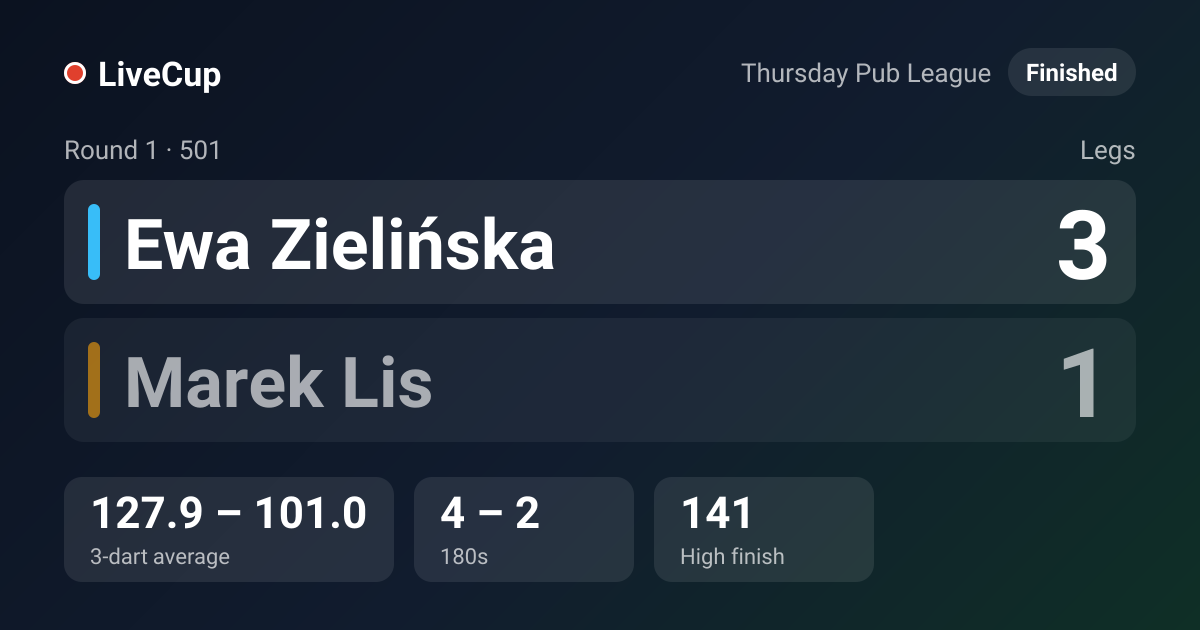
The Share result button opens your phone's share menu. Paste the link into WhatsApp or Messenger and the preview shows a result card: the players, the score, the averages, 180s and the high finish. During the match the card is marked as live.
Cricket and set formats too
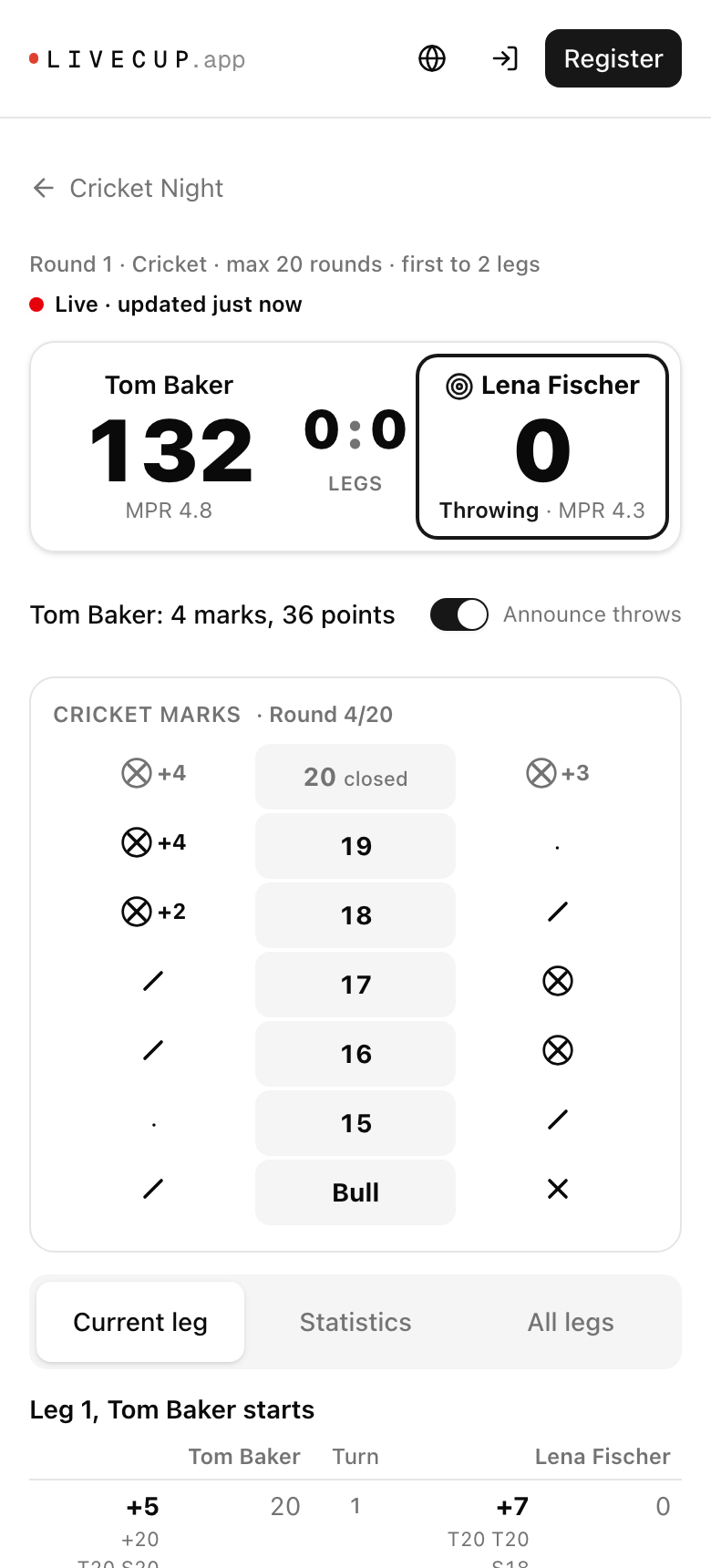
Cricket matches show the marks board for 20 down to the bull, the points and the marks per round. Set formats show the sets and the legs in the current set, and the leg list is grouped by set.
A QR code on every board
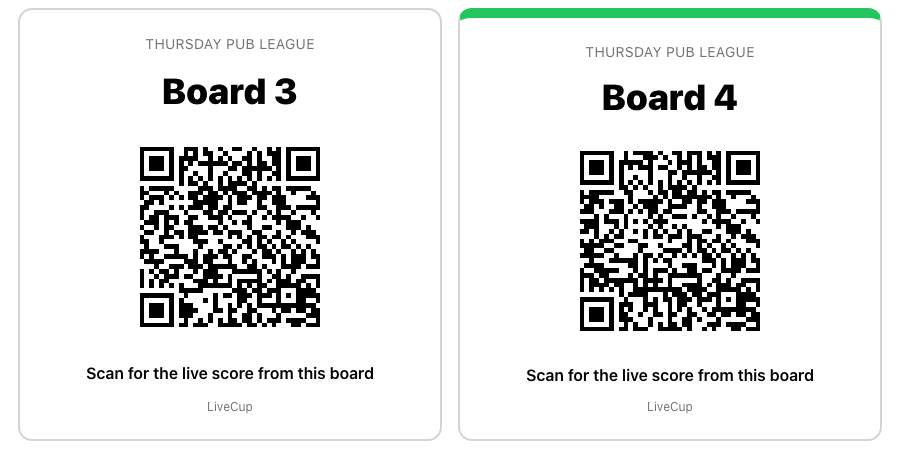
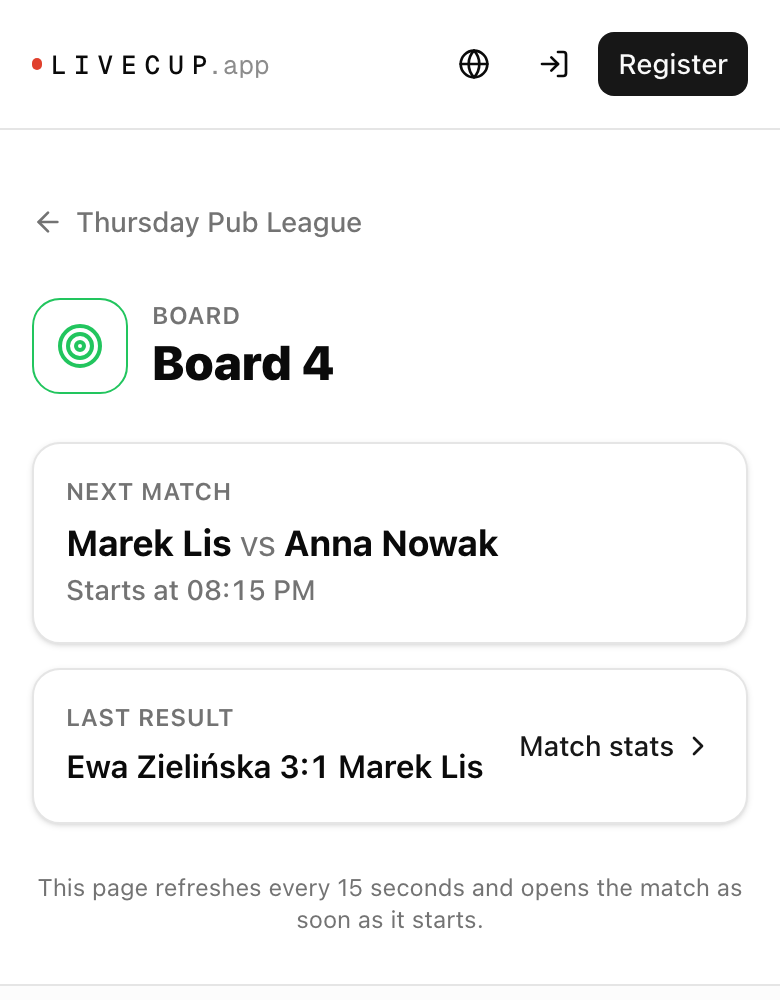
Print a sticker for each board from the court settings and put it next to the oche. Scanning it opens the match being played on that board right now. When the board is free, the page shows the next match and the last result there. The sticker stays valid for the whole season.
On the TV screen a QR code in the corner leads straight to the live match, so people in the room can follow it on their phones.
Easy to find
Live matches on the tournament page link to their match page, as do the live bar, the player profiles and the Boards tab. Players see a Link for fans on their own scoring link, and organizers can copy it from the match list.
Privacy stays in your hands
If you switch off public player statistics, the match page still shows the score, the remaining scores and the current leg, like the scoreboard in the room. Averages, 180s, checkout percentages and the earlier legs stay hidden, on the page, on the share card and on the TV. In private tournaments the fan links are not shown, and the match page stays behind the tournament's access code.
Frequently asked questions
Do fans need an account or an app?
No. The match page opens in any phone browser from a link or a QR code.
How fast does the page update?
During a live match it checks for new visits every few seconds, so a new score shows up almost right away. It pauses while the page is in the background and catches up as soon as you come back.
What happens to the link after the match?
Nothing changes. The same link now shows the recap: final score, all legs, statistics and match moments.
Does it work for Cricket?
Yes. Cricket matches show the marks board, the points and the marks per round instead of remaining scores and checkouts.
Can I hide player statistics?
Yes. With public statistics switched off, fans see only the score and the current leg. Averages, 180s and checkout percentages stay hidden everywhere, including the TV and the share card.
How do the board QR codes work?
Each board has its own sticker. Scanning it opens the match being played on that board right now, or the next match when the board is free. Print the stickers once and use them all season.
Is the match page included in every plan?
Yes. Every darts tournament gets live match pages, share cards and the TV QR code. Printing the board QR stickers is part of the PRO and BUSINESS plans, like the board autopilot.
Related Articles
Darts league and tournament app for pub leagues and clubs
Score on phones at the oche, rank every player by average and legs, and show every board live on the screen above the bar.
Score darts on any phone, see every leg on the big screen
501 and 301, sets and legs, Cricket, checkout suggestions and live averages. Built for pub leagues and club nights.
A Scoreboard You Can Read From the Back of the Hall
Bigger type, stronger contrast, digits that never jump — plus your own colours and typeface on PRO.
Give your darts night a live scoreboard on every phone
Live match pages, share cards and board QR codes come with every darts tournament in LiveCup.
Create a darts tournament