A team is late? Drag its match later and keep the day moving.
Change the order of play in a schedule that is already running. Drag a match, play it next, move it to the end or swap it with another one, and undo any change.
It is 10:40, and the 11:00 match is about to start. One team is stuck in traffic. The pitch next to the entrance is closed after a heavy shower. The only referee on the schedule has not turned up. You know the fix: play something else first. Until now that meant editing matches one by one, and it was the part of the day organizers dreaded most. Now you open the schedule, drag the match to a different place, and you are back to running the tournament instead of repairing it.
Drag a match to where it needs to be
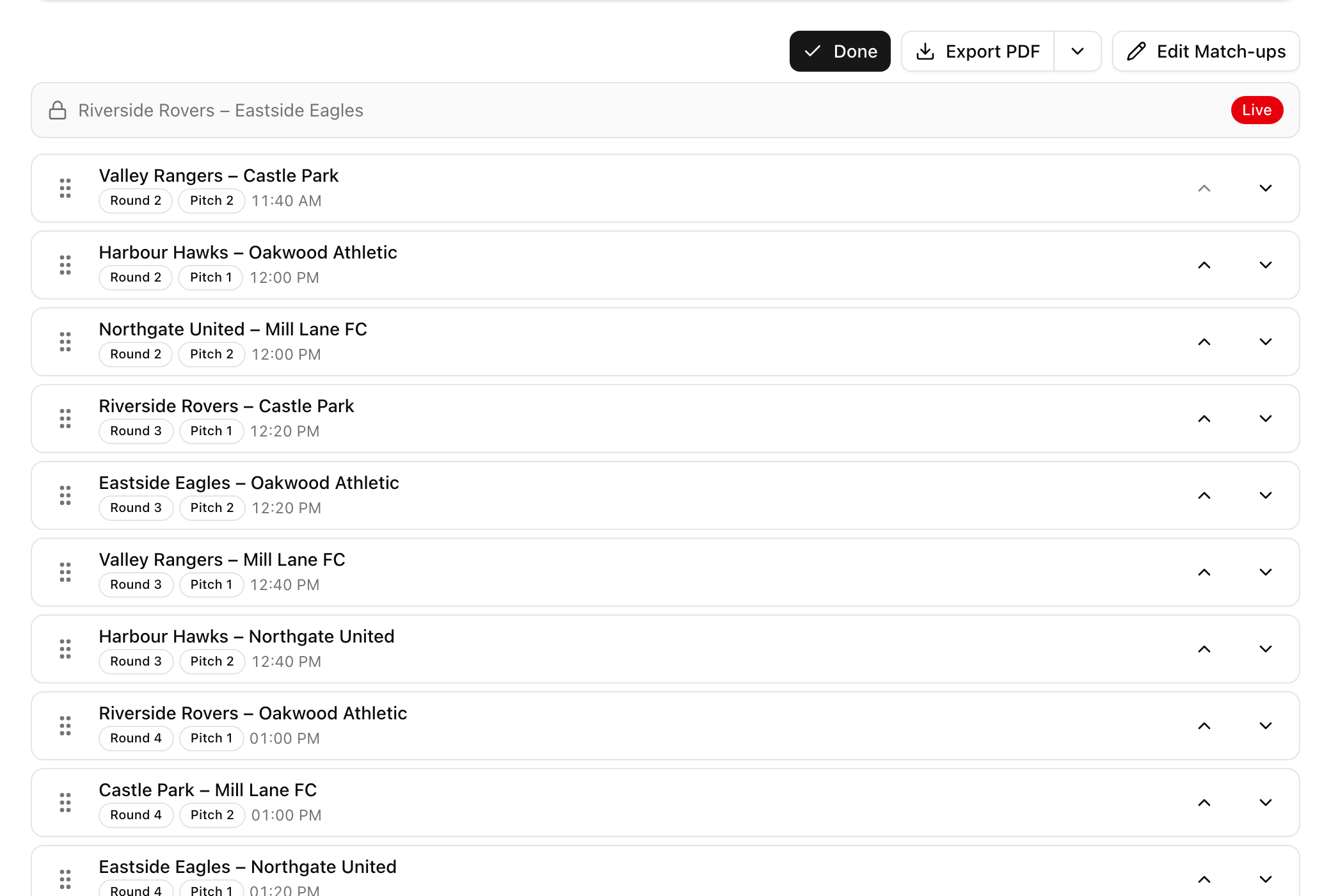
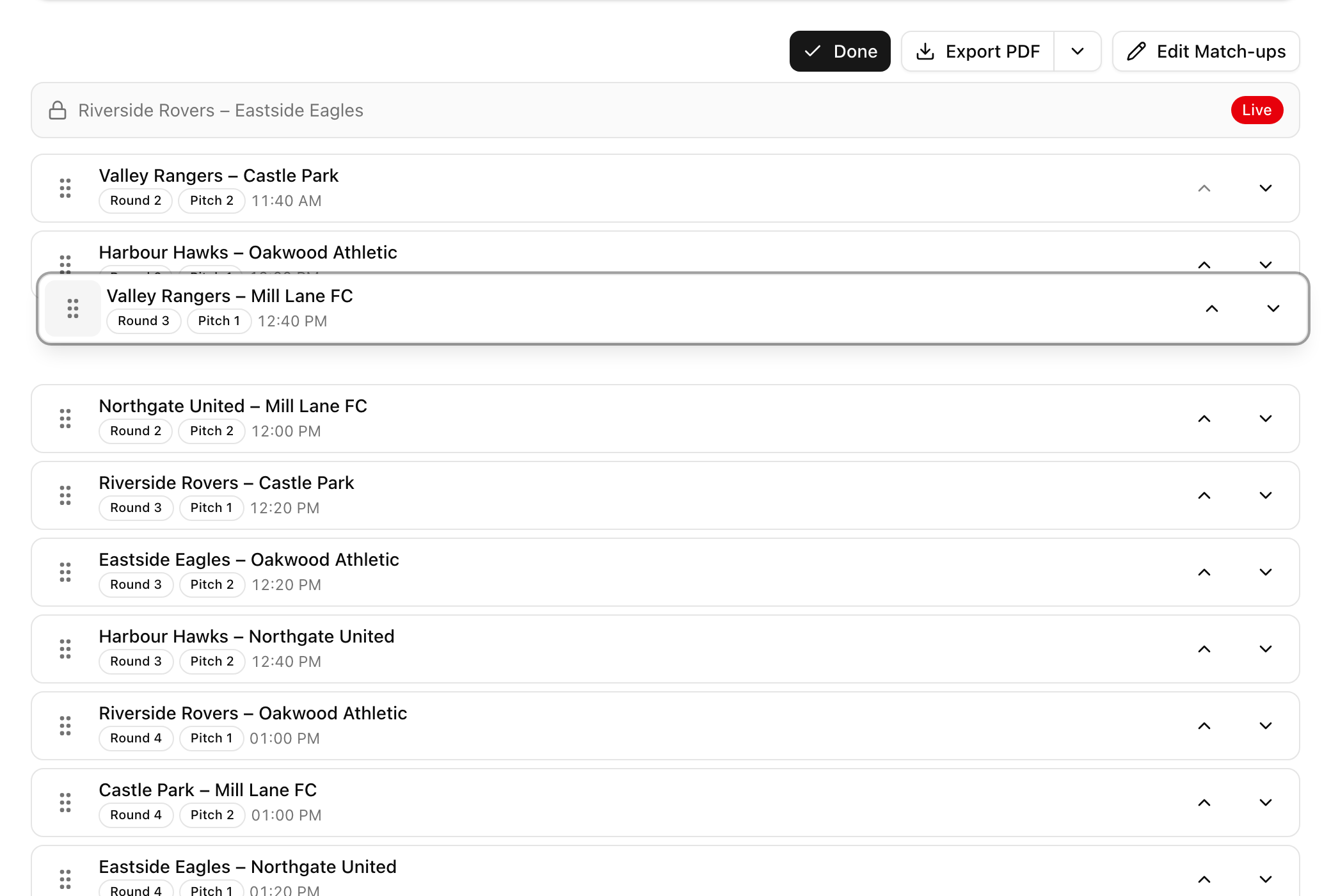
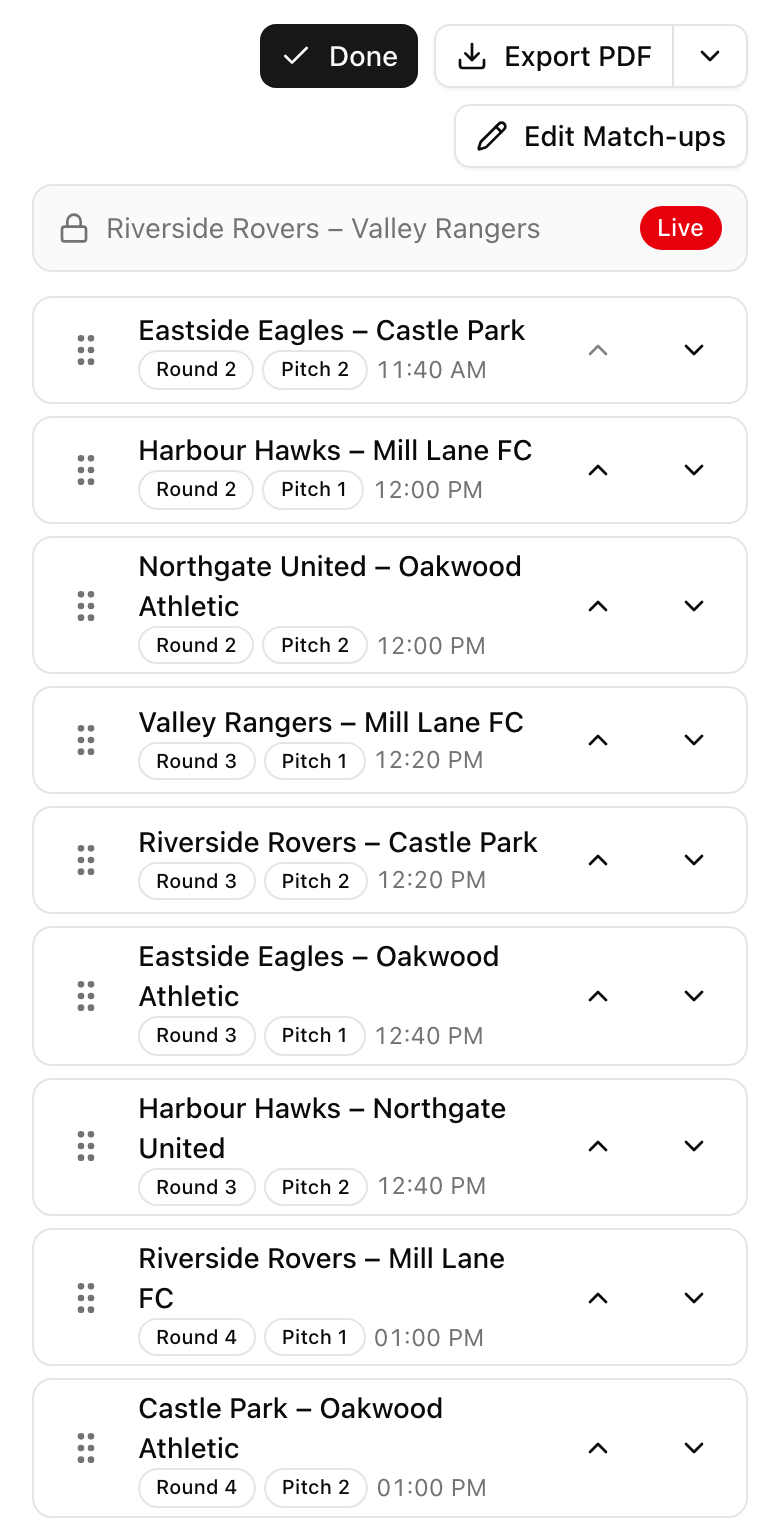
In the operator panel, next to Edit Match-ups, you will find a new button: Change order. Tap it and the upcoming matches appear as one simple list, in the order they will be played. Grab a match and drop it in its new place. That is the whole job.
It works with a mouse, with a finger on a phone (press and hold for a moment, then drag) and with the keyboard. If you prefer buttons, every match also has up and down arrows. Matches that are live right now stay pinned at the top and cannot be moved.
When you are happy with the new order, tap Done.
Three one-tap moves for the usual problems
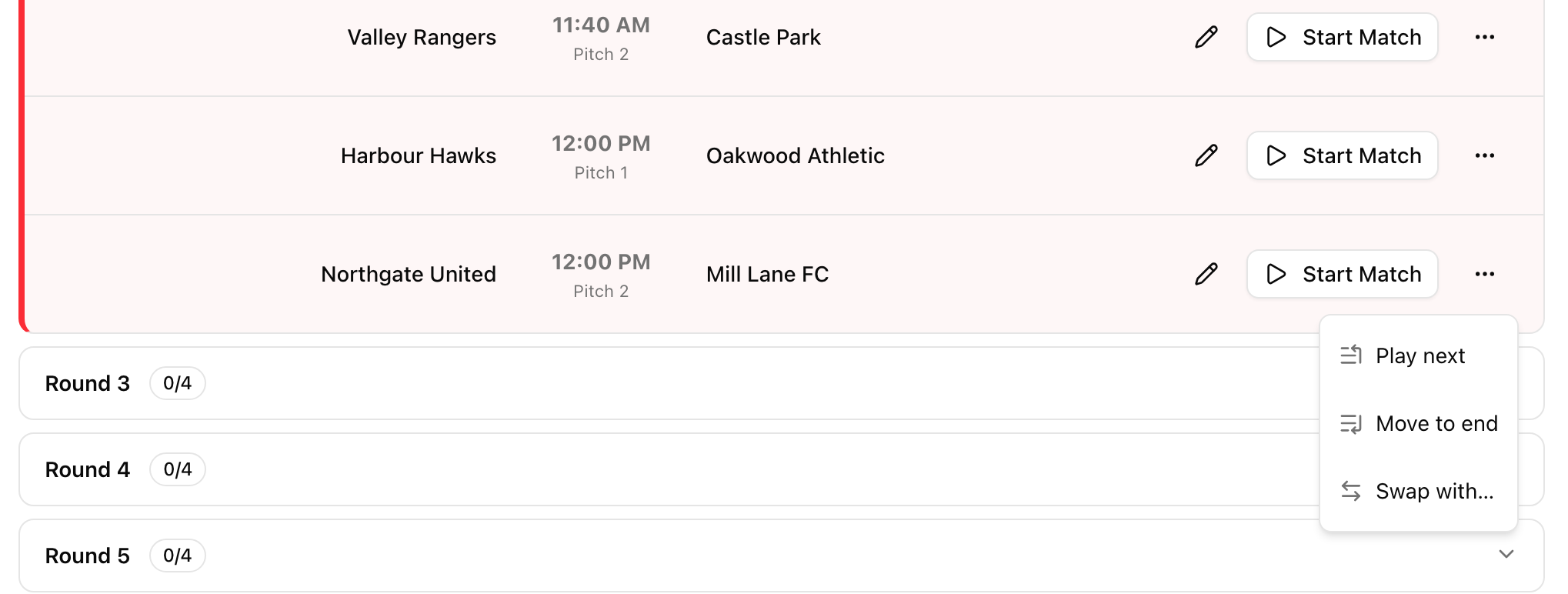
Most changes on the day are small. So every scheduled match card has a menu with the moves you reach for most often.
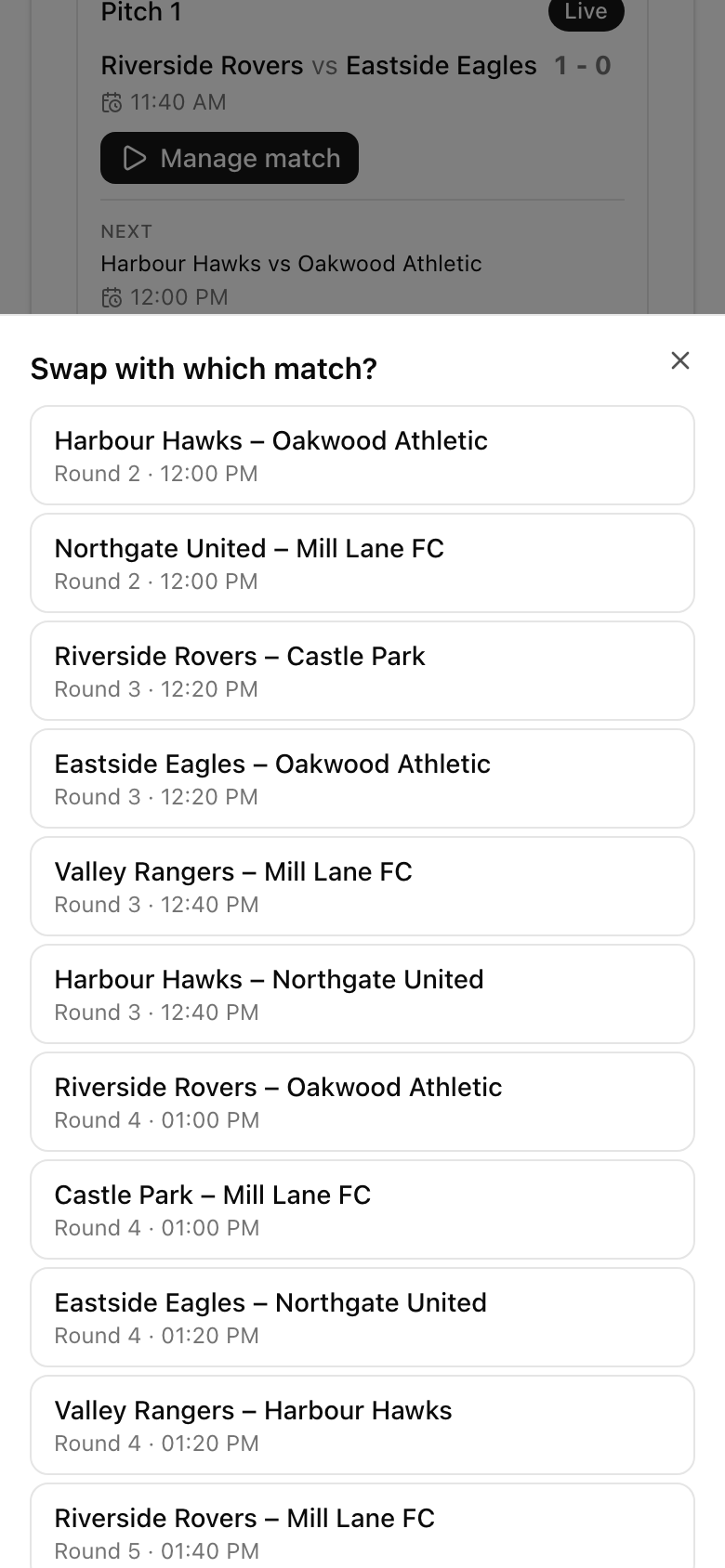
Play next puts the match straight after the ones that are live. Use it when a team is ready and the pitch is free. Move to end sends a match to the back of the queue. Use it for the team that is still in the car park. Swap with opens a list of the other matches and trades the two places. Use it when two teams simply need to change slots.
You do not need to enter the reorder mode for any of this. Open the menu on the card, pick the move, and you are done in two taps.
Undo, and a warning when a team has no break
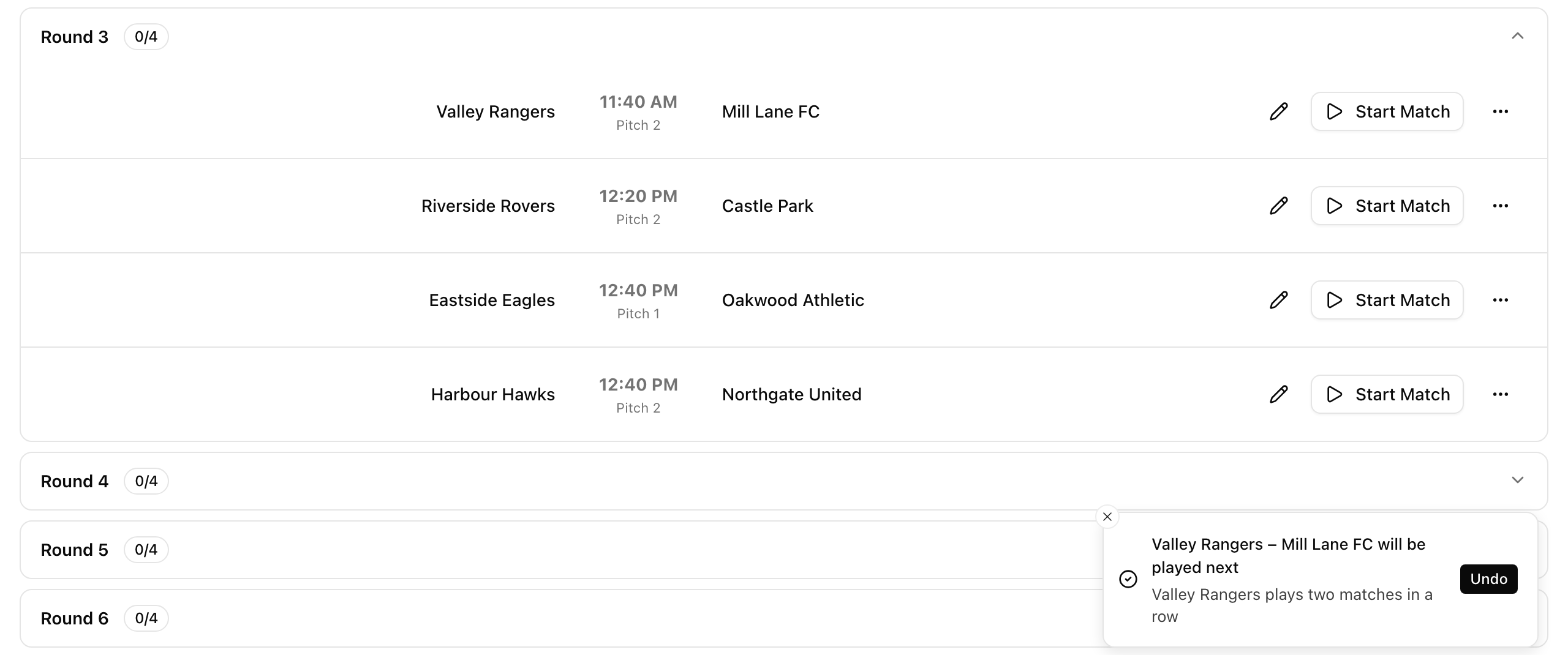
Every change shows a short message with an Undo button. Dropped a match in the wrong place on a phone? Tap Undo within a few seconds and the schedule is exactly as it was.
The same message also warns you when the new order makes a team play two matches in a row. It never blocks you. Sometimes the back-to-back game is the lesser evil, and you know your day better than any rule. You just get the information at the moment you can still act on it.
Times and pitches stay in their places
The timetable keeps its shape. Matches move, but the times and pitches stay where they are. A match moved earlier takes the earlier time and the pitch that goes with its new place, so a swap does not put two matches on the same pitch at the same time.
If you use court autopilot, the pitches follow the new order automatically, so you do not need to reassign anything by hand. One honest limit: LiveCup does not shift the times of the rest of the day. If you move a match by an hour, you are changing who plays when, not rewriting the clock.
Everybody sees the new order
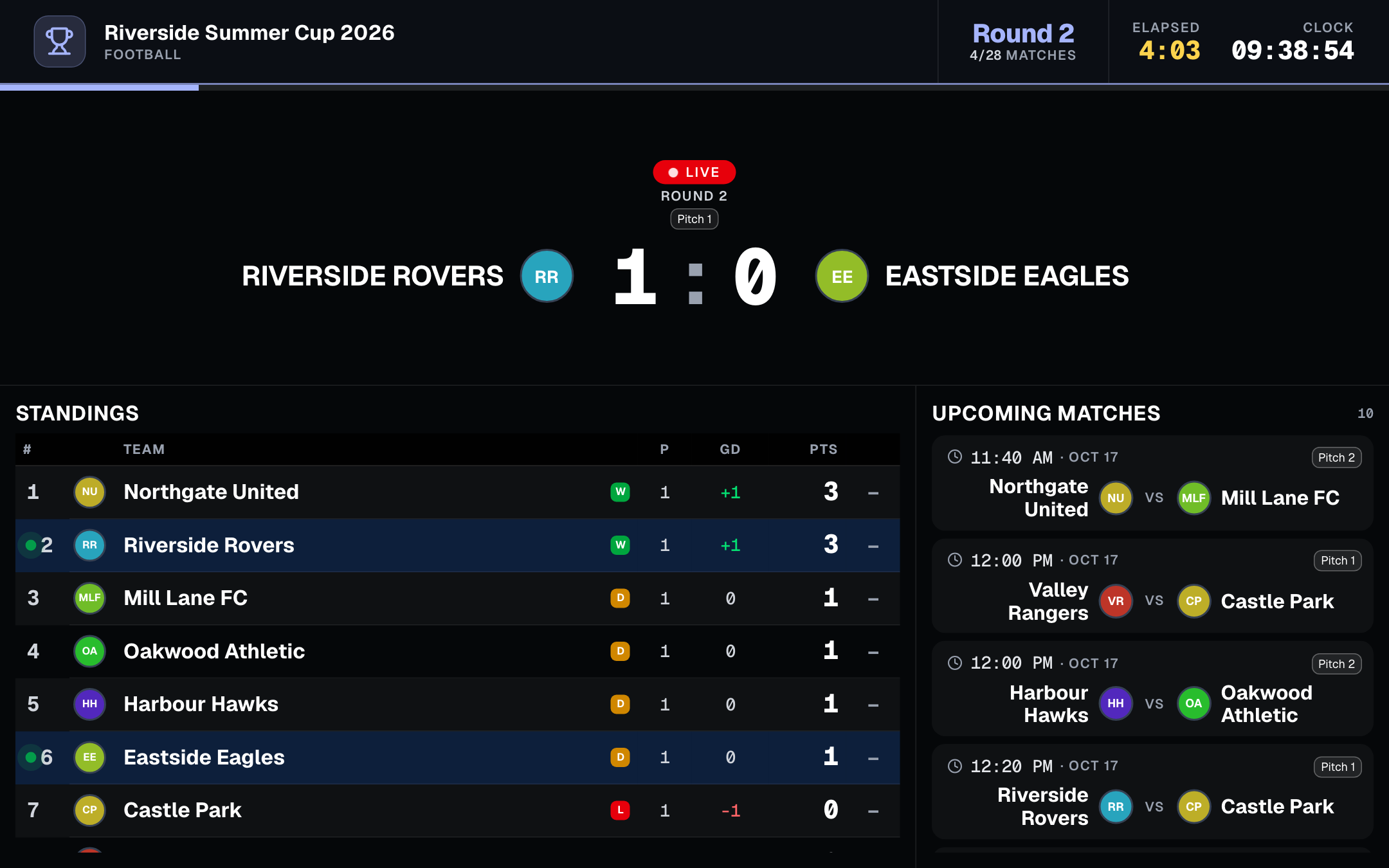
You change it once and every place that shows the schedule follows: the public tournament page, the TV screen, the referee links and the PDF schedule. Parents checking their phones, the speaker reading out the next game and the referee on pitch two all see the same thing.
On the TV screen, the up next list changes by itself. LiveCup does not send push notifications, so tell the teams and referees affected, as you would anyway. Everyone else sees the new order the next time their screen refreshes.
Where you can move matches
In a league or a group stage you can move a match across rounds. In knockout rounds, such as the playoff, a cup or double elimination, a match can move only within its own round, so the bracket stays correct. In custom formats, matches move within their own phase.
Americano and Mexicano are the exception. There the rounds are rotations of players, so reordering is not available. Changing the order is free on every plan.
Let a helper do it
You do not have to be the one holding the laptop. On premium tournaments, a helper who has the management link can reorder matches too. Give it to the person at the scorer's table and let them handle late arrivals while you deal with everything else.
And since it works on a phone as well as on a laptop, the schedule can be fixed from wherever the problem happens, not only from behind a desk.
Frequently asked questions
How do I change the order of matches in LiveCup?
Open the operator panel and tap Change order next to Edit Match-ups. Drag a match to a new place, or use the arrows, then tap Done. You can also open the menu on a single match card and choose Play next, Move to end or Swap with.
Can I move a match that is already live?
No. Live matches stay at the top of the list and are locked. You can reorder every match that has not started yet.
What happens to the times and the pitches?
They stay in their places in the timetable and the matches move. A match moved earlier takes the earlier time and the pitch of its new place, so a swap does not put two matches on the same pitch at the same time. With court autopilot on, pitches follow the new order automatically. The times of the rest of the day are not shifted.
What if the new order makes a team play twice in a row?
The message that confirms the change also warns you about it. It never blocks the change, so you decide whether the back-to-back match is acceptable.
Can I undo a change?
Yes. Every change shows a message with an Undo button, and one tap brings the schedule back to how it was. The button stays on screen for a few seconds.
Does it work in knockout rounds and in Americano?
In playoff, cup and double elimination rounds a match can move only within its own round, so the bracket stays intact. In league and group stages you can move matches across rounds. In custom formats you can move them within each phase. Americano and Mexicano do not support reordering, because their rounds are player rotations.
Is it free, and can someone else do it for me?
Changing the order of matches is free on every plan. A helper with the management link can also reorder matches on premium tournaments.
Related Articles
Your Tournament Schedule, Your Way
Add teams, generate match-ups in one click, and fine-tune the draw with a visual editor — before or during the tournament
Courts, Pitches and Automatic Scheduling
Set up your courts, set your match duration and break, and let LiveCup build the whole timetable. Every match gets a court and a real kickoff time, with no team ever double-booked.
A Scoreboard You Can Read From the Back of the Hall
Bigger type, stronger contrast, digits that never jump — plus your own colours and typeface on PRO.
Hand Off a Match, Not the Whole Tournament
Add a referee with just a name and they get an instant personal link and QR code for their assigned matches — no account required, no access to anything else.
Be ready for the day that does not go to plan
Create your tournament, prepare the schedule, and change the order in a few seconds when something happens.
Create a tournament