LiveCup.app has four plans: Free, Pro, Business and Enterprise. This page shows what each one allows.
To see the current price in your currency, open Plans & Pricing. You find it in the menu under your avatar.
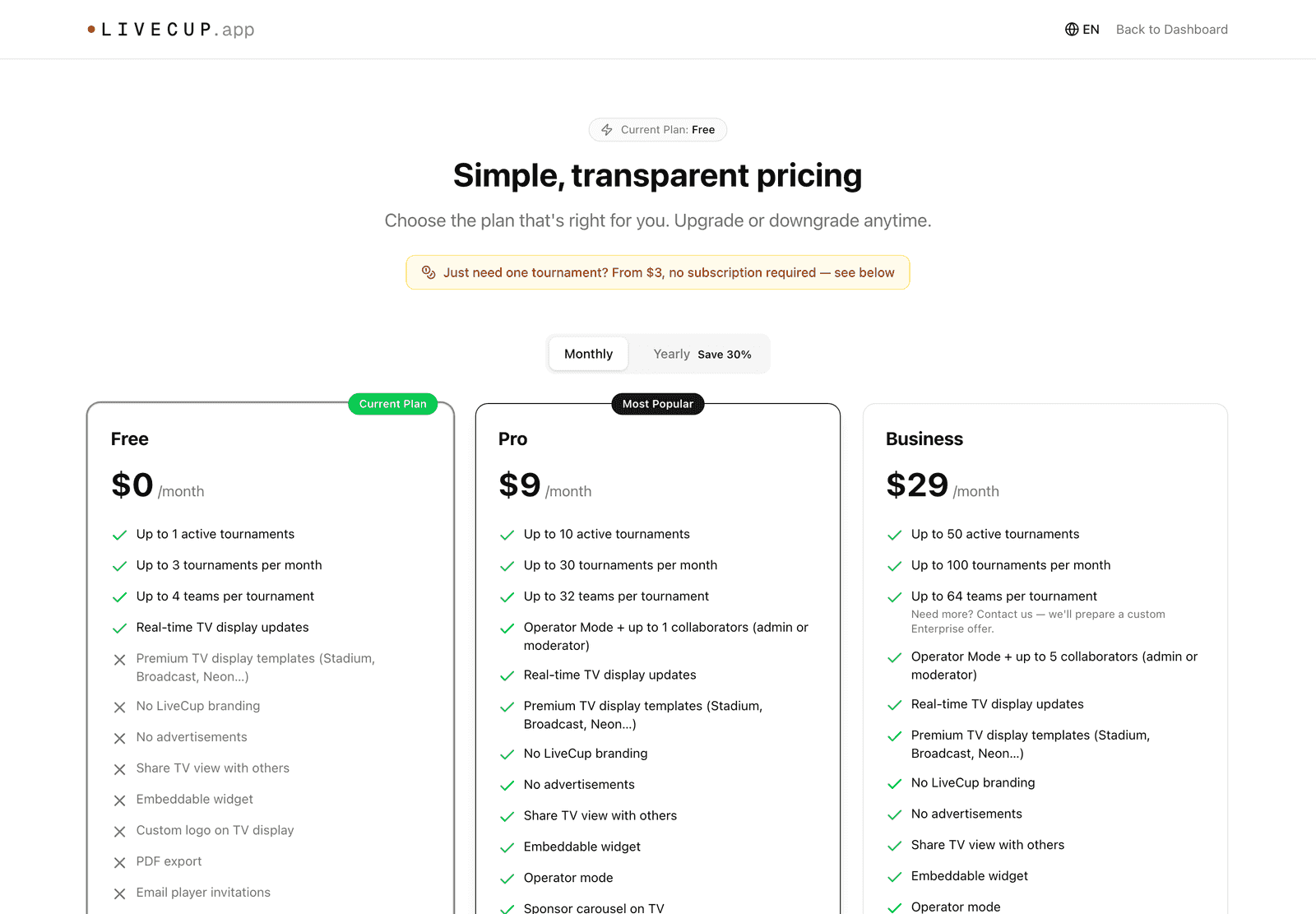
Free
Up to 4 teams (or players) in a tournament.
1 active tournament at a time. "Active" means scheduled or in progress. When it is completed, you can create a new one.
Up to 3 new tournaments per month.
LiveCup.app branding and ads are shown.
No commercial license. Use it for fun, school and friends.
Pro
Up to 32 teams in a tournament.
Up to 10 active tournaments and 30 new tournaments per month.
No LiveCup.app branding and no ads.
Your own logo on the TV display, and PDF export.
50 email invitations per month.
1 collaborator.
Commercial license.
Paid extras such as the court / pitch system, referee mode, player links, placement matches and consolation bracket, extra matches, and Events (many leagues in one place).
Business
Everything in Pro, plus:
Up to 64 teams in a tournament.
Up to 50 active tournaments and 100 new tournaments per month.
200 email invitations per month.
Up to 5 collaborators.
Custom schedule.
Audience analytics and the public live viewer counter.
Enterprise
Enterprise has no fixed limits on teams or tournaments. It is a custom offer. Press Contact Sales on the pricing page to talk to us.
Need just one bigger tournament? You do not need a plan. You can unlock a single tournament with a credit. See Unlock one tournament.
A credit does not unlock every paid feature. Some features, like the court system or referee mode, need a Pro or Business plan.
Check what you use now
Open the avatar menu and click Settings.
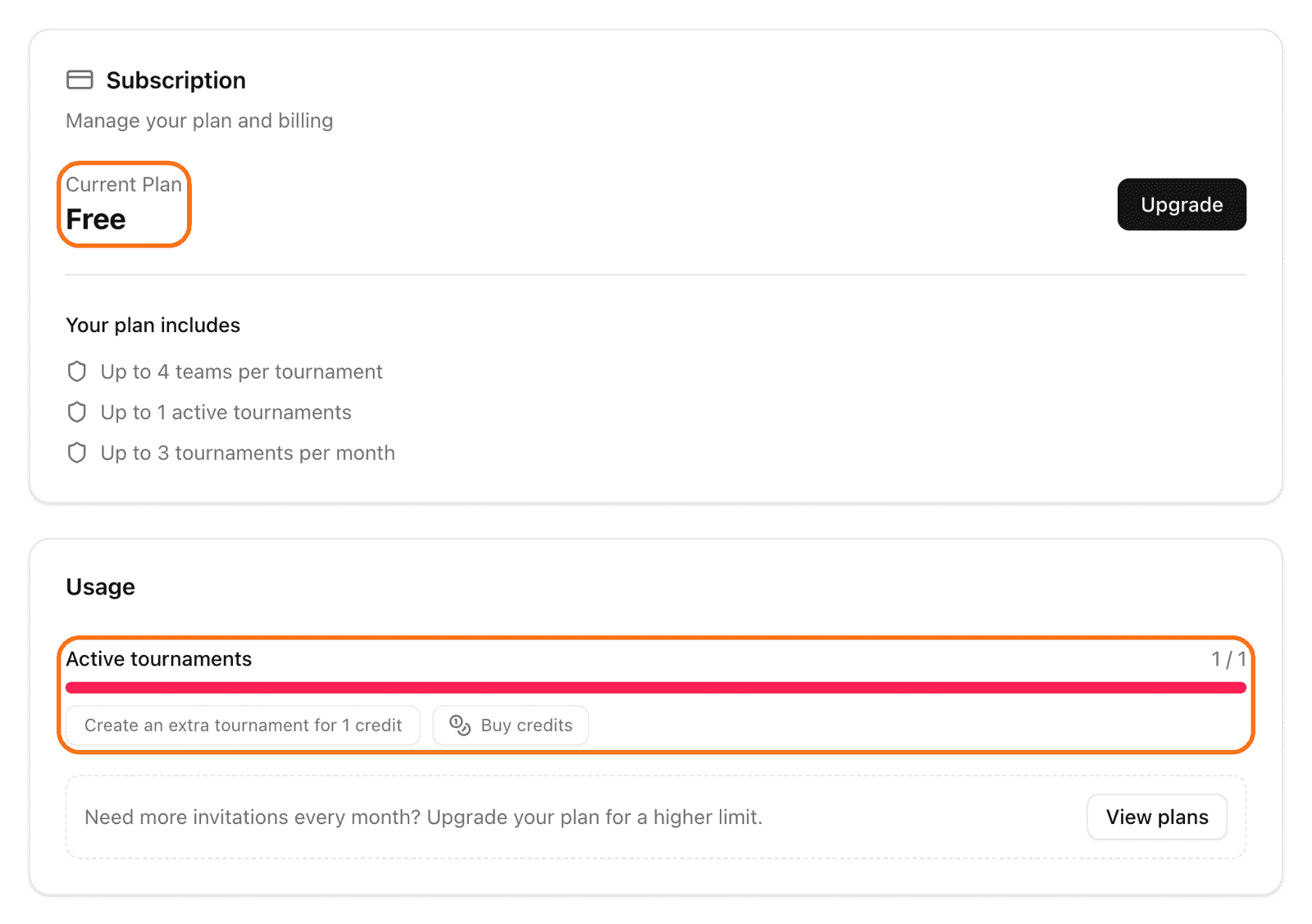
Find the Subscription card. It shows your plan and what it includes.
Scroll to Usage. It shows your Active tournaments and your invitations for this month.