This article has two parts. First, how teams sign up. Second, who can open your event page.
Events and event registration need the PRO plan or higher. See plans and limits.
Teams register in a Combined ranking event
One registration puts the team into every tournament of the event.
Open your event, click Settings, then Teams & Registration.
In the Team list card, make sure the list is open: "Team list is open".
In the Registration link card, switch on Accept registrations via link.
Switch on Require a player list if teams must name at least one player.
Copy the Registration link or click Show QR code. Send it to the teams.
Teams fill in the team name, the captain name, an email and, if you ask for it, their players. They get an email. The registration waits for you.
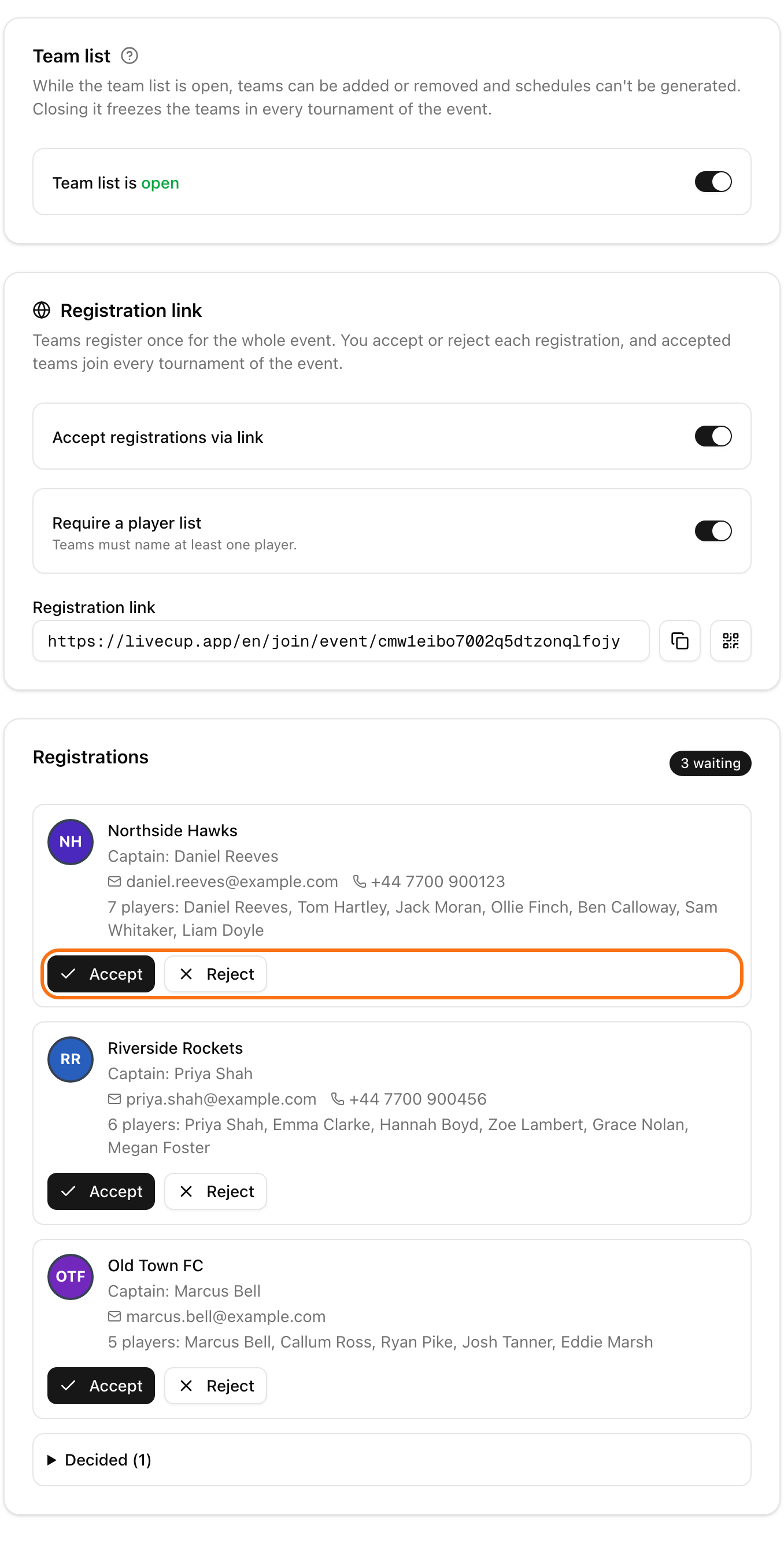
In the Registrations list, click Accept or Reject on each request. After Accept the team is added to every tournament. After Reject the captain gets an email.
You can accept teams only while the team list is open. After a tournament in the event has a schedule, the list is closed for good.
Teams register in a Separate leagues event
Each league collects its own teams.
Open the event and click the three dots on a league card.
Choose Copy registration link or Registration QR code. These show up while the league has not started and its registration is open.
You can also give fans one page for all leagues. Click Settings, then General, and switch on Unified registration page. Copy the Registration page link. The page lists every league with free spots, waitlist or closed state. This needs the PRO plan or higher.
On the public event page, the Register a team button helps fans too.
Choose who sees the event page
Click Settings, then Integration.
In the Public access card, find Event page visibility.
Choose one option:
Public: anyone with the link sees the event page.
Code only: viewers enter an access code first, for example parents.
Hidden: only you see the event page.
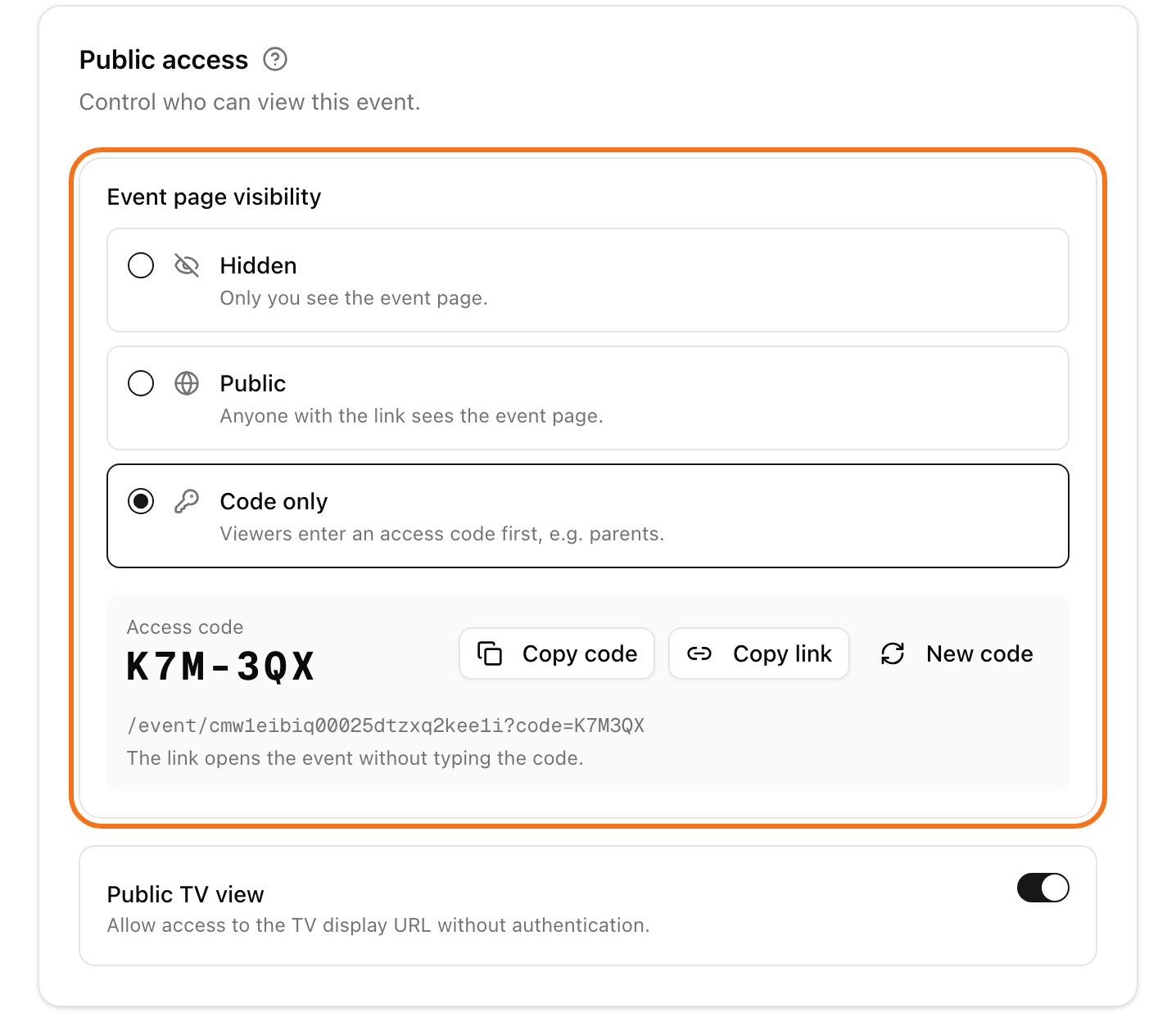
With Code only, you see the Access code. Click Copy code to share the code. Click Copy link to share a link that opens the event without typing the code. Click New code to make a new code. Everyone with the old code must then use the new one.
Switch on Public TV view to let the event TV open without a login.
A league that is private in its own tournament settings stays hidden from fans, even when the event is public.
Next: the fan page.