Every event has a public page. Fans open it on their phone to see live scores, tables and the schedule of all leagues.
What fans see
At the top is the header with the event name, logo, date, place and status. On a computer it also shows the number of leagues, teams and live matches; on a phone only the number of leagues. Fans see Register a team while a league is still taking registrations, and a share button.
Under it is a menu with Now, Tables, Matches, Stats and Info. Now is called Summary when all leagues are finished. Stats shows up only when there are player statistics.
Fans pick a league with the league buttons. The tabs Tables, Matches and Stats show that league.
When the event is finished, the winners of each league appear first under Champions.
Sponsors appear under the content.
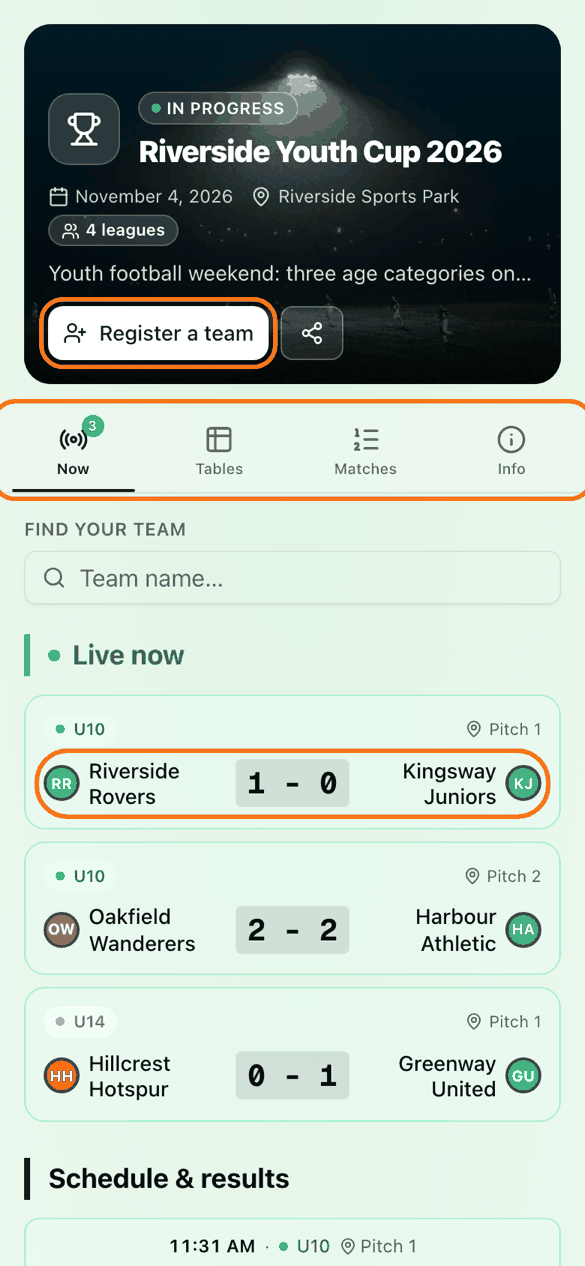
Fans can type a name in Find your team and follow it. Their team is then marked, and Only my team and All matches switch the match list. This choice is saved on their own device.
You see an extra TV button in the header. Fans do not.
Overall ranking
Combined ranking events show Overall standings. Only finished tournaments count, for example "Only finished categories count: 1/3".
Separate leagues events add up nothing. Only an event where every league is rugby can show an Overall classification. You switch it on in Settings, General.
Add a photo and a background
Click Settings, then Presentation.
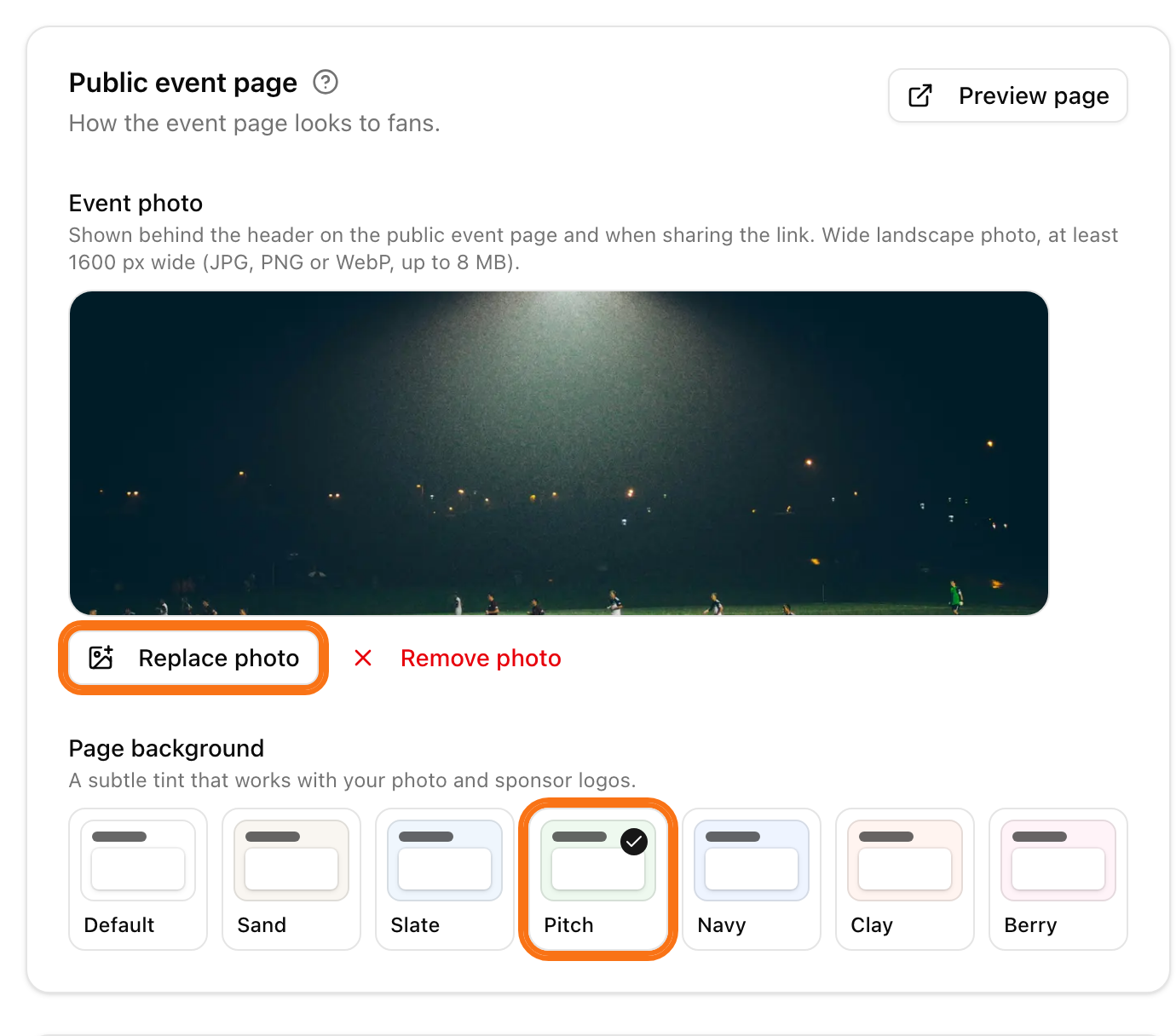
In the Public event page card, under Event photo, click Upload photo. Use a wide landscape photo, at least 1600 px wide (JPG, PNG or WebP, up to 8 MB). It also shows when someone shares the link.
Under Page background, click a colour: Default, Sand, Slate, Pitch, Navy, Clay or Berry.
Click Preview page to check it.
Add sponsors
Click Settings, then Sponsors. Sponsors show on the event page, on each league page, on match pages and on the TV. For the steps, see branding and sponsors.
Share the page
Click Settings, then Integration, to choose who sees it. See registration and visibility. For a TV, see TV display.