Event Control shows the matches of all leagues in one list. You do not need to open each tournament one by one.
Event Control is for events with Separate leagues. The tab shows up when at least one league is in progress. Start a league first, see start the tournament.
Open Event Control
Click Events and open your event.
Click the Event control tab. The other tab, Manage leagues, brings you back to the league cards.
Read the list
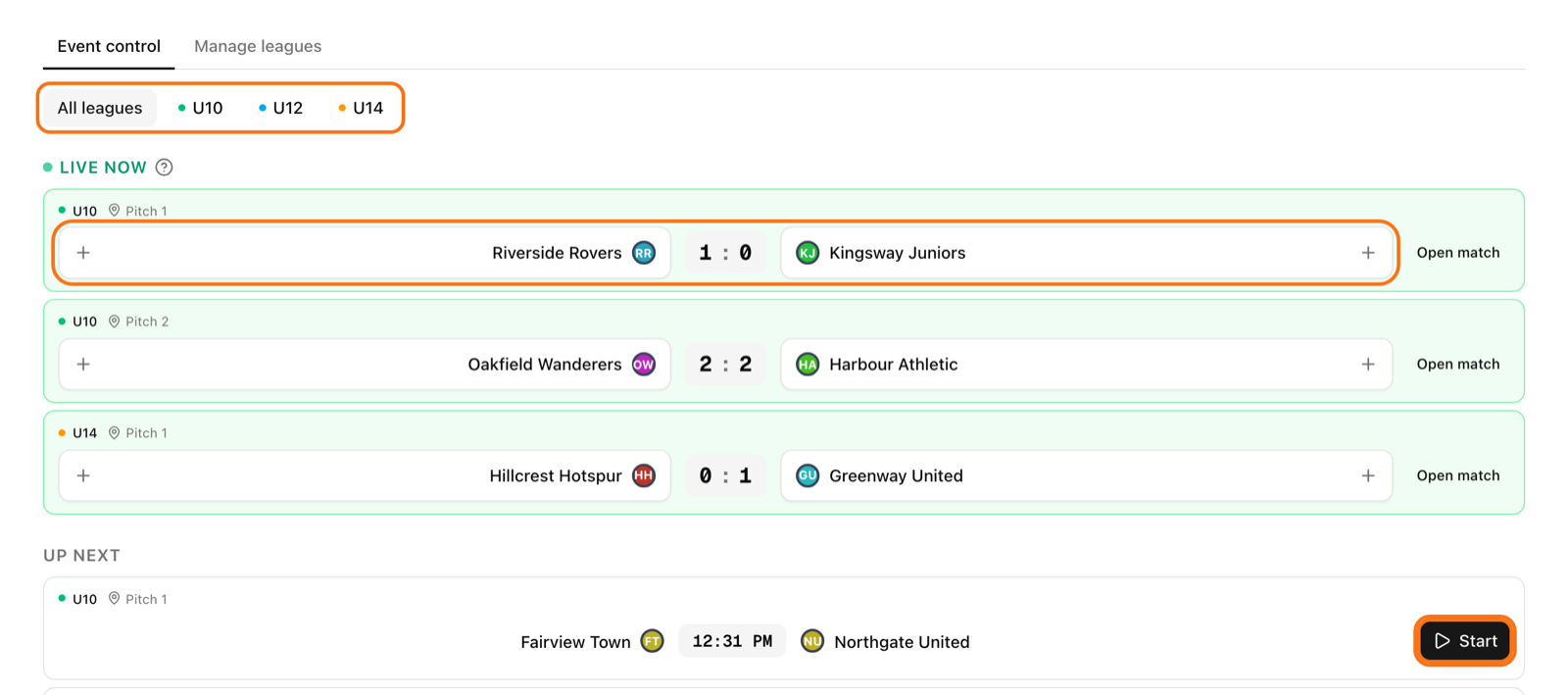
Live now: matches being played. If nothing is live you see "Nothing live right now".
Up next: the next scheduled matches.
Recently finished: click it to show or hide matches finished in the last 24 hours.
Each row has a coloured dot and the league name. It also shows the court or pitch and the start time.
Show only one league
When your event has more than one league, you see buttons at the top. Click All leagues to see everything. Click a league name to see only that league. Click it again to go back.
Add points
For sports with a simple running score, for example football, a live match has a button on each team. Tap the team that scored. The score is saved at once. Hold the button to add more than one point.
Made a mistake? Click Undo. It stays for a few seconds after a change.
For other matches, click Start or Open match. The full match screen opens next to the list. Use it for sports with sets, goal scorers or a match clock. A row marked View only is a league you are not allowed to score.
A helper can use this screen too. Add them in co-organisers.
Start the playoff from here
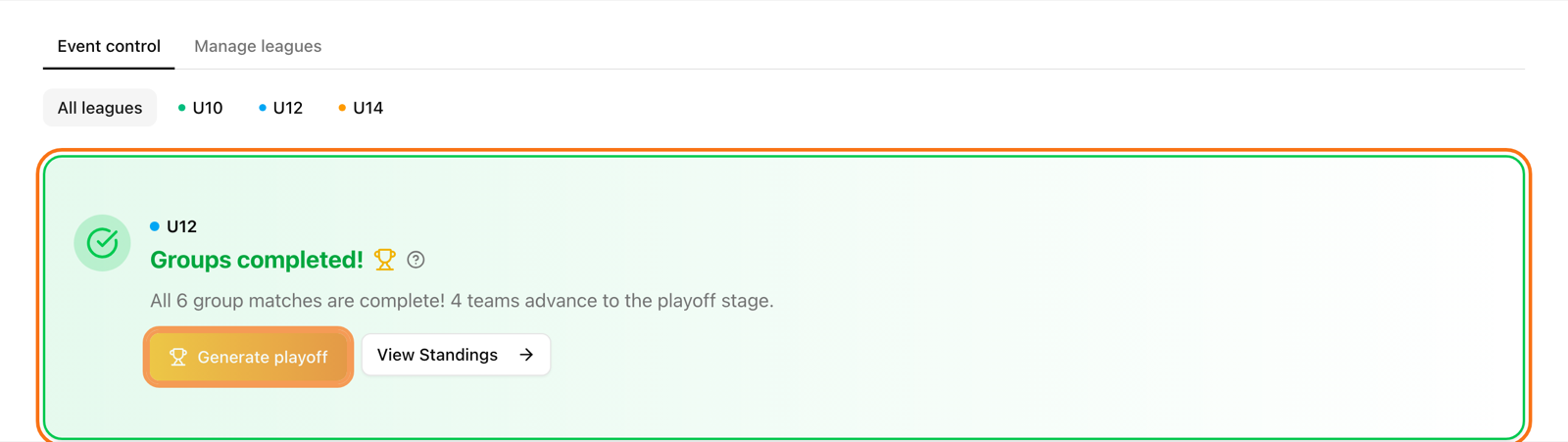
When all group matches of a league are played, a green card appears. If you have Event control open when the last match ends, a window titled "group stage complete" also opens. Click Review and generate, check the teams that advance and generate the bracket. Later closes the window; the green card stays so you can come back to it. The steps are the same as in move to the playoff.