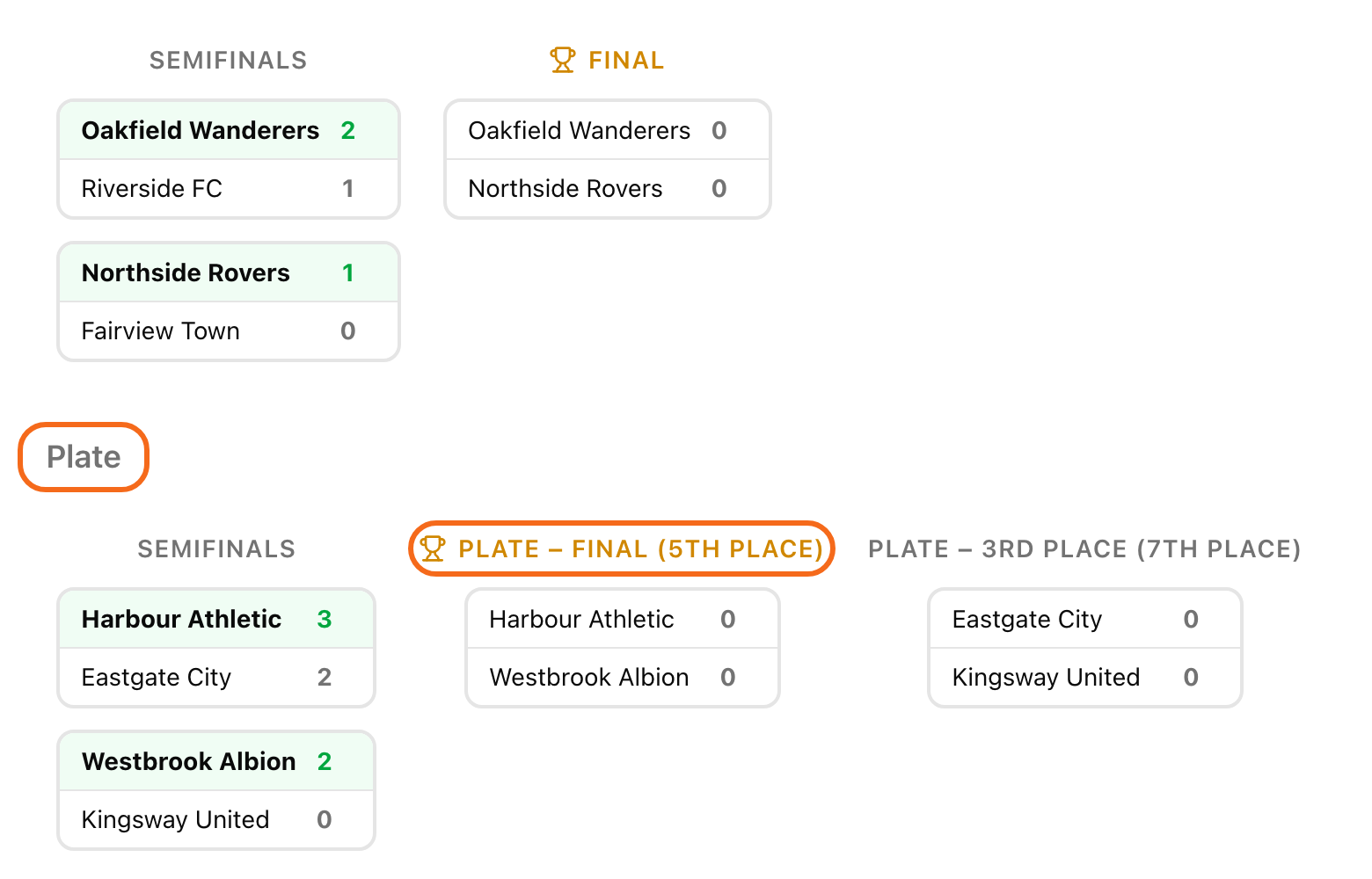
In a Groups + Playoff tournament, only some teams reach the main bracket. A consolation bracket gives the other teams a real knockout of their own. They play for 5th place and below, on the same day.
The consolation bracket and Cup + Plate need a PRO plan or higher. A tournament credit does not unlock them.
This works only in Groups + Playoff. You need at least 4 teams that do not advance. The bracket takes 4, 8 or 16 teams, so nobody gets a free pass in a match for 5th place.
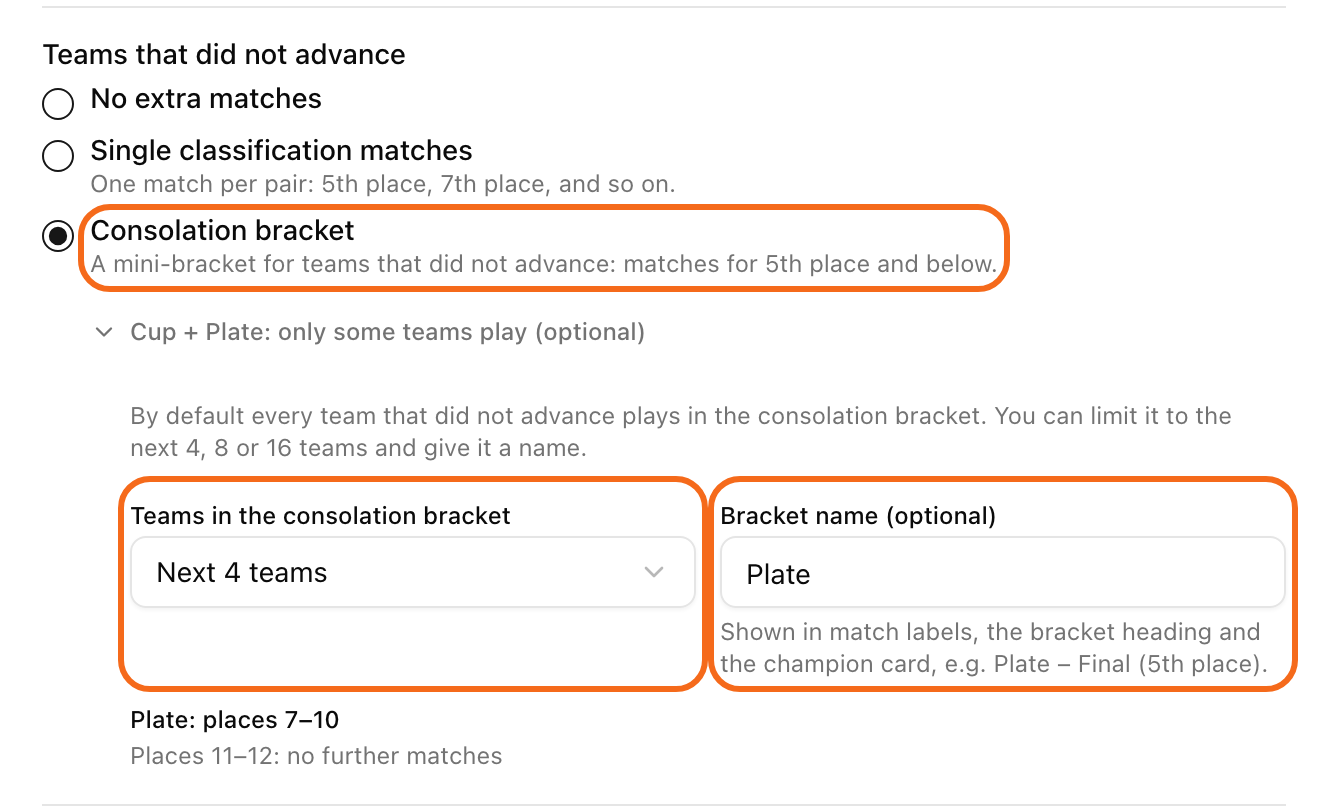
Turn it on
Open your tournament and click Settings, then General.
Find Teams that did not advance.
Choose Consolation bracket.
Click Save changes.
You can also pick it later, in the window that opens when you click Generate playoff. See move to the playoff.
You can change this only until the playoff bracket is drawn. After that the choice is locked.
Cup + Plate: only some teams play
By default, every team that did not advance plays in the consolation bracket. Do you have more teams than you want to schedule? Limit it.
Under Consolation bracket, click Cup + Plate: only some teams play (optional).
Under Teams in the consolation bracket, choose Next 4 teams (or 8, or 16).
Under Bracket name (optional), type a name, for example "Plate".
Read the lines below. They show who plays for which places, for example "Plate: places 7–10" and "Places 11–12: no further matches".
Click Save changes.
The teams ranked below the limit finish after the groups.
How teams get into the bracket
LiveCup.app ranks the teams that did not advance by the group standings. The best plays the weakest, the second best plays the second weakest, and so on. When you click Generate bracket, the consolation pairs show in the preview.
You do not move anyone by hand. When a consolation semifinal ends, the winner goes to the 5th place match and the loser goes to the 7th place match. Fixing a result in the main bracket never changes the consolation bracket.
What everybody sees
The Bracket tab shows a second bracket under the main one. Its heading is your bracket name, or "Consolation bracket".
Matches have places in their names, for example "Plate – Final (5th place)".
At the end, the tournament summary and the TV show a champion card with your name, for example "Plate champion". With no name it says "Consolation champion".