A live draw is for an event with people in the room. You draw real balls or names. You tap the team that came out, and LiveCup.app shows it on the big screen in its group.
You need a Groups or Groups + Playoff tournament with at least 4 teams. The live draw is free on every plan.
Before you start
Open your tournament. In the Groups card, click Draw groups.
Set Number of groups. In Groups + Playoff, also set Teams advancing.
Under On the big screen, click Live draw (marked For events).
The TV screen is the normal TV of your tournament. A new tournament has a private TV, so the browser on the TV must be logged in to LiveCup.app. To make it open for everyone, see show your tournament on a TV.
Run the draw
Click Open TV in new tab and put that window on the projector. You can also click Copy link or Show QR code. The TV shows empty groups.
Optional: under Group names (optional) click Rename to name the groups.
Click Start live draw.
Draw a ball. Tap the team that came out in the Teams tab. Use Search team… if the list is long.
Check the group and the position, then click Show on TV.
Repeat until the counter at the top shows that all teams are placed.
Click Confirm groups. The groups are saved and the TV shows the final groups.
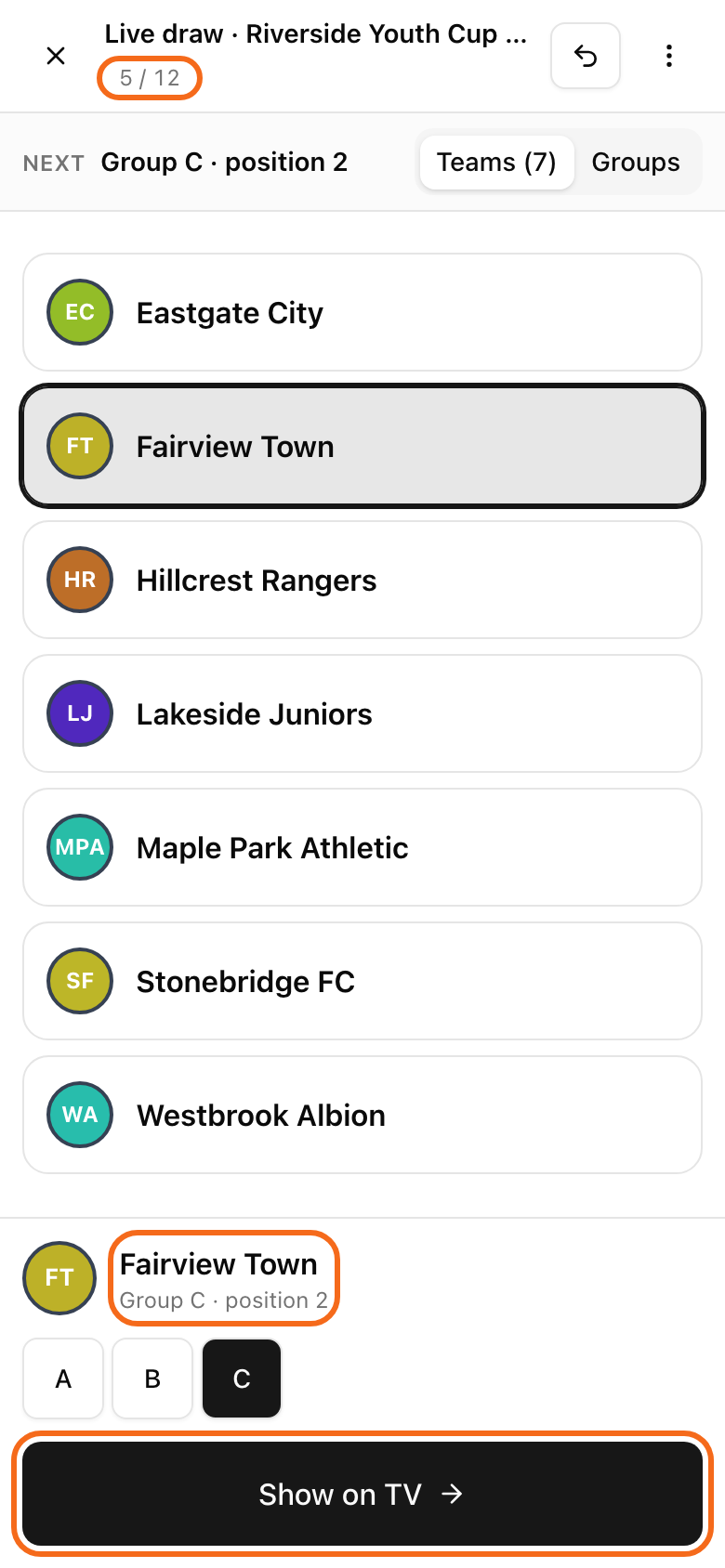
Teams fill the places in order: A1, B1, C1 and so on. The Groups tab shows who is already placed.
The TV needs one click on its screen before it can play sound. To draw in silence, open the three-dots menu and switch off Sound on TV.
If something goes wrong
Wrong team? Click Undo. It takes the last team off the screen.
Lost the connection? A line says "Connection lost. The TV is not receiving picks." Check the internet and press Show on TV again.
Closed the page by mistake? Go back to the Groups card. A bar says "Live draw in progress". Click Resume.
Want to stop? Click Cancel draw. All placed teams are cleared and the TV goes back to normal.
A team joined after the draw
The official draw stays as it was. The new team appears in Late entries in the Groups card. This works only before you start the tournament.
One group is the smallest: click Place in Group A (your group letter). Confirm the window.
Two or more groups are the smallest: you see a button for each of them. To pick by draw, click Draw group on TV. Put the TV on the projector and click Start on TV. Draw a ball with the group letter. Tap the button that matches, for example Group A drawn, then click Place team. The TV reveals the group.
You want a different group: click Choose another group…. A group that is not the smallest needs one more confirmation.
If you already made the schedule, the window tells how many matches are added in that group. Other groups are not touched.
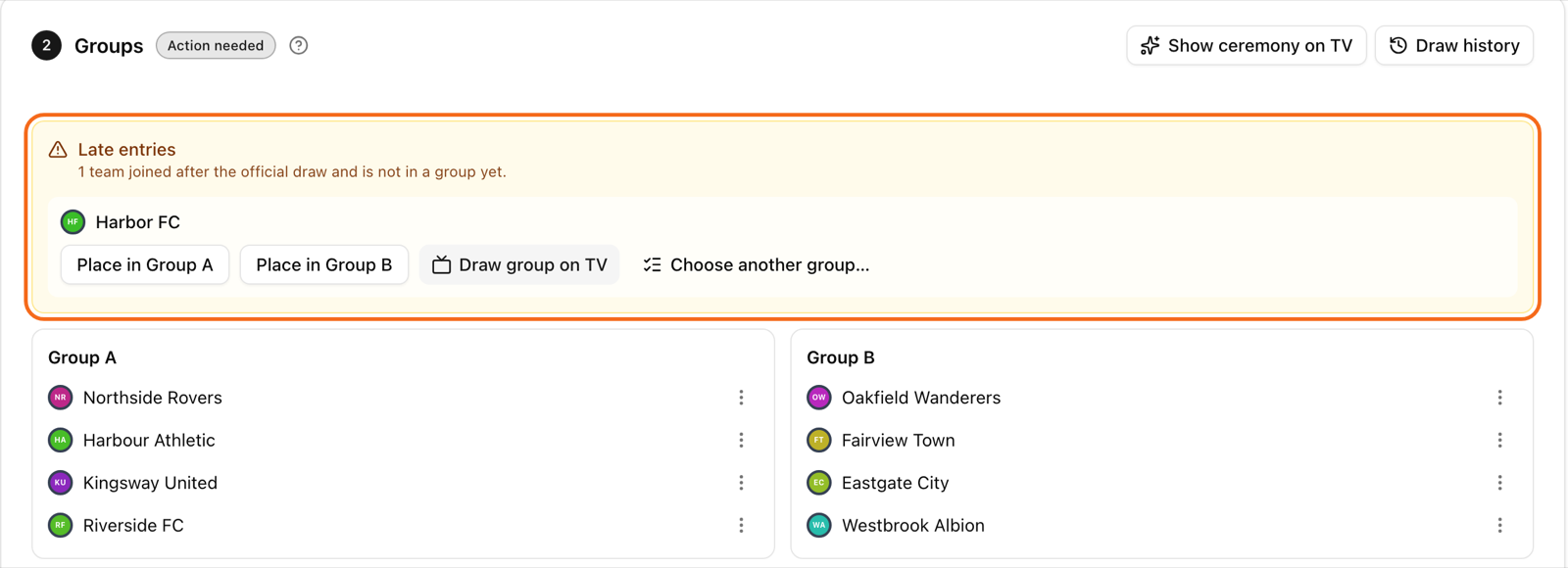
To see everything that changed after the draw, click Draw history. Only you can see it.