This is for a tournament with groups and a playoff. When all group matches are finished, LiveCup.app builds the knockout bracket from the standings.
Generate the bracket
Finish all group matches. A green Groups completed! card appears at the top of your tournament page.
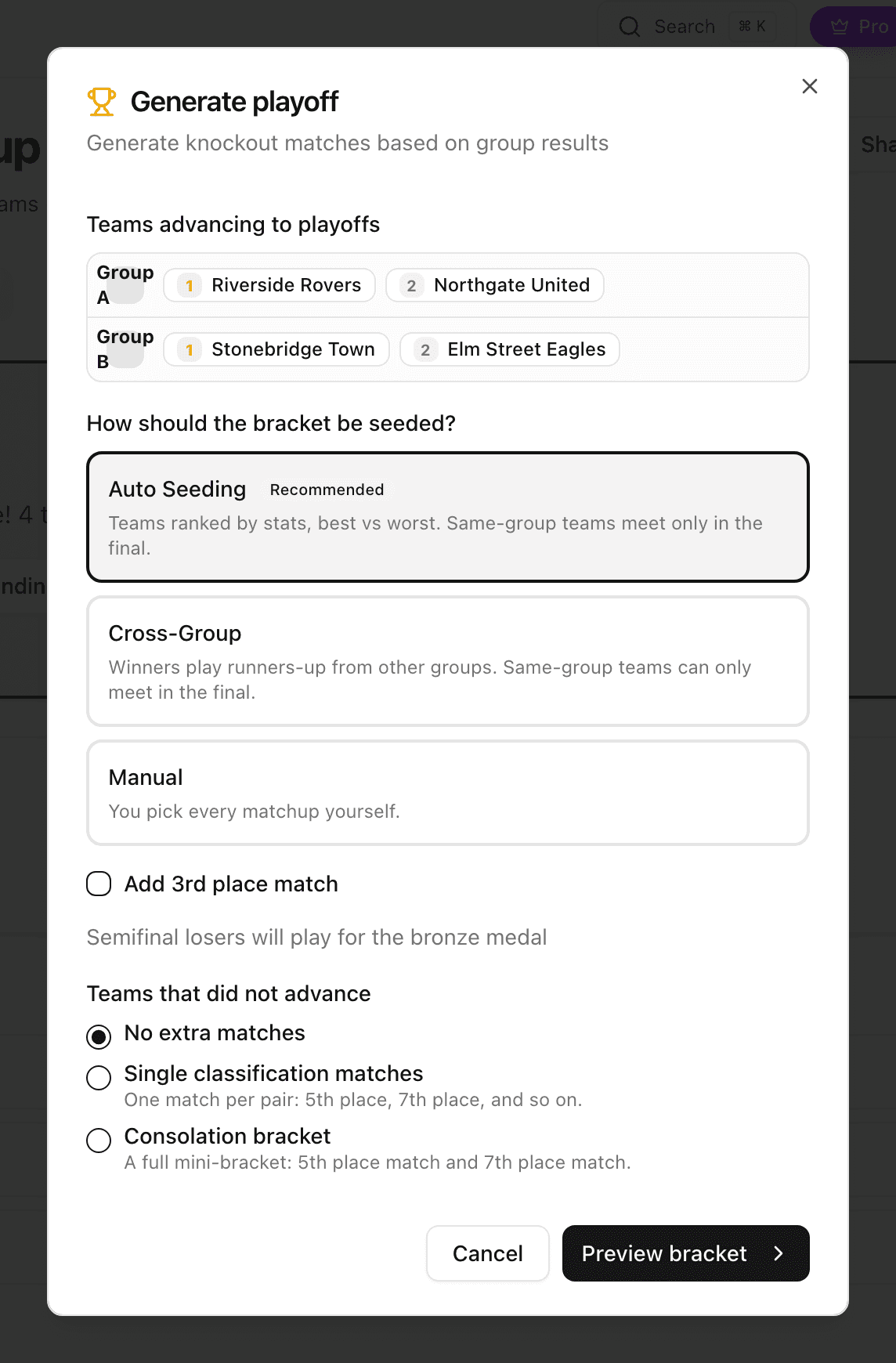
Click Generate playoff.
Choose how to seed the bracket (see below).
Tick Add 3rd place match if you want a bronze-medal match.
Click Preview bracket and check the matchups.
Click Generate bracket.
Only the organiser sees the card. If Generate playoff is missing, check that every group match is finished.
Choose the seeding
Auto Seeding (recommended). Teams are ranked by their stats, best against worst. Teams from the same group meet only in the final.
Cross-Group. Winners play runners-up from other groups. You can change the pairs before you confirm.
Manual. You pick every matchup yourself.
If the number of teams that advance is not a power of two, you also choose what happens with the Open spots: Byes, Wildcards or Play-in matches.
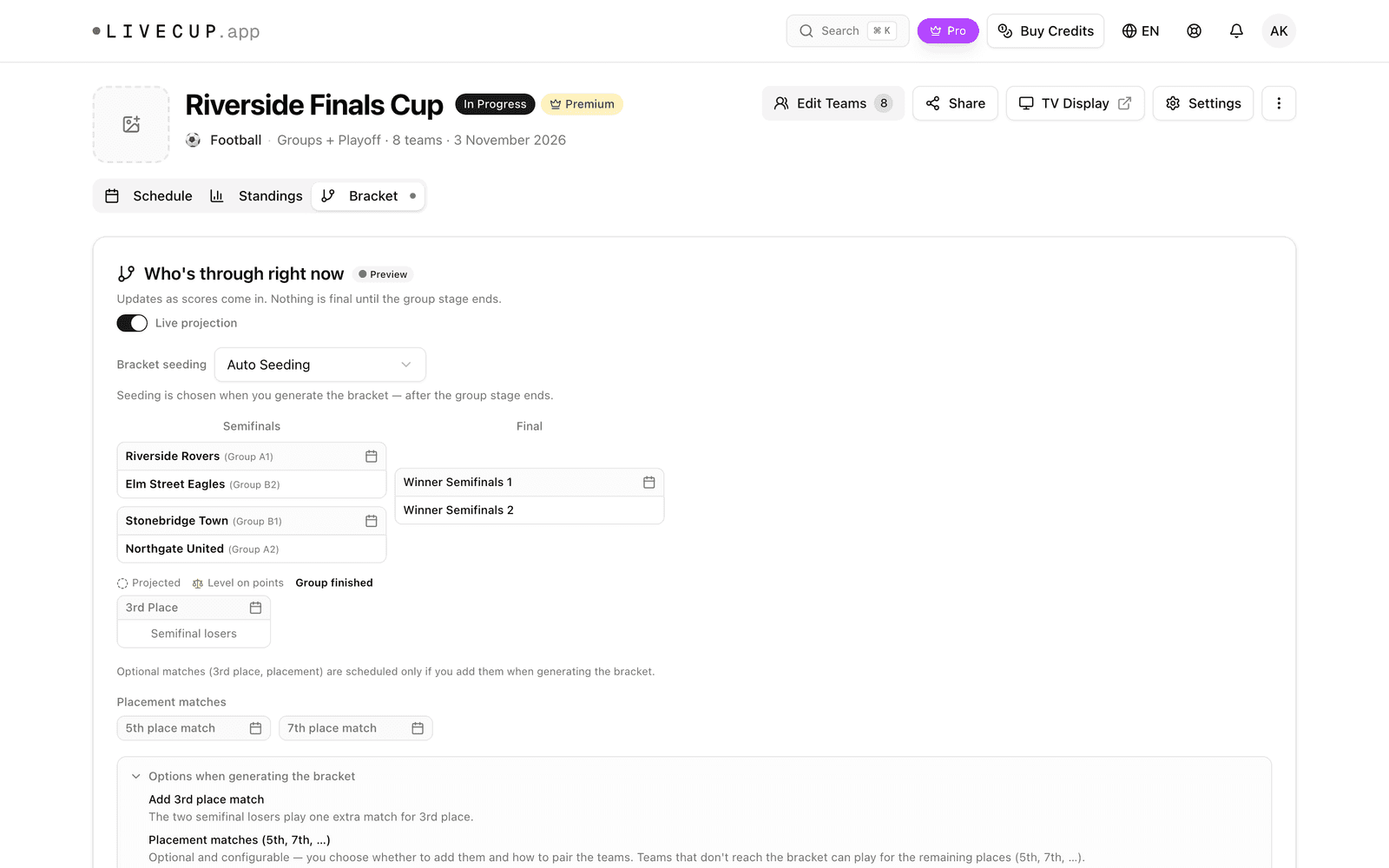
See the bracket
Click the Bracket tab. The playoff matches are also in the Schedule tab. Enter their scores like any other match. See how to enter live scores.
Need to change it?
If no playoff match was played yet, a card named Need to fix the bracket? lets you click Regenerate bracket and build it again.
If playoff matches were already played, rebuilding deletes their results. LiveCup.app asks you to confirm twice.
Placement matches (5th place and below) and the consolation bracket need a PRO plan or higher. League playoffs need a paid plan or a tournament credit.
More about the consolation bracket and Cup + Plate: consolation and Plate.