Normally every pair of teams meets once. With home and away, every pair meets twice. The second match is the return match, with the home team and the away team swapped.
This is free on every plan.
Switch it on
Open your tournament. Find the Schedule card.
Switch on Home and away (return matches).
Click Regenerate Schedule if you already made the schedule. If not, click Generate Schedule.
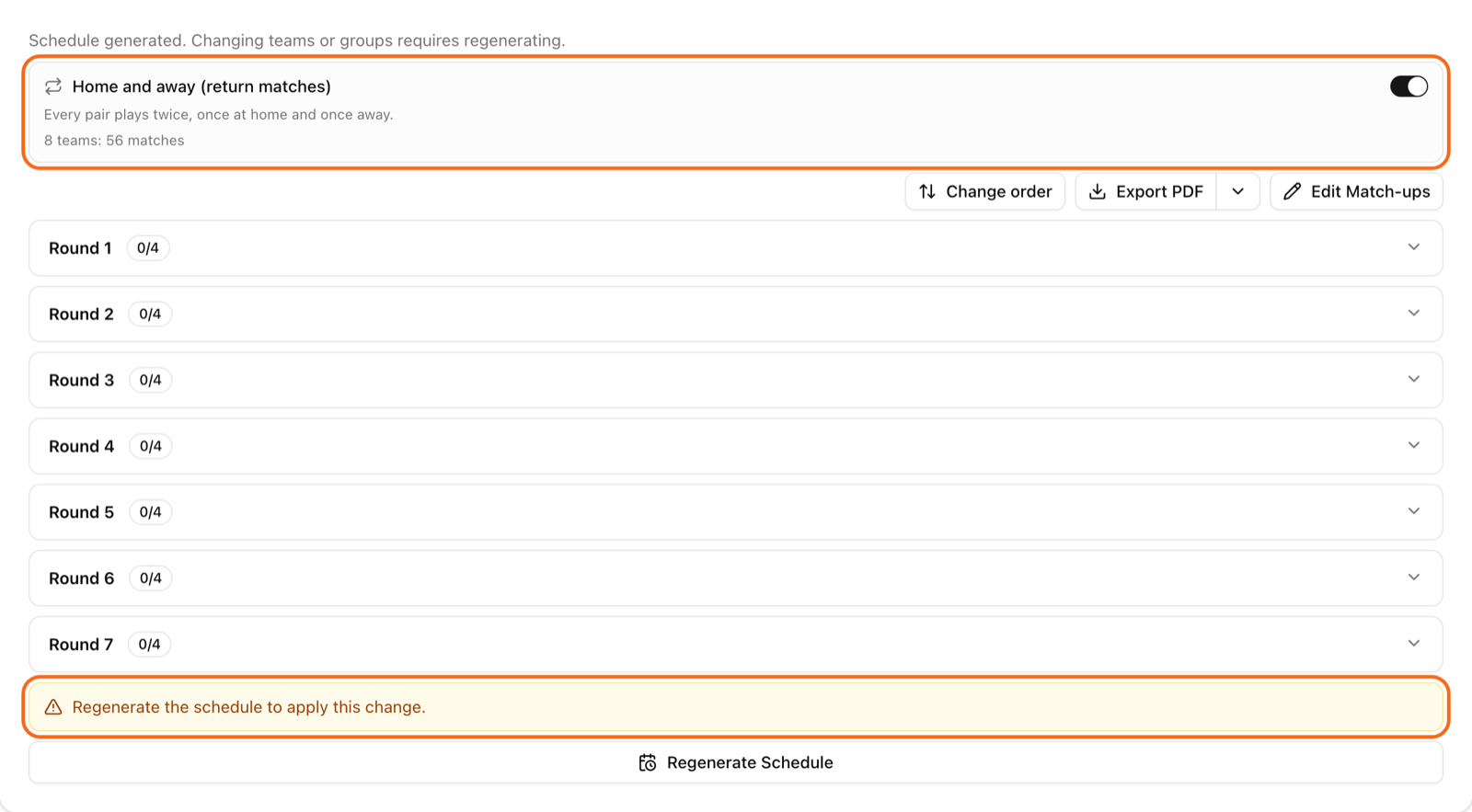
In a League, the card shows how many matches you get, for example "8 teams: 56 matches". In groups, every group plays home and away.
The switch is only in a League, Groups and Groups + Playoff. A Cup, a double elimination and Americano do not have it.
Do not forget to regenerate
The switch does not change matches you already made. When you flip it, a yellow box says "Regenerate the schedule to apply this change." Click Regenerate Schedule. The old matches are replaced.
If you try to start the tournament without that step, LiveCup.app stops you. The message says "Home and away is on — regenerate the schedule before starting." You can see it next to the start button.
When it is locked
You can change the switch only before you start the tournament. After the start, the switch is gone from the Schedule card. The reason is simple: matches are already played, and a new schedule would delete them.
What changes in the standings
Nothing special. Both matches count in the table, with the points you chose. See points and tiebreakers.
More matches take more time. Check the plan for pitches and time in courts and match order.