There are three ways to add teams. You can use all of them in the same tournament.
Open your tournament from the dashboard. Find the card called Teams. It shows how many teams you have, for example Teams (3 / 4).
Add a team by hand
In the Teams card, click Add team manually.
Type the name in the Team name field.
Click Add. You can also press Enter.
Repeat for every team.
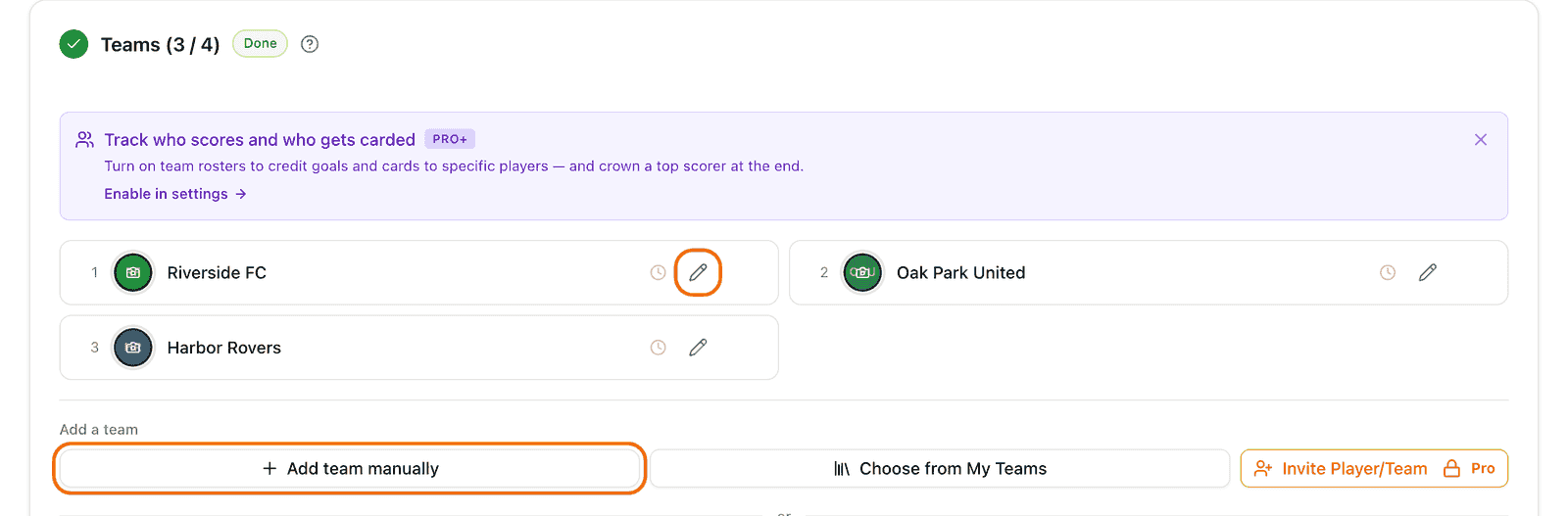
To change a name, click the pencil icon next to the team. To delete a team, click the bin icon.
Add a team from My Teams
My Teams is your own list of teams. Save a team once and use it in many tournaments.
On your dashboard, click My Teams.
Click Add team and type the name. You can add a logo and a contact too.
Go back to your tournament. In the Teams card, click Choose from My Teams.
Tick the teams you want.
Click Add teams.
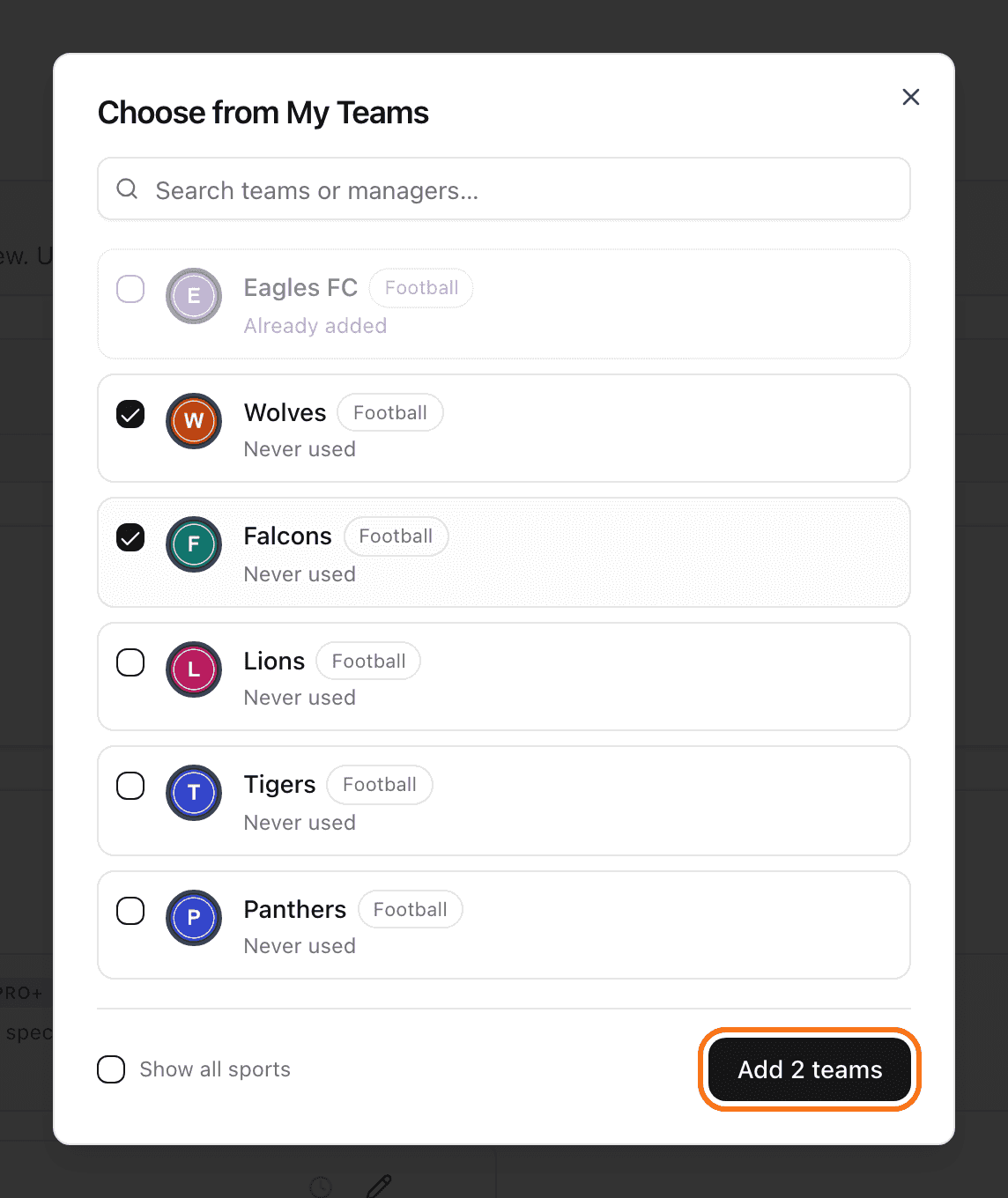
The Choose from My Teams button shows up only after you saved at least one team in My Teams.
To save teams, reuse them and keep their contacts up to date, see how to use My Teams.
Let teams sign up themselves
In the Teams card, find Let teams join themselves.
Click Copy link and send the link to your teams. Or click Show QR and show the code on a screen or print it.
Each team opens the link, types a Team Name, and clicks Join Tournament. A logo is optional.

New teams appear in your list at once.
Do you see Self-registration is off? Click Enable self-registration.
Is there a note saying join codes are enabled? Then each team also needs the code. Send it with the link.
Done signing up? Click Close registration. The link and the QR code stop working. You can click Reopen registration later.
How many teams do I need?
Look at the grey text in the Teams card. It says "No teams yet. Add at least 2 to continue." The number is the minimum for your format. Cup and League need 2. Double Elimination and Groups + Playoff need 4.
The free plan allows 4 teams in one tournament. At the limit you see "Maximum number of teams reached for your plan". A paid plan or a tournament credit allows more. There is also an Invite Player/Team button that sends invitations by email. It needs a paid plan.
You cannot add teams after the tournament starts. See how to start a tournament.
Next: create the schedule.