LiveCup.app builds the whole schedule for you. You only click one button.
Generate the schedule
Open your tournament. Find the card called Schedule.
Click Generate Schedule.
LiveCup.app shows how many matches it made, for example "12 matches generated".
The matches appear in the same card.
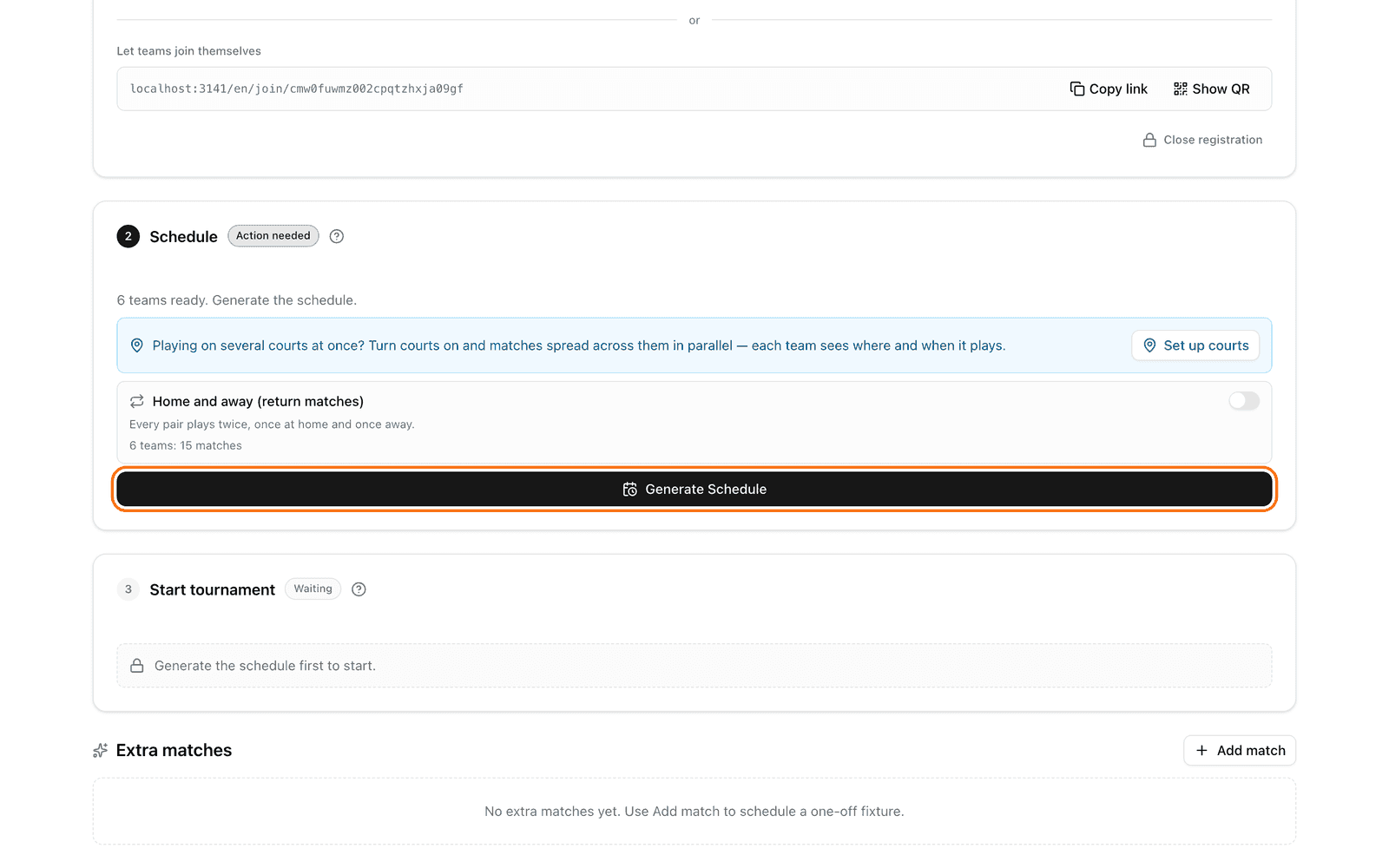
If the button is missing, read the grey box. It tells you what to do first:
"At least 2 teams are required." Add more teams. See how to add teams.
"Draw the groups first to generate the schedule." Click Draw groups in the Groups card first.
"Assign every team to a group before generating the schedule." Place every team in a group.
Changed your teams later? Click Regenerate Schedule. This builds all matches again. Wait 30 seconds before you click it a second time.
Home and away matches
In a League or in groups, you can switch on Home and away (return matches). Every pair then plays twice. Click Regenerate Schedule after you change this switch. More in home and away matches.
Cup: who plays whom
In a Cup, the order of the teams sets the first-round pairs. Click Regenerate Schedule to shuffle them. If the number of teams does not fit the bracket, some teams get a free pass in round 1. This is automatic.
Change the time of a match
All matches start with the tournament start time. To set a different time:
Find the match in the list.
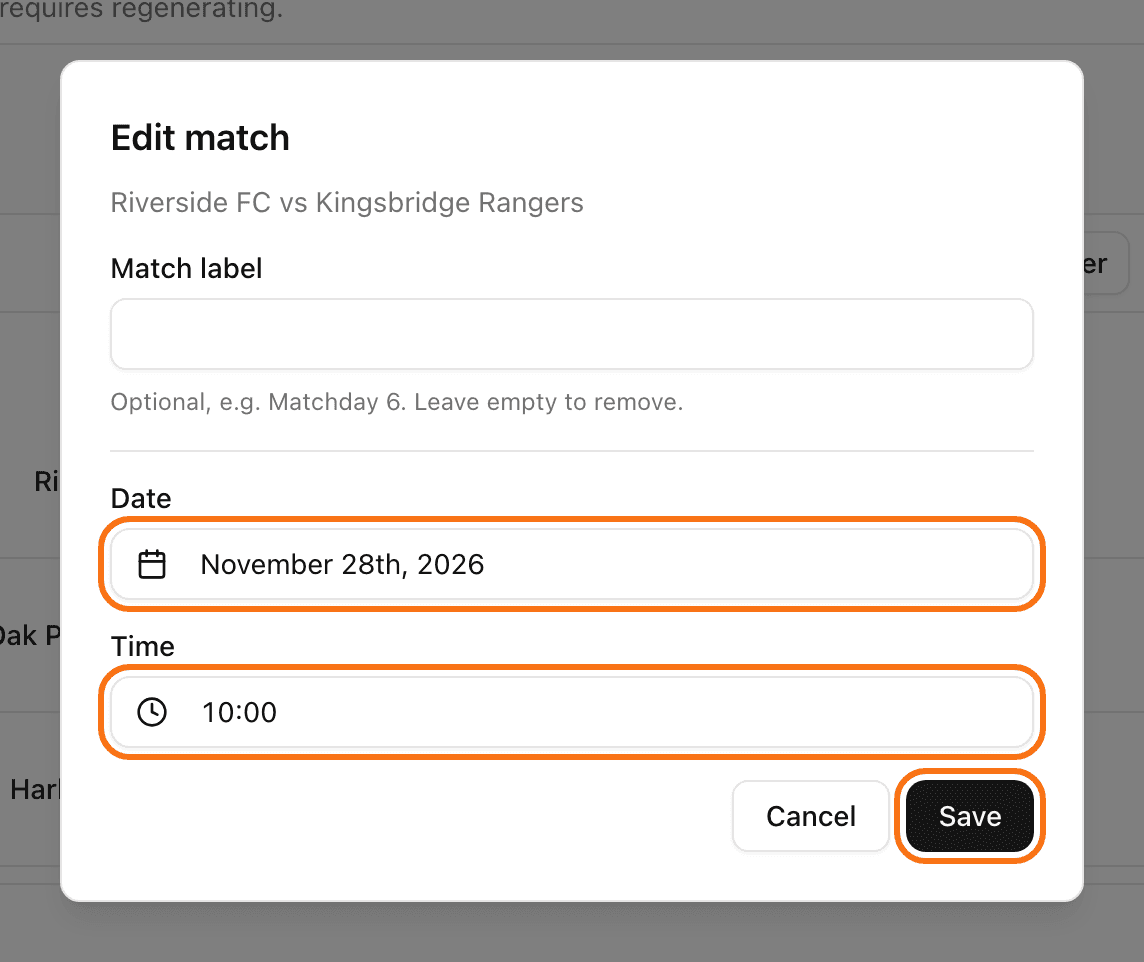
Click the pencil icon (Edit match).
Change the Date and the Time.
Click Save.
You can change the time only before the match starts.
Change the order of matches
Above the match list, click Change order.
Drag a match to a new place. You can also use Play next, Move to end, or Swap with… from the menu of the match.
Click Done.
Want to swap the teams between two matches? Click Edit Match-ups.
Play on several courts
Do you have more than one court, pitch or table? Click Set up courts in the Schedule card. LiveCup.app can spread the matches across all courts and set the times for you. More in courts and match order.
Courts need a PRO plan or higher. A tournament credit does not unlock them.
Ready? Start the tournament.