You enter scores in your tournament page, the operator panel. Each tap saves the score. Players and the TV screen see it right away.
Before you start
The tournament must be running. If the match buttons are grey, click Start Tournament at the top of the page first. You will see "Start tournament first" until you do.
Start a match
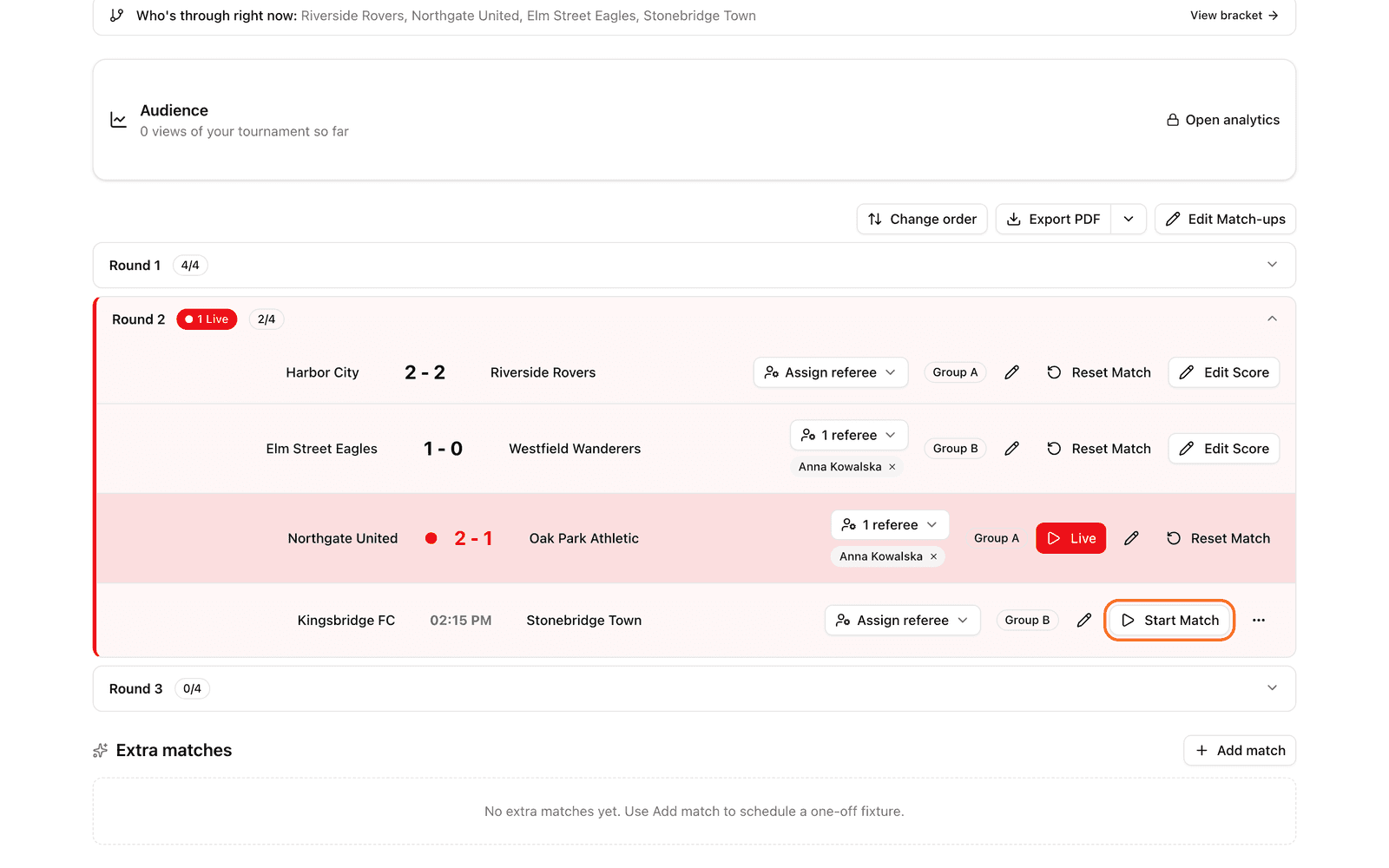
Open your tournament. You are on the Schedule tab.
Find the match in the list.
Click Start Match. The match screen opens.
Click Start Match again at the bottom of the match screen.
The match is now live. Everyone who follows the tournament sees the Live label.
Update the score
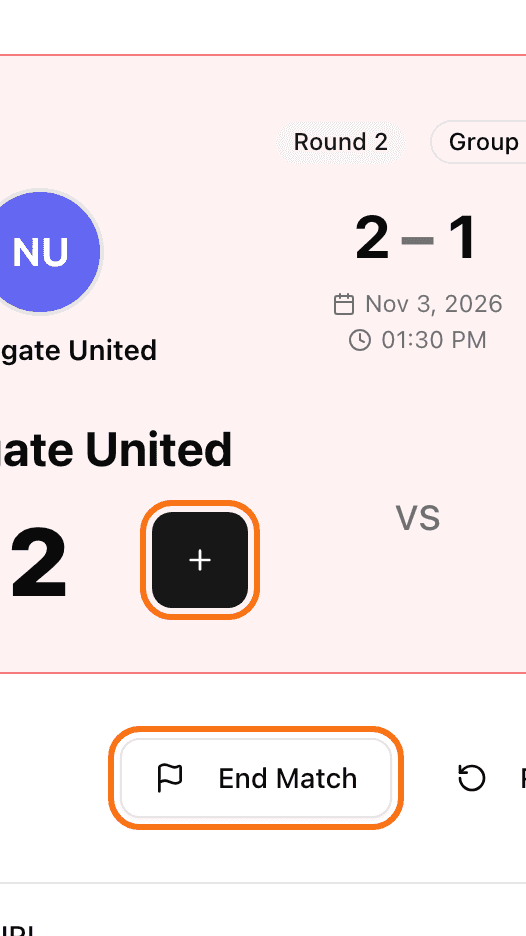
On the match screen, tap + under the team that scored.
Tapped by mistake? Tap - to take the point back.
Hold the button to count faster.
The score is saved when you let go of the button.
Closed the page by accident? Go back to the Schedule tab and click the red Live button on the match. You continue where you stopped.
Finish the match
Click End Match.
Click End Match again to confirm.
You go back to the schedule. The match shows as finished and the standings update.
In a knockout match that ends in a draw, LiveCup.app asks "Select which team advances". Pick the winner.
Sports with sets (volleyball, tennis and similar)
You score points inside one set. When a set is won, confirm it:
Tap + for each point, as above.
When the set is won, click Confirm Set (some sports show Finish Set).
Repeat for the next set.
When one team has won enough sets, click End Match.
Wrong score? See how to fix a result. Want someone else to enter the scores? See referee mode.