You can fix a score after the match has ended. Pick the option that fits your problem.
Change the final score
Use this when the match is over and you only need to change the numbers. It also works if you clicked End Match too early.
Open the Schedule tab.
Find the finished match.
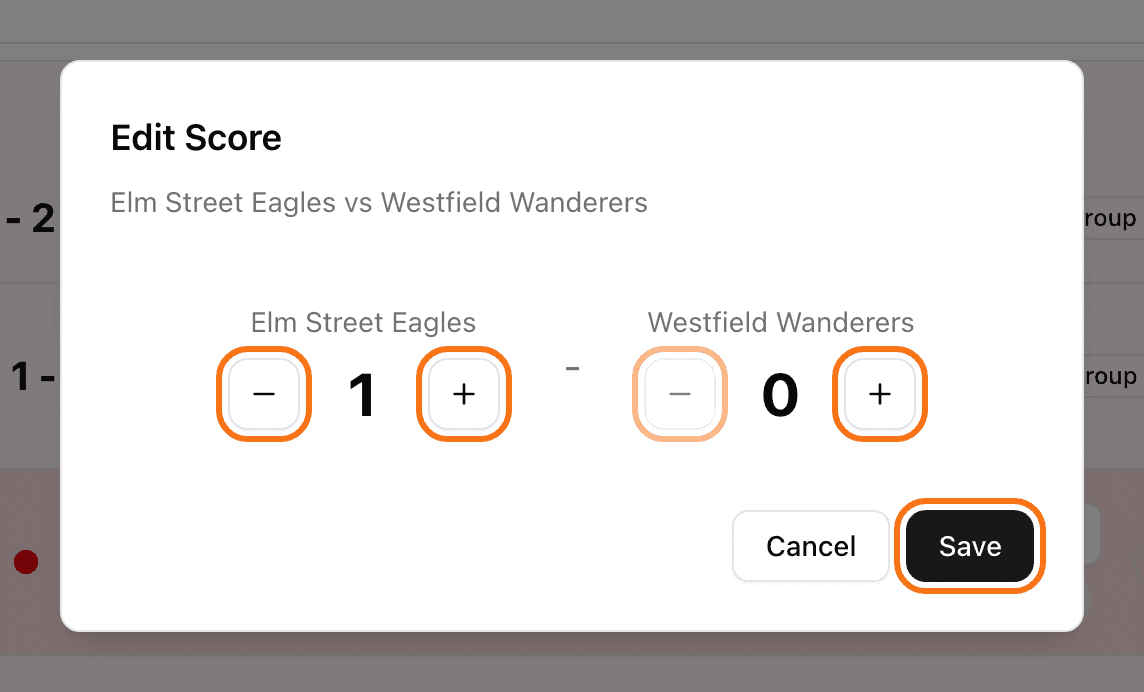
Click Edit Score.
Use + and - to set the right score for each team.
Click Save.
The standings update right away.
In a knockout match you cannot save a draw. LiveCup.app asks "Select which team advances". Pick the winner.
Reset a match and play it again
Use this when the match must be replayed from the start. You can reset a live match too.
On the match card, click Reset Match.
Click Reset Match again to confirm.
The result is erased and the match goes back to scheduled. Goal and card entries of that match are removed too.
Reset deletes the result. You cannot bring it back.
When you cannot change a result
The next round has already started. In a knockout bracket you cannot change a match once the following round has started or finished.
A final stage exists. If you created a final stage from a group tournament, group results are locked. Delete the final stage first.
Sets sports. Edit Score changes the final result only (for example 2:1 in sets). It does not change the points inside each set. If those are wrong, use Reset Match and enter the match again.
Only the organiser and people you gave access to can change results. A referee can score a match but cannot reset it or edit it later. See referee mode.