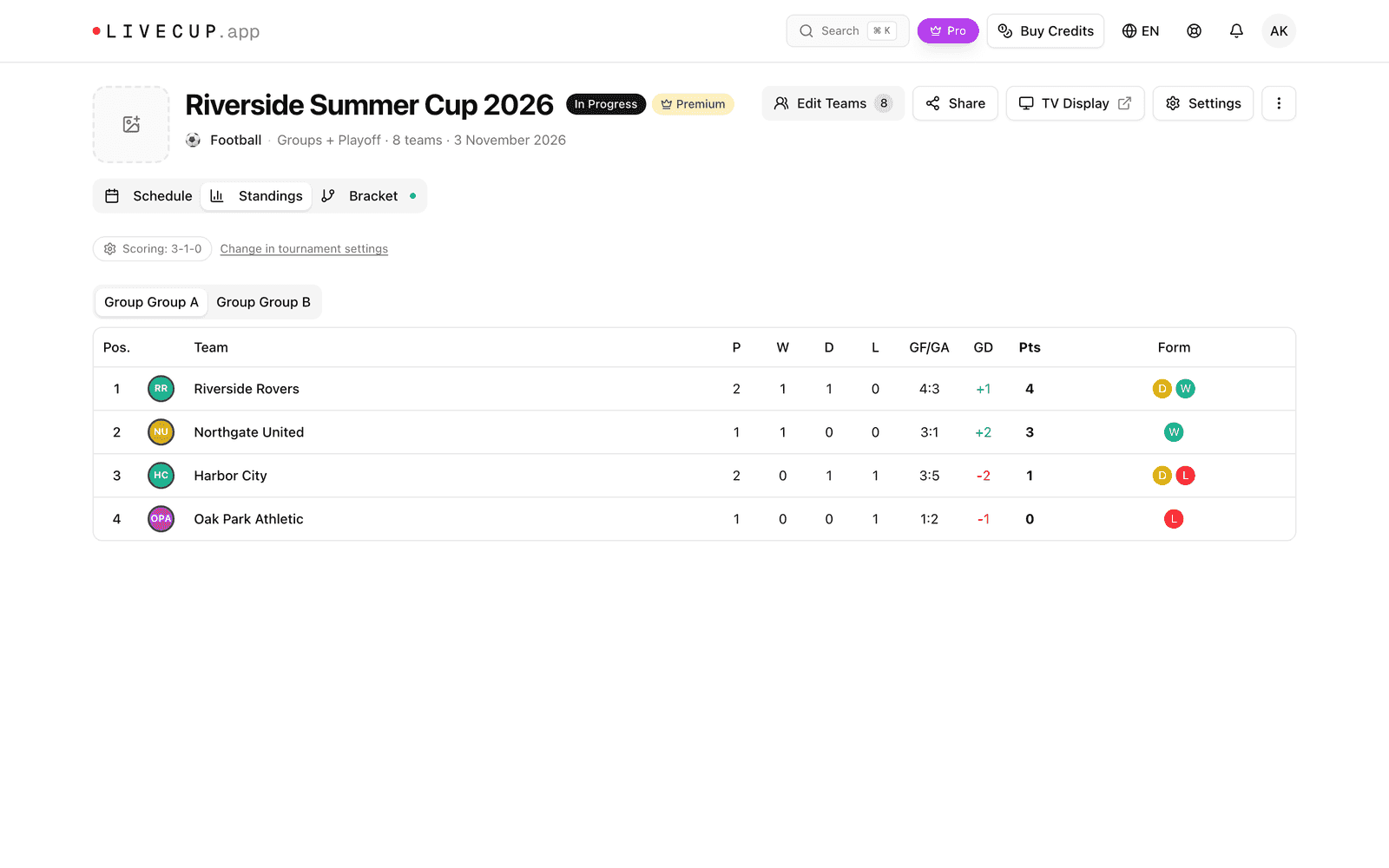
The table is sorted by points. If teams have the same points, LiveCup.app uses the tiebreakers, one by one, until one team is ahead.
How points work
By default a team gets 3 points for a win, 1 for a draw and 0 for a loss. Only finished matches count. You can change these numbers (see below).
The table columns are: P (played), W (won), D (drawn), L (lost), GF and GA (scored and conceded), GD (difference) and Pts (points).
The tiebreakers
When teams are level on points, LiveCup.app checks the rules in your order. It stops at the first rule that separates them.
Head-to-Head. Looks only at the matches between the tied teams: points first, then goal difference in those matches.
Goal Difference. Goals scored minus goals conceded in the whole tournament. In sports that count points, it is called Point Difference.
Goals Scored. Total goals (or points) scored in the tournament.
Other sports have their own rules, for example Buchholz, Sonneborn-Berger, Number of Wins and Koya System for chess, and Tries Scored for rugby.
Example: A and B both have 6 points. A has +3 goal difference, B has +5. With Goal Difference first, B is above A. With Head-to-Head first, the result of the match between A and B decides.
Change the points or the order
Above the table, click Change in tournament settings. Or click Settings, then General.
In Scoring, type new points For win, For draw and For loss.
In Tiebreaker rules, use the arrows to change the order. Switch rules Enabled or Disabled.
Click Save changes.
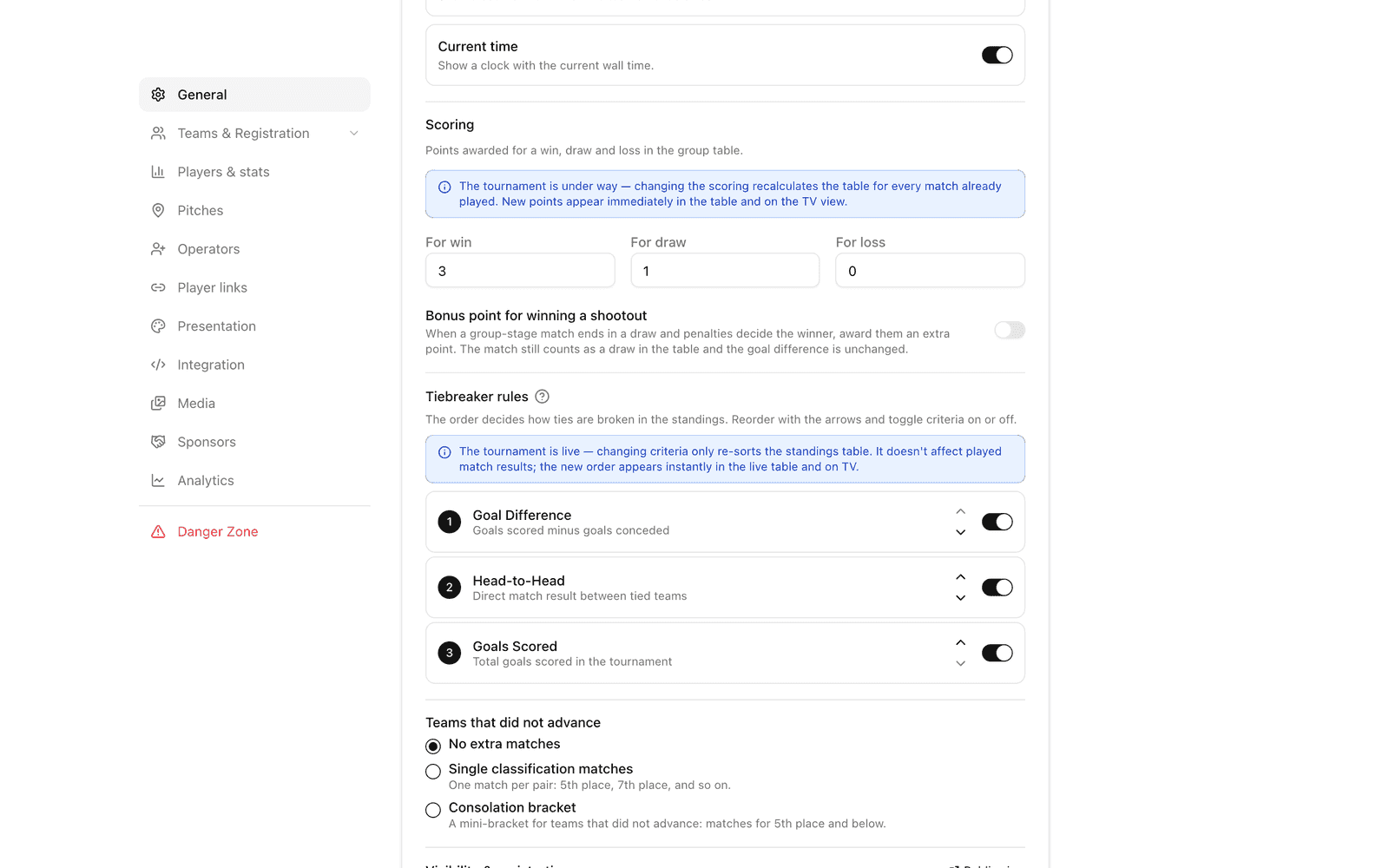
If the tournament is under way, changing the points recalculates the table for all matches already played. After the playoff bracket is drawn, or when the tournament has finished, you cannot change them any more.