You do not have to run the tournament alone. You can invite people to help you enter scores or manage the tournament.
Inviting operators needs a paid plan. On the free plan you will see Invite operators with an upgrade button. Each plan has a number of slots. The Slots card shows how many you use.
Invite a helper
Open your tournament and click Settings.
Click Operators.
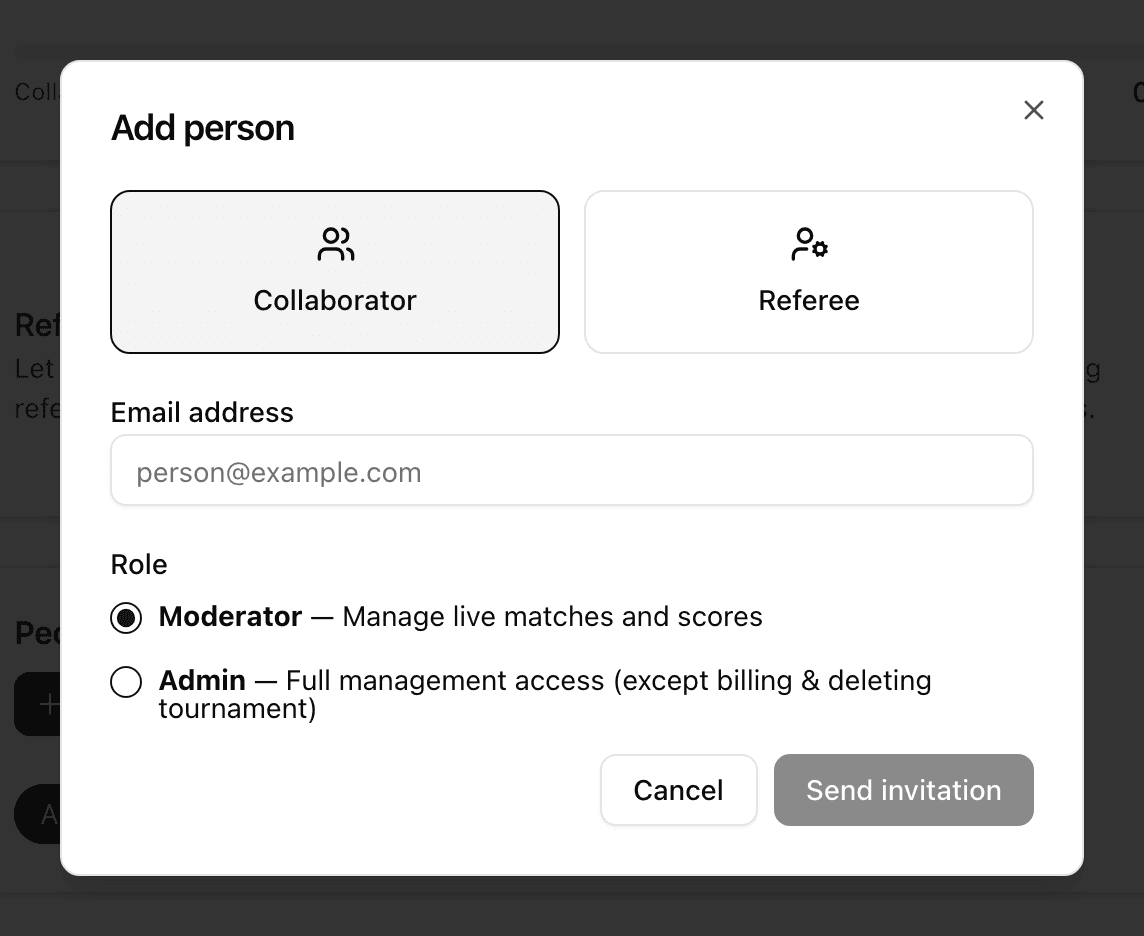
Under People, click Add person.
Choose Collaborator.
Type their email in Email address.
Choose a Role:
Moderator: manage live matches and scores.
Admin: full management access, except billing and deleting the tournament.
Click Send invitation.
The person gets an email with a secure link. Until they accept, they show under Pending invitations. You can click Resend or Revoke.
Change a role or remove someone
In the People list, change the Role in the drop-down, or click Deactivate. You can Reactivate later. Click Remove to delete the person. Removing is possible only before the tournament starts or after it ends. While it is running, use Deactivate.
Share a quick link
Use this when a helper has no account.
On the Operators page, find the Quick link card.
Click Activate quick link.
Click Copy, or QR, and send it.
Anyone with the link can operate matches. It uses 1 slot. To stop it, click Deactivate link. Click Regenerate token to make the old link stop working and get a new one.
Referees
A referee runs only the matches you give them. Click Add person, choose Referee, and type the Full name. If Referee mode is off, click Turn on first.