Use Results only when you do not run matches live. You type the final score of each match and move on. This is handy when you add results after the games, or when you keep the scores on paper.
Live or Results only?
Live. You start each match, run it live (clock, goals, cards) and finish it. Choose this when you want live scores for the TV screen and followers, or when you record scorers and cards. See how to enter live scores.
Results only. Every match is one row with two score fields. You type the final score and it is saved as a finished result. Choose this when you only need the results and standings.
You can change the mode at any time. Results you already entered stay as they are.
Switch the mode
Open your tournament. You are on the Schedule tab.
Above the match list, click Results only. Click Live to go back.
LiveCup.app remembers the choice for this tournament.
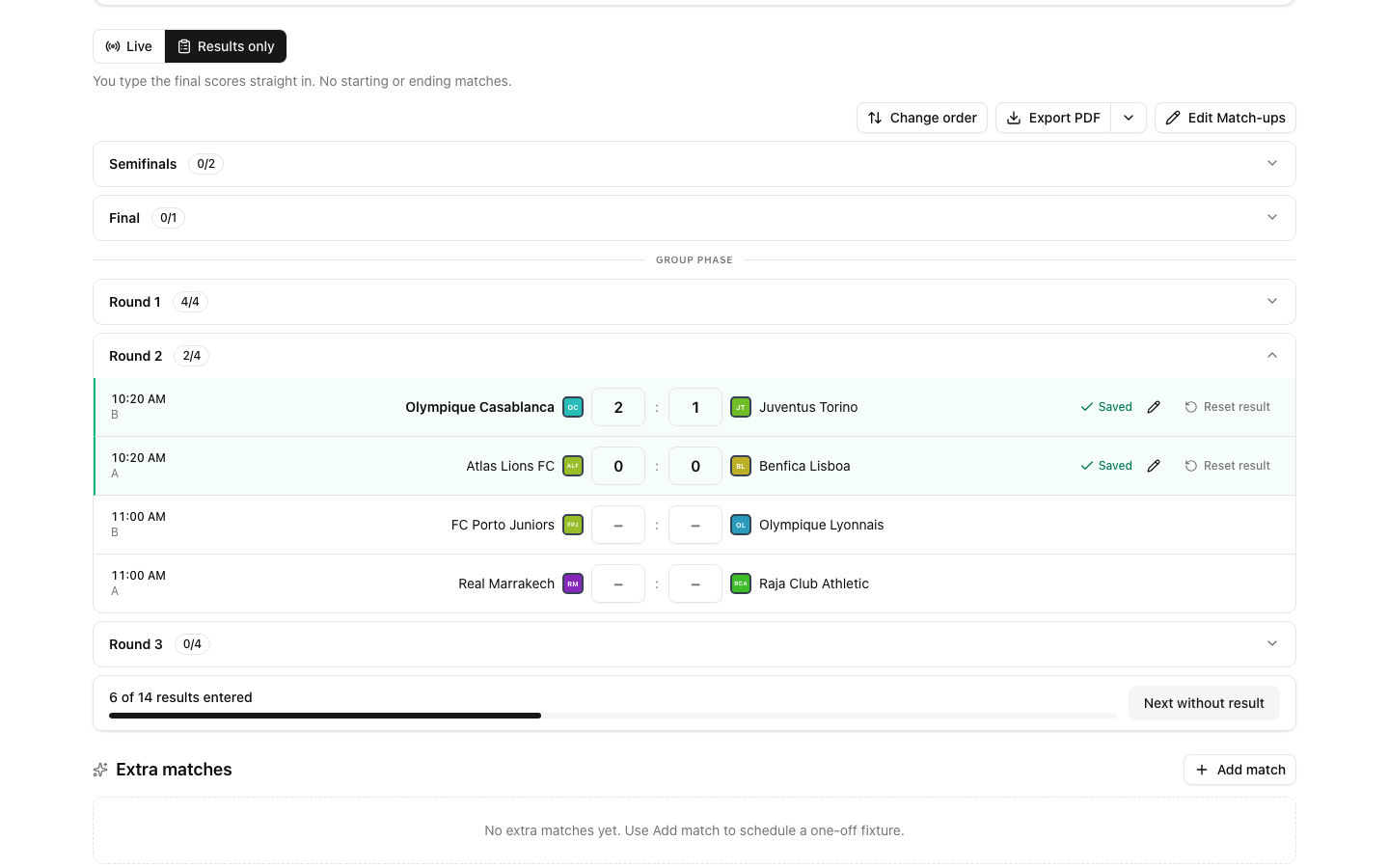
The switch only appears while the tournament is running. If you do not see it, read "When the switch is not available" below.
Type the scores
Click a round to open it. Rounds start collapsed.
Click the first score field of a match and type the score of the first team.
Press Enter to jump to the second field and type the second score.
Press Enter again. The result is saved and the cursor moves to the next match without a result.
At the bottom you see how many results are done, for example "3 of 8 results entered". Click Next without result to jump to the next empty match, even in a round that is closed.
Keyboard tips:
Arrow up and arrow down move to the match above or below.
You can also click Save instead of pressing Enter.
Saved by mistake? Click Undo. It stays for a few seconds.
Standings and brackets update after each result, as when you finish a match live.
A draw in a knockout match
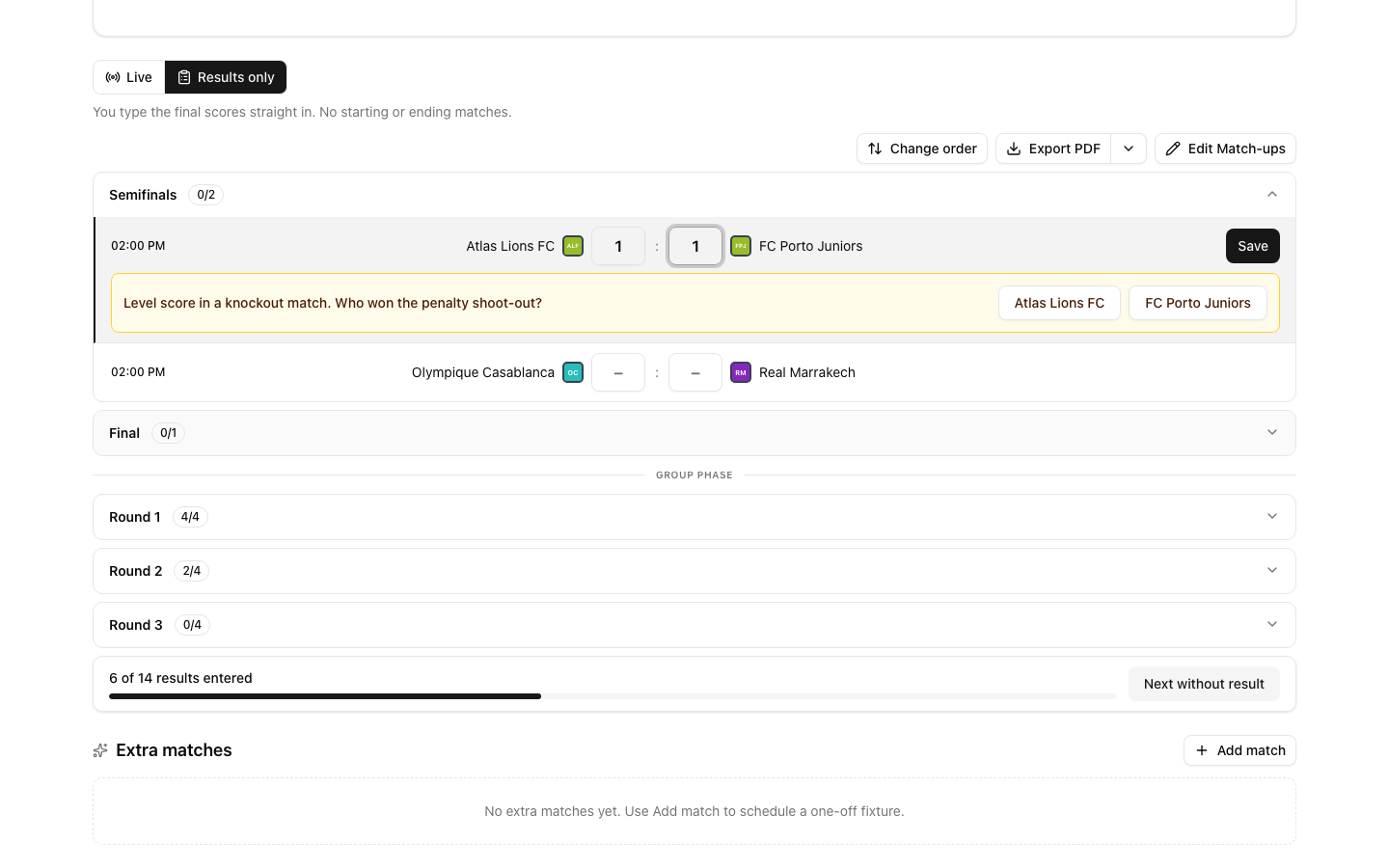
A knockout match cannot end level. When you type a level score, LiveCup.app asks "Level score in a knockout match. Who won the penalty shoot-out?".
Click the name of the team that won the shoot-out.
The result is saved and the winner goes to the next round.
Enter a score for one match in Live mode
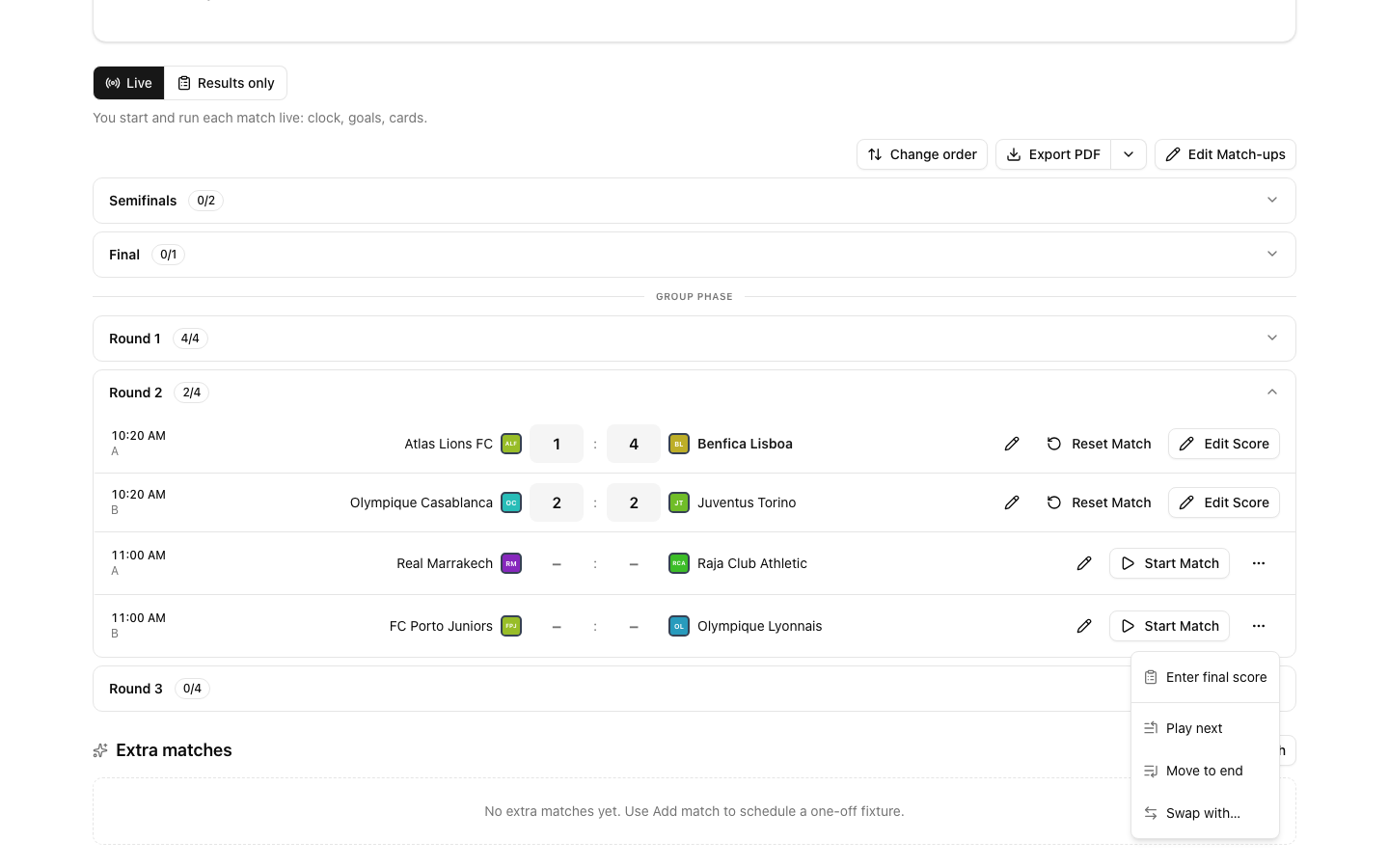
You do not have to switch the whole tournament. In Live mode, a match that has not started has a button with three dots at the end of its row. Click it and choose Enter final score. Type both scores and click Save result.
Fix a mistake
Change the score. Click the pencil on the saved row, type the new score and press Enter or click Save. Press Escape or click Cancel to leave without changes. In a knockout bracket a correction that changes the winner is refused once the next round has started. A correction that keeps the same winner still works.
Remove the result. Click Reset result and confirm in the window. The match goes back to not played. Scorers and cards recorded for it are removed too.
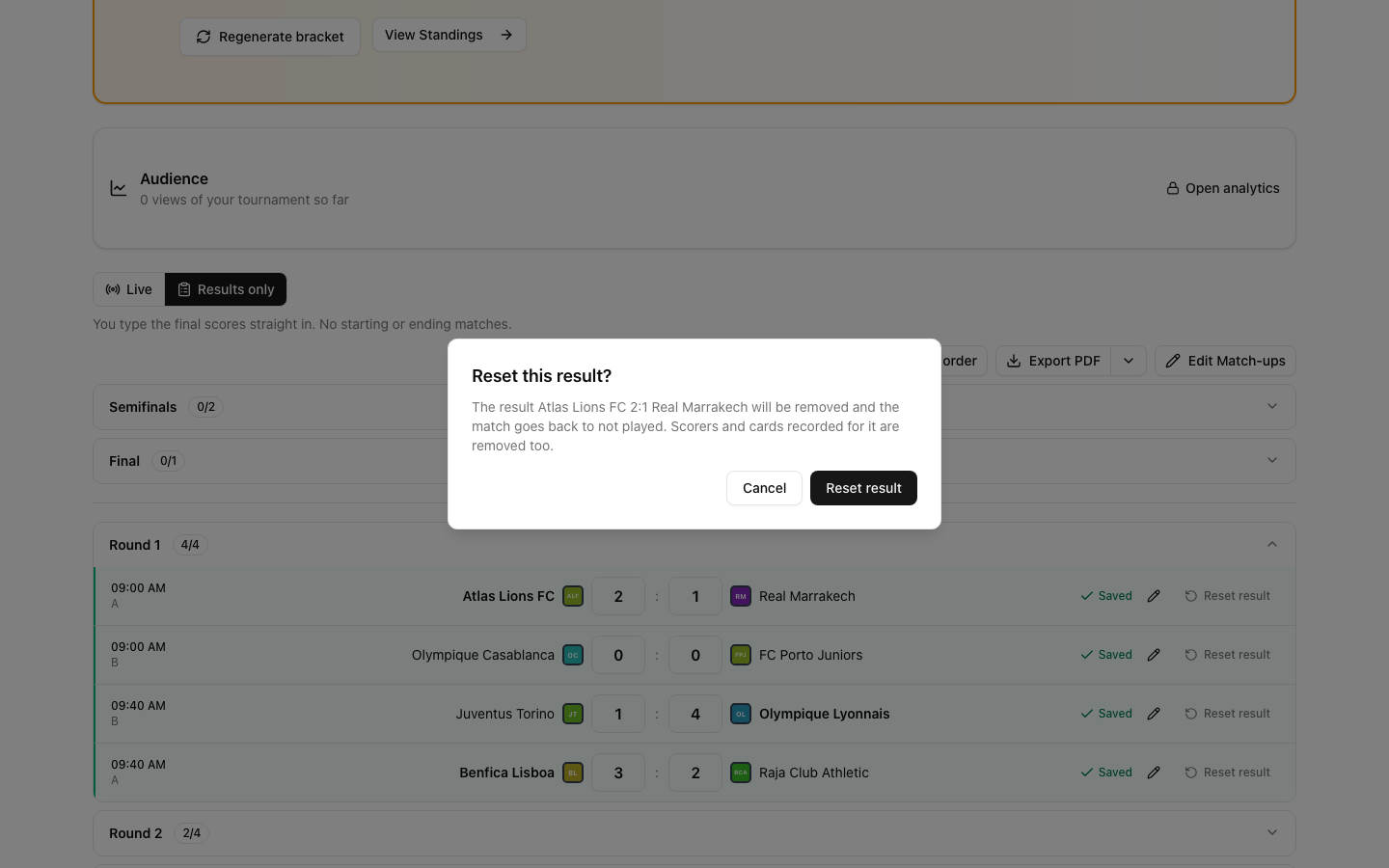
Reset deletes the result. In a knockout bracket it is refused when the next round has already started.
More about corrections: how to fix a wrong score.
When the switch is not available
The switch is hidden when results cannot be typed as two numbers:
The tournament has not started yet, or it is finished.
The format is not a league, groups, groups with play-off, a cup or a double elimination. For example Swiss, Americano and Mexicano.
The sport is played in sets (volleyball, tennis and similar), or it is darts, chess, rugby, running or kayaking.
The tournament uses overtime points or the group stage shoot-out bonus.
Good to know
A match that is live now shows Match in progress and a link to Open live match. The row does not overwrite it.
Group results are locked when a final stage exists. Delete the final stage to edit them.
A match with a team still marked TBD has no score fields yet.
Results only does not record scorers and cards. Use Live for those.
Only the organiser and people you gave access to can use the switch.