Darts in LiveCup.app is more than a score. You get averages, 180s and checkouts for every player, a public page for every match, boards with QR stickers and a live dartboard on the TV.
Player statistics
Statistics are filled in when you score with Visit total or Dart by dart. See darts rules and scoring.
Open your tournament. After the first leg, a Statistics section shows on the page.
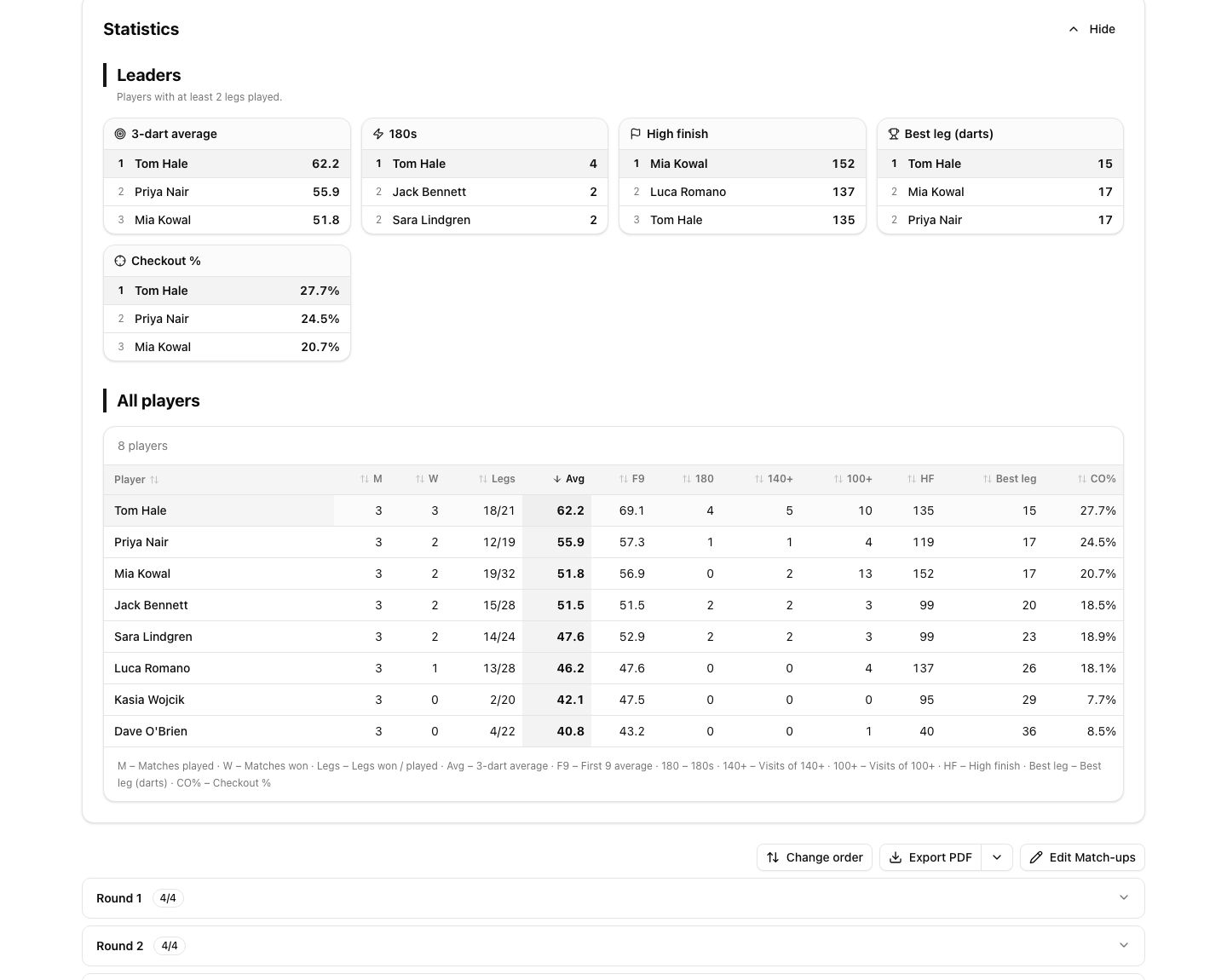
The Leaders show the best players. A player needs at least 2 legs played to appear there.
The table All players has matches, wins, legs, the 3-dart average, the first 9 average, 180s, visits of 140+ and 100+, the high finish, the best leg and the checkout %. Click a column title to sort.
Click a player's name to open the profile with the matches of that player.
Good to know:
In Leg winner only mode there are no statistics. The page says "Stats from 3 of 5 legs" when only some legs were scored in full.
Checkout % needs the darts at a double. In Darts rules, switch on Track darts at a double. The scorer then asks how many darts were thrown at a double.
Cricket shows Marks per round and Marks.
Who can see the statistics
By default everyone with the tournament link sees them. To keep them to you and your co-organisers, open Settings, General, find Darts rules and switch off Show player statistics publicly. You can change it any time, also after the start.
The public match page
Every darts match has a page that fans can open on their phone. It updates by itself while the match is live.
Current leg shows the visits and the points left.
Statistics shows the match statistics.
All legs shows every leg.
The page lists the Match moments, for example a 180, a big checkout or a nine-darter, and has a Share result button.
Boards and QR stickers
Court autopilot, markers, board QR codes and player links need the PRO plan or higher. A tournament credit does not unlock them.
In darts the courts are called Boards. Set them up like courts, see courts and match order.
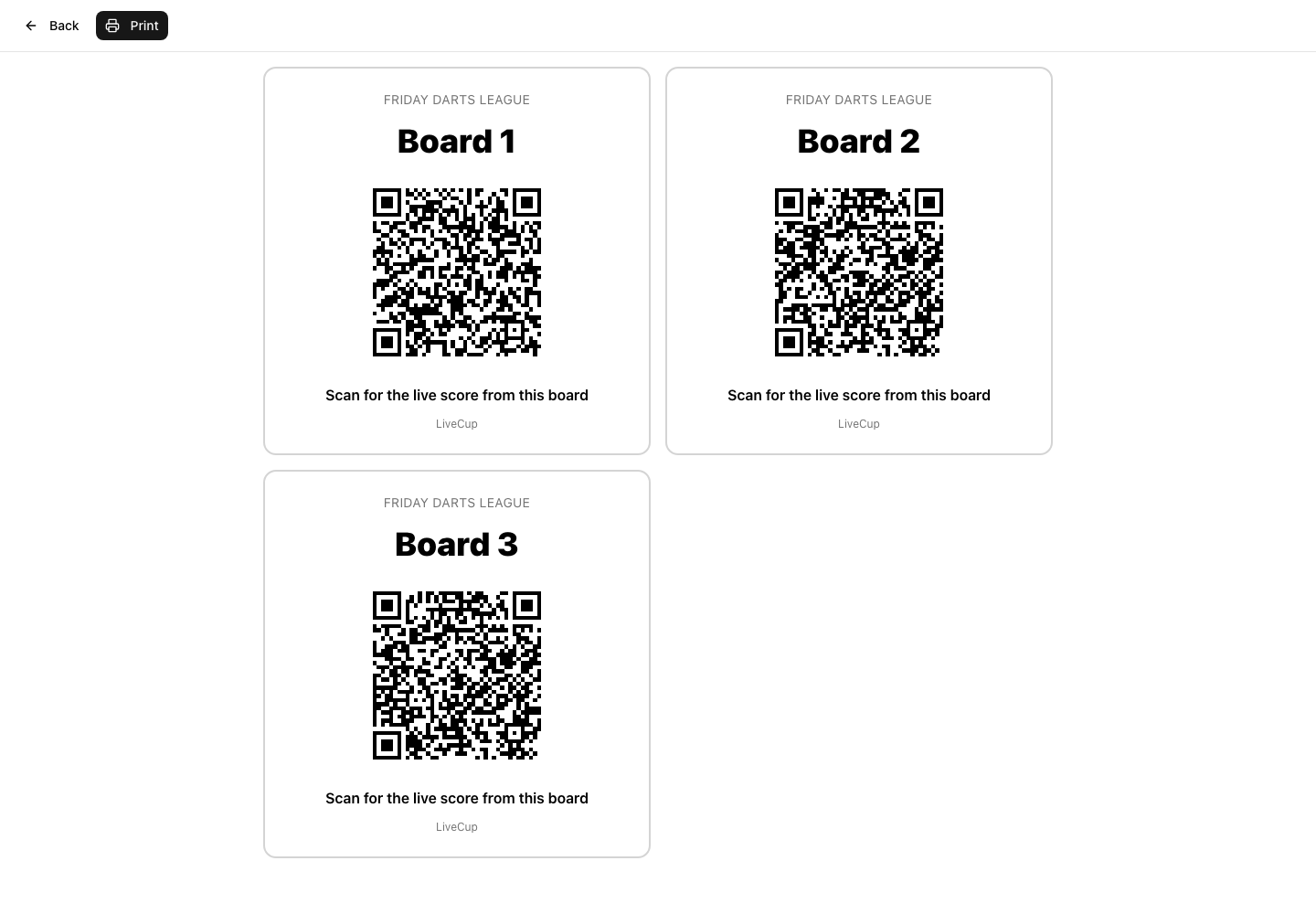
Print board QR codes: print a sticker for each board. Scanning it opens the live score of the match on that board, or the next match when the board is free.
Autopilot: turn on Fill free spots automatically. When a match ends, the next ready match goes to the free board by itself.
Who marks the match: choose Nobody (the operator or a referee scores), Loser of the previous match or Participant waiting the longest.
Players score their own matches
Open Settings, then Player links.
Switch on Enable player links.
Click Create missing links. Share a link or print the QR sheet with Print QR sheet.
Optional: switch on Opponent must confirm the result. The result then counts after the opponent, or you, confirm it.
Each link opens only the matches of that player. Together with Who marks the match, this lets a league run without an operator.
Dartboard and leaders on the TV
The TV shows every live board with the points left, legs, averages and the checkout hint. It also shows Tournament leaders and a QR code Scan for live stats. See the TV display.
To show a real dartboard with the last darts:
Open Settings, General, Darts rules.
Switch on Dartboard on TV. It works with dart by dart entry. The scorers then open in that mode.
Dartboard on TV needs the PRO plan or a tournament credit. See unlock one tournament.
The board shows the bed that was hit, for example T20 or D16, not the exact spot.
A season of nights
You can run a darts league as an event with Separate leagues: each league is one night. See what is an event.
Open the event, click Settings, then General.
In Season points ranking, switch on Show the points ranking.
Set the points for each place and click Save. The suggested scale is 10, 8, 6, 5, 4, 3, 2, 1.
Only completed nights count. A player who misses a night scores 0 for it. The public event page then shows the season table, the leaders of the whole season and a profile for each player with the average per night.
Events and the season ranking need the PRO plan or higher.
History in My teams
If you keep your players in My teams, you can link them to their darts appearances in all your tournaments. Open a player and find Statistics. The totals and the list of tournaments are free. The Average over time chart and Best results need the PRO plan or higher.
Hide a player from the public pages with Hide this player in public statistics. Fans then see "Private player".