When your tournament is full, new teams can wait in line. If a spot frees up, the next team in line gets it.
The waitlist needs the PRO plan or higher. An Event Pass does not unlock it.
The waitlist starts only when the tournament is full. Set a team limit first. See how to let teams register.
Turn it on
Open your tournament and click Settings, then Teams & Registration.
In the Waitlist card, switch on Enable waitlist.
Choose how freed spots are given out. See the list below.
Click Save.
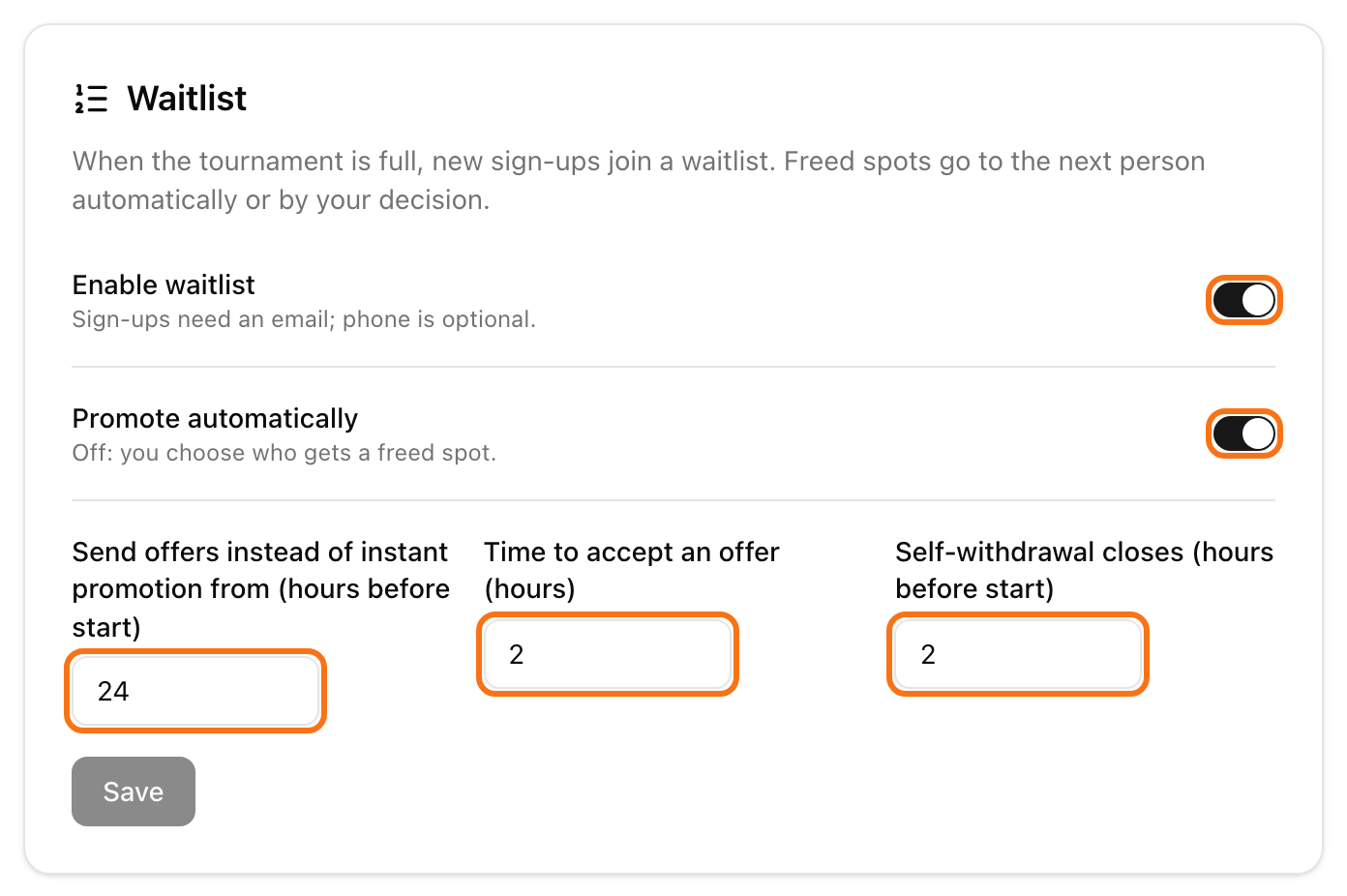
Promote automatically: on, the next team gets a freed spot without you. Off, you choose who gets it. LiveCup.app tells you when a spot is free.
Send offers instead of instant promotion from (hours before start): far from the start, the next team gets the spot at once. Closer than this many hours, the team gets an offer by email and must accept it. The default is 24.
Time to accept an offer (hours): if the team does not accept in time, the offer ends. The team goes to the end of the list and the next team gets an offer. The default is 2.
Self-withdrawal closes (hours before start): after this time, teams cannot withdraw online. The default is 2.
Teams must give an email to join the waitlist. A phone number is optional.
What teams see
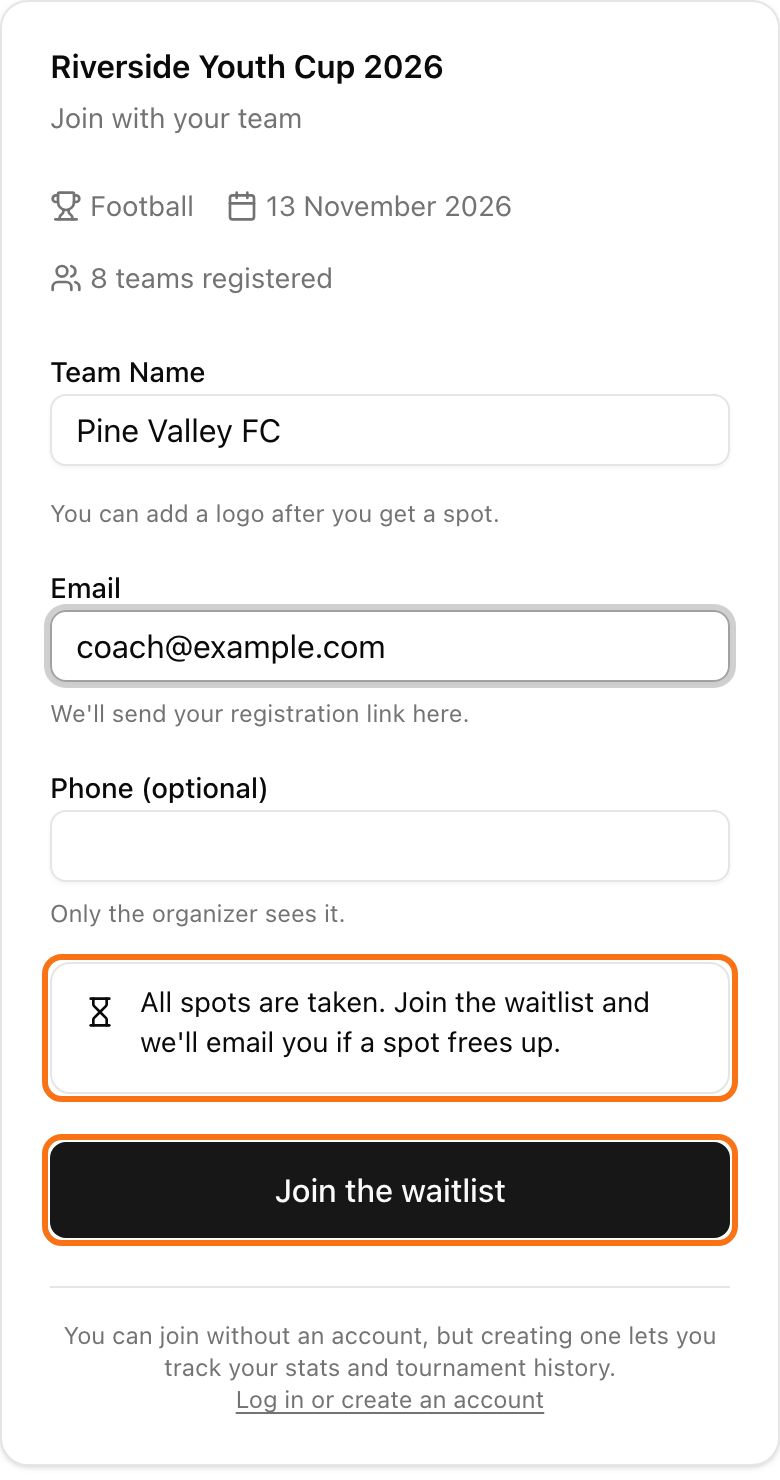
When the tournament is full, the join page says "All spots are taken". The team types an email and clicks Join the waitlist.
The team sees its place, for example Position 3. It also gets an email with a personal link.
With that link the team can check its Position 3 of 5, or click Withdraw.
When a spot is offered, the page says "A spot is waiting for you" and shows a countdown. The team clicks Accept the spot.
Manage the waitlist
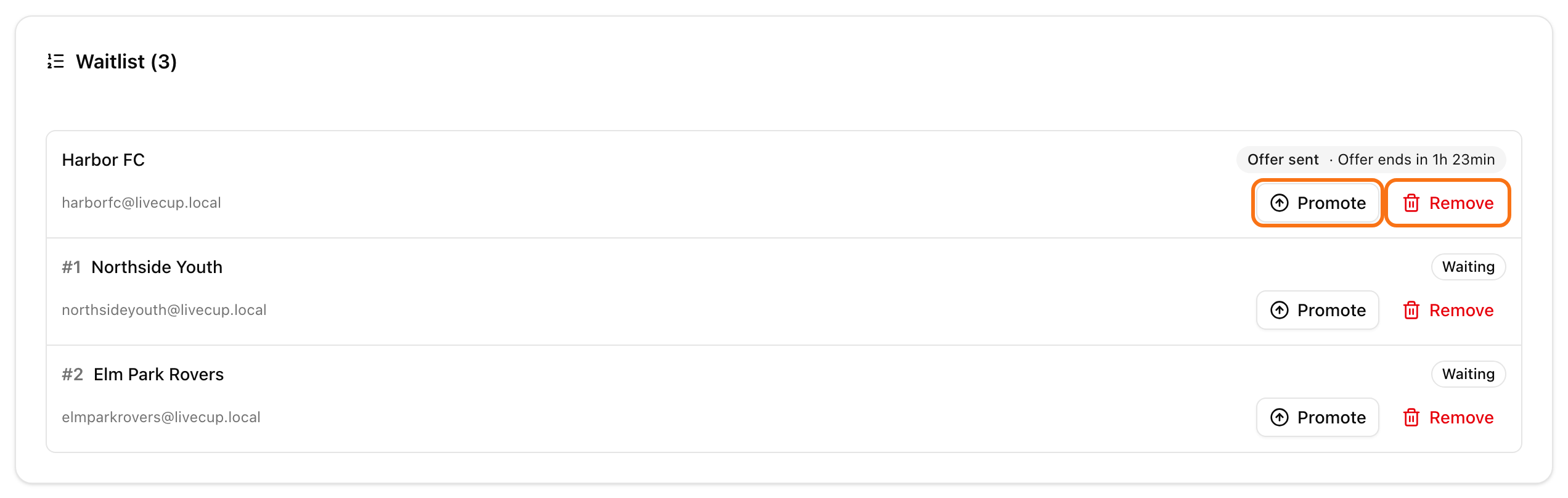
The Waitlist (3) card shows on your tournament page, under your teams. Each row shows the place, the email and a badge: Waiting or Offer sent with the time left.
Click Promote to give a team a spot at once. It skips the line. Confirm the question "Give … a spot?". You need a free spot. If there is none, you see "No free spot. Raise the team limit or remove a team first."
Click Remove to take a team off the list. The team gets an email.
If your plan drops below PRO, new waitlist sign-ups and promotions pause until you upgrade again.