Groups are used in Groups and Groups + Playoff tournaments. You split the teams into groups, and each team plays the others in its group.
You need at least 4 teams before you can draw.
Draw the groups
Open your tournament. You are in the operator panel.
Find the Groups card and click Draw groups.
Under Number of groups, pick a number. A line below shows what you get, for example "8 teams to 2 groups of 4".
In Groups + Playoff, set Teams advancing. This is how many teams from each group go to the playoff.
Pick how to draw (see below).
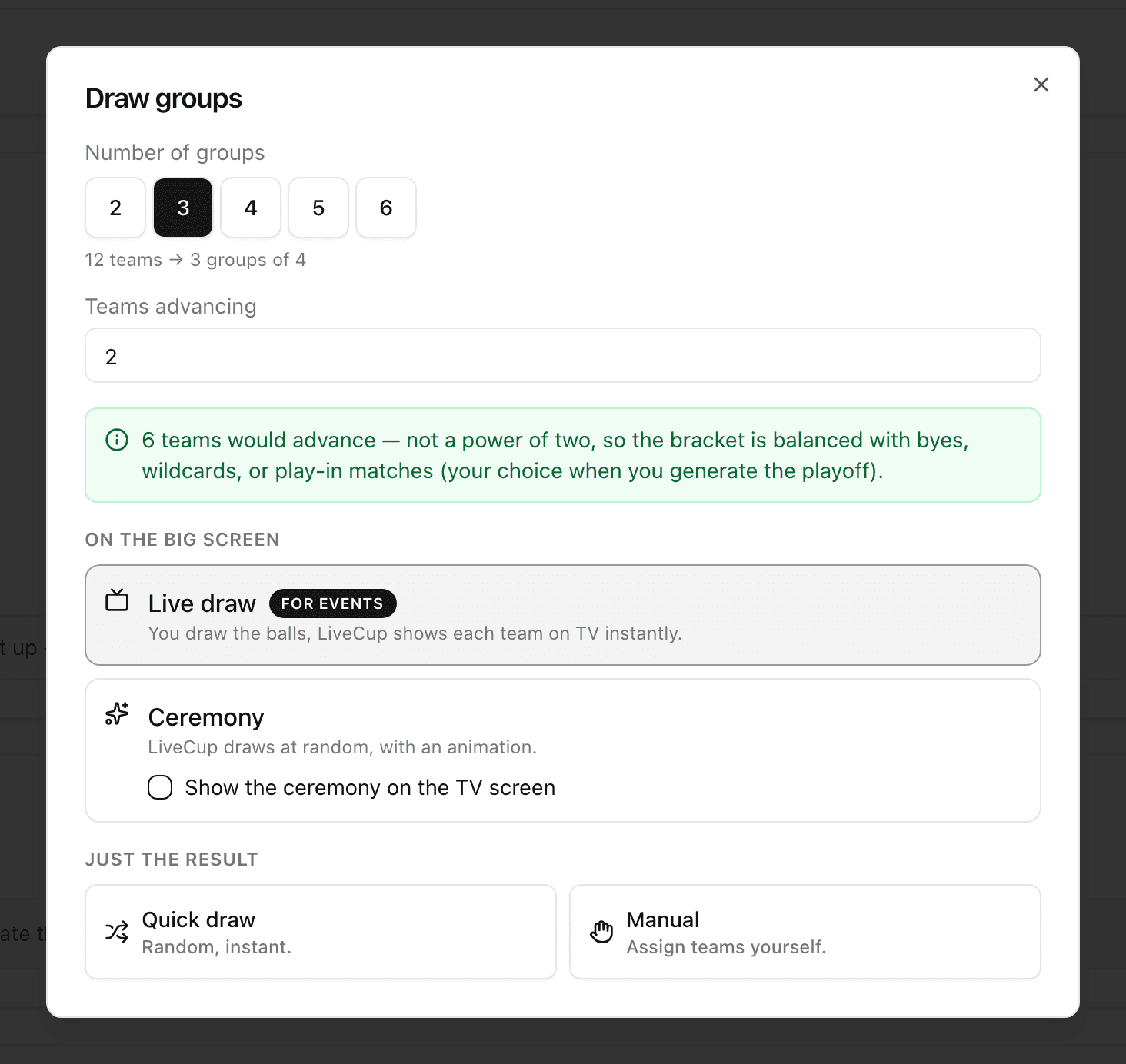
Pick a draw method
Live draw (marked For events): you draw real balls, and LiveCup.app shows each team on the TV. Best for a live event.
Ceremony: LiveCup.app draws at random, with an animation. Tick Show the ceremony on the TV screen to show it on the big screen too.
Quick draw: a random draw, instant. Click Reshuffle until you like it, then click Confirm draw.
Manual: you pick a group for every team. Click Confirm draw when all teams have a group.
Run a live draw
Choose Live draw.
Click Open TV in new tab and put that window on the projector. You can also use Copy link or Show QR code.
Optional: under Group names (optional), click Rename to name groups, for example "Cup" and "Plate".
Click Start live draw.
Draw a ball. Tap the team that came out, then press Show on TV.
Wrong team? Press Undo. It removes the last team from the screen.
When all teams are placed, click Confirm groups.
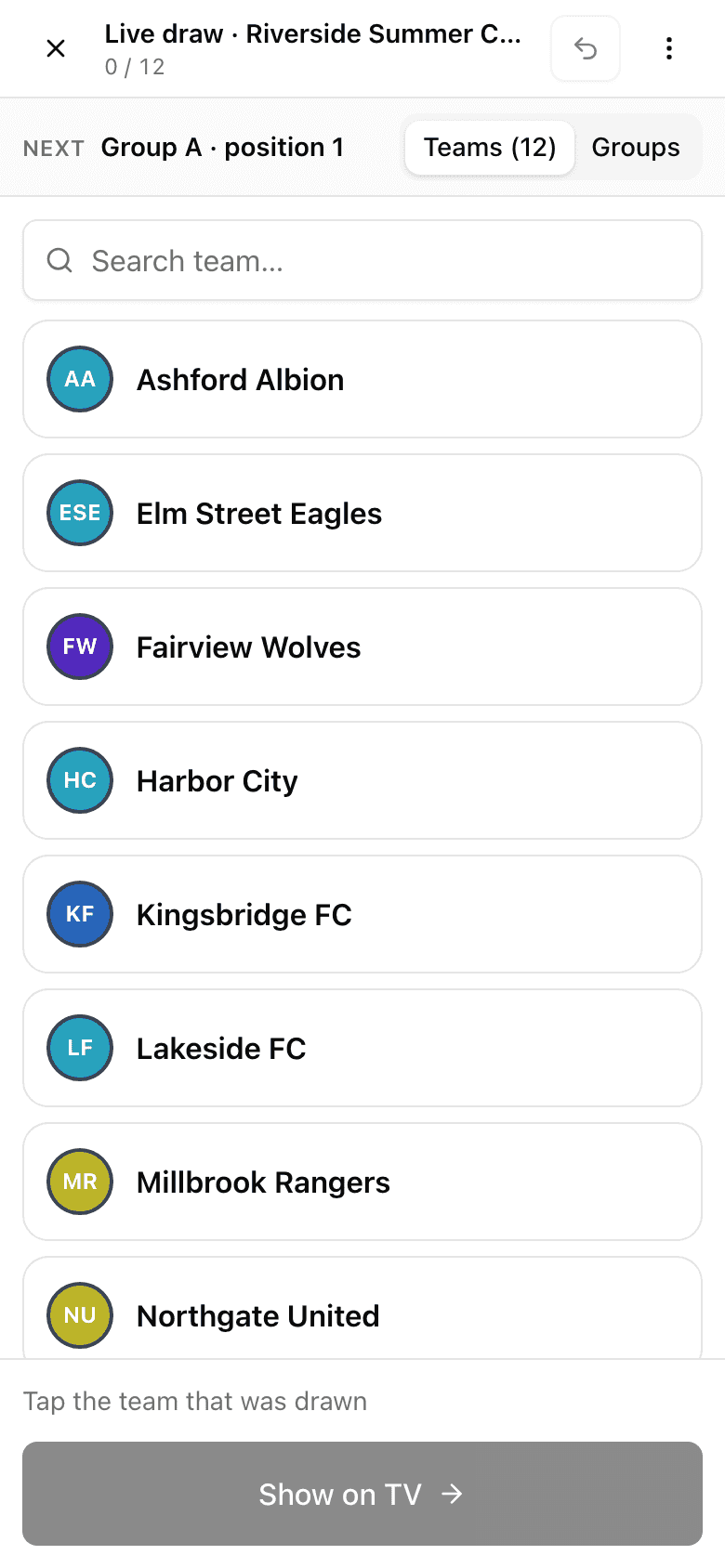
Teams go to the next free place in order: A1, B1, C1, and so on.
Draw again
Click Redraw on the Groups card. This works only while no match has been played. If you already made a schedule, LiveCup.app warns that redrawing deletes all matches.
A team joined after the draw
A new team shows in Late entries. Click Place in Group to put it in the smallest group. The official draw stays as it was. You can also click Draw group on TV or Choose another group….
To swap or remove a team in a group, use the three-dots menu next to it: Replace team… or Withdraw from group…. Click Draw history to see every change. Only you can see it.
More about the live draw and late teams: live group draw.