In doubles sports, two people play as one team. With pair registration, players sign up as a pair, or alone to be paired later. LiveCup.app builds the team name from the two surnames, for example "Kowalska / Nowak".
Pair registration needs the PRO plan or higher. An Event Pass does not unlock it.
It works in padel, tennis, pickleball, beach volleyball, table tennis and cornhole, in formats with fixed pairs. It does not work in Americano or Mexicano, or when players must log in to register.
Turn it on
Open your tournament and click Settings, then Teams & Registration.
In the Pair registration card, switch on Pair registration.
Under Category type, choose Open, Men, Women or Mixed.
Optional: type a Level (optional), for example "B2–B1". Players see it next to the category. LiveCup.app does not check it.
Click Save.
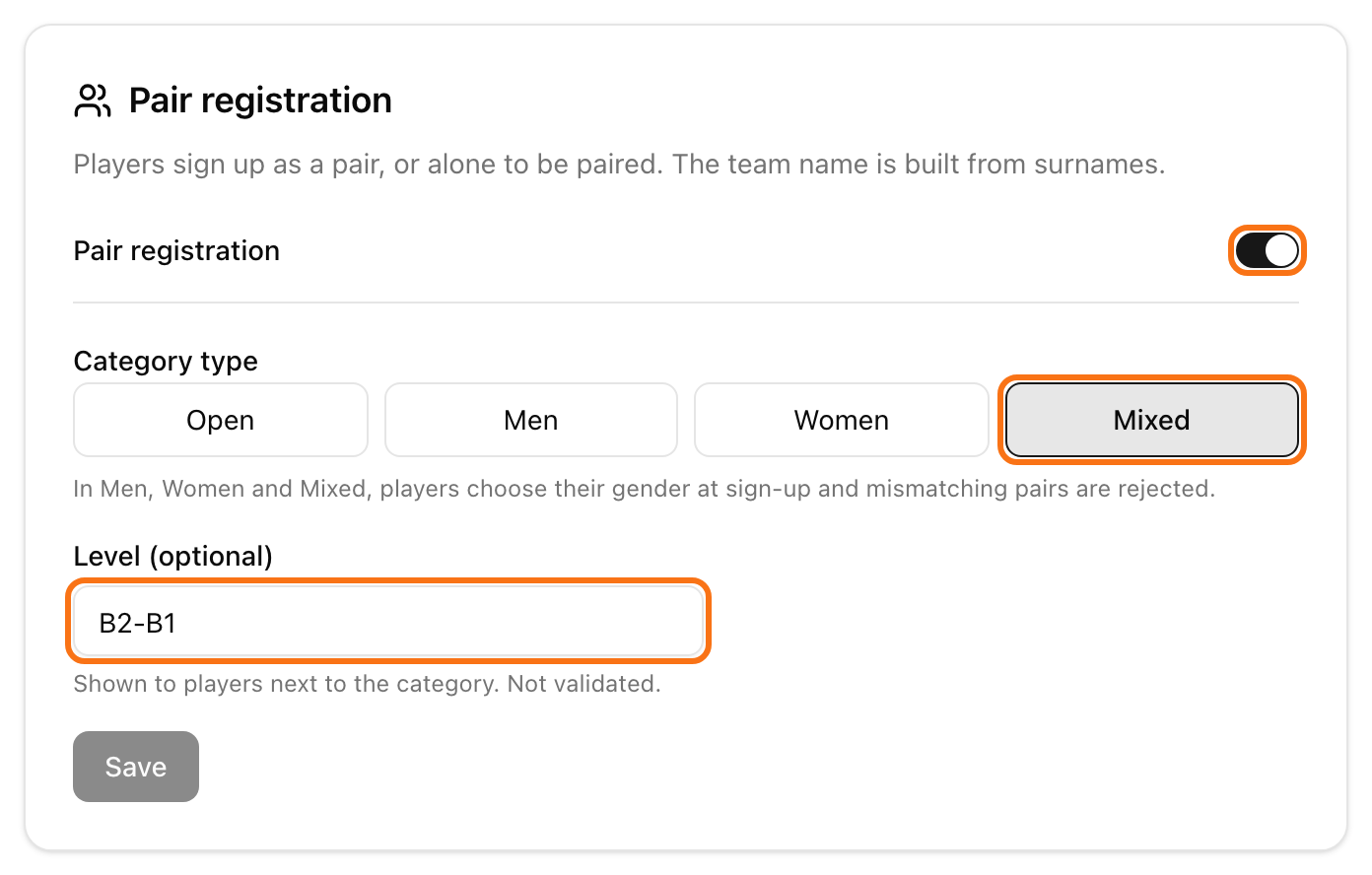
In Men, Women and Mixed, each player picks a Gender when signing up. A pair that does not match is refused. Mixed means one woman and one man.
What players do
Players open your normal join link or QR code. See how to let teams register.
Under How are you signing up? they choose one option:
I have a partner: they type their name, their email and their partner's name. The partner's email is optional. Then they click Register the pair.
Looking for a partner: they type their name and email and click Join the partner list. They have no spot yet.
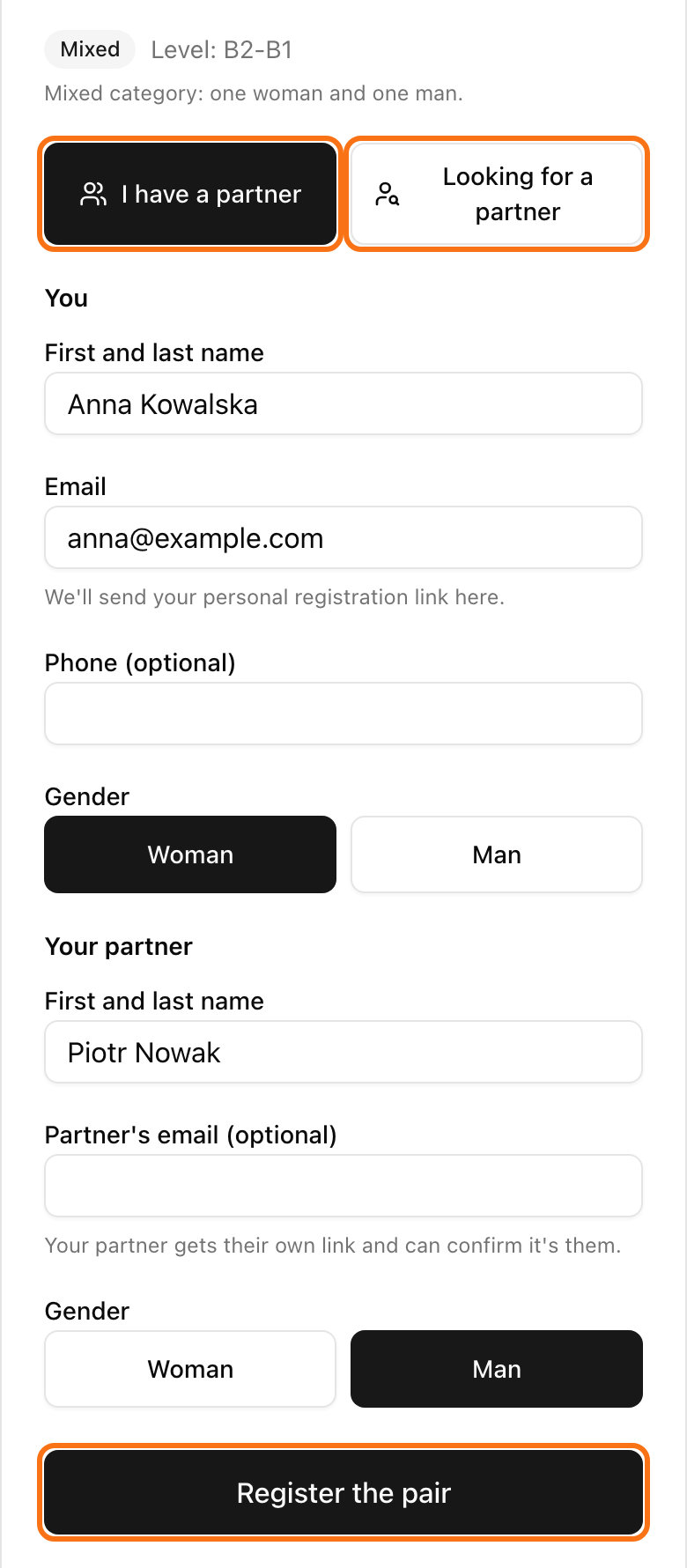
Everyone gets an email with a personal link. With it they can change the partner or withdraw.
If the tournament is full and there is no waitlist, players can only join the partner list. With a waitlist, full pairs wait in line. See how to use a waitlist.
Pair players yourself
Players on the partner list wait for you.
Open your tournament page. Find the card Pairs and players looking for a partner.
Tick two players in Looking for a partner. Or tick one player and one pair in Pairs that shows Missing partner.
Click Pair.
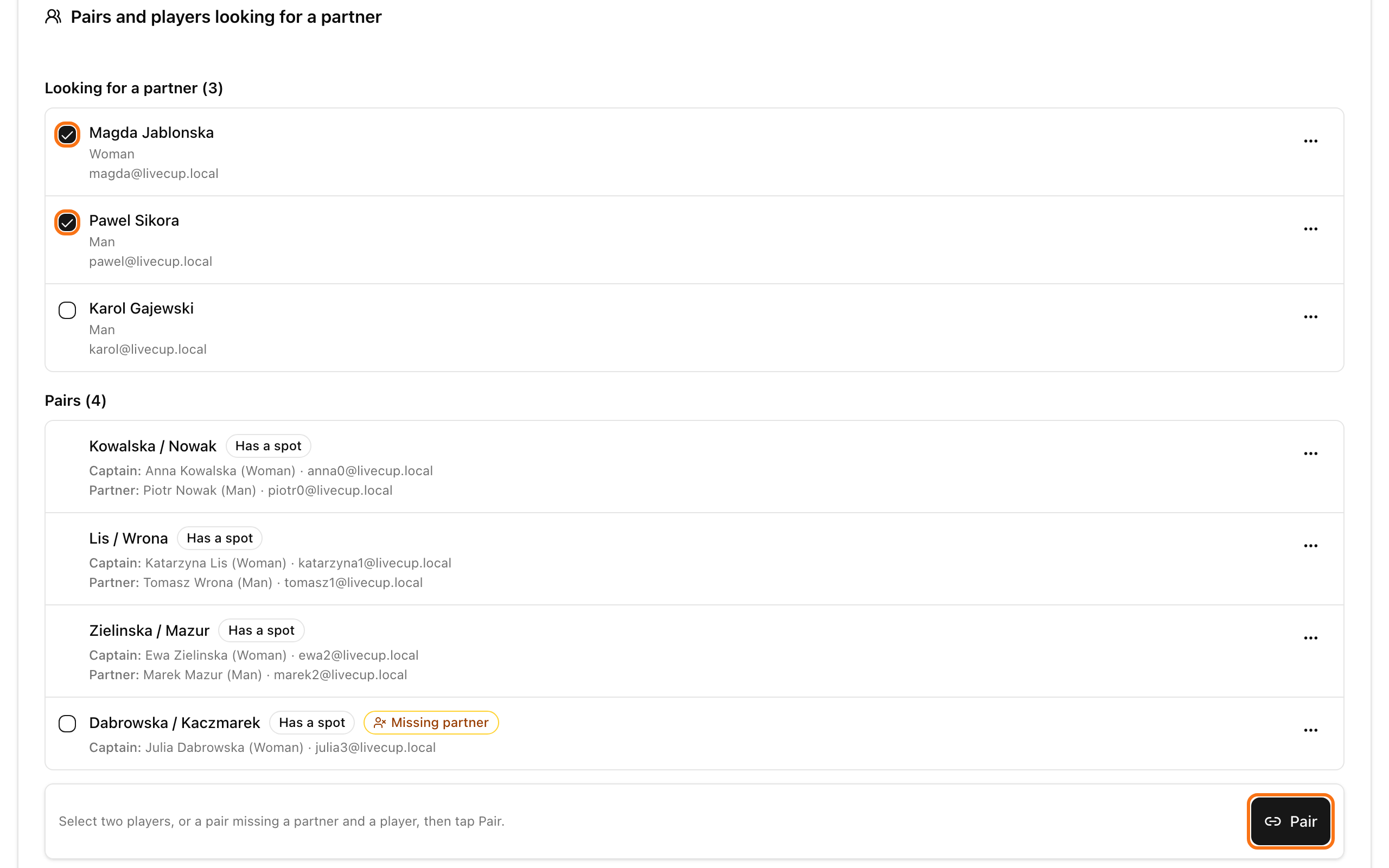
Click the three dots next to an entry for Add partner, Move to category or Remove. Remove sends an email to everyone in the entry. The free spot goes to the next in line.
Move to category shows up when your tournament is one category of an event. The entry keeps its sign-up time. To give players one page for all categories, see event registration.
In cornhole, click Draw pairs to pair all waiting players at random in one step.
Turn it off
Switch off Pair registration and click Save. If there are entries, LiveCup.app asks Turn off pair registration? Click Turn off. The entries stay. New sign-ups use the normal team form.
Players can sign up, and you can pair them, only before the tournament starts.